Apps Games Articles
Fast Launcher
Innova Tool
Rating 4.6star icon
Editor's summary
Editor rating
star icon star icon star icon star icon empty star icon
4.3

One-line summary Fast Launcher is easy to recommend if you want a cleaner, quicker-feeling Android home screen for free, but I’d hesitate if you prefer a deeply customizable launcher or have little patience for occasional rough edges.

  • Installs

    5M+

  • Developer

    Innova Tool

  • Category

    Personalization

  • Content Rating

    Everyone

  • Latest version

    2.9.2

  • Package

    com.clean.fast.launcher

Screenshots
In-depth review
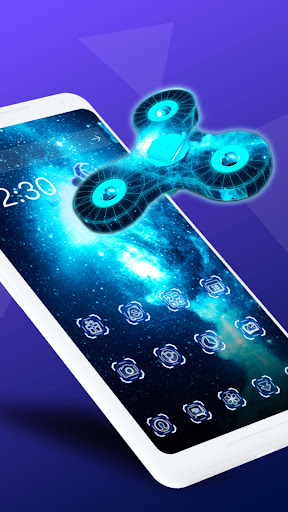
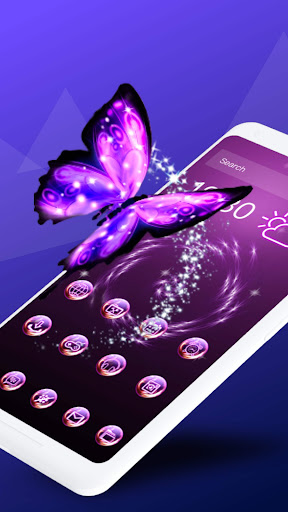
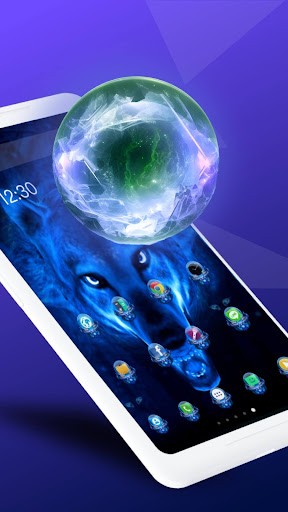
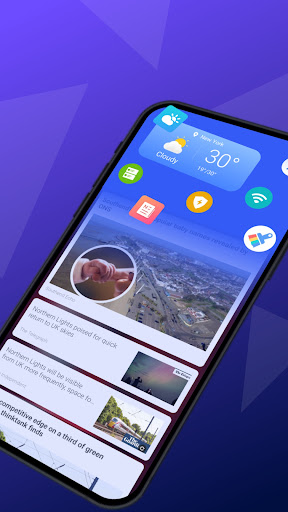
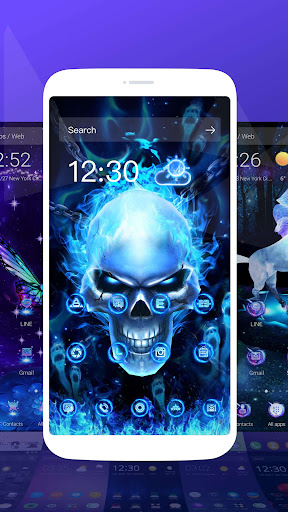
Fast Launcher feels like the kind of Android app built around a simple promise: make your phone feel lighter, quicker, and less cluttered the moment you unlock it. After spending time using it as a daily launcher rather than just tapping around for a few minutes, what stood out most was not some one big flashy feature, but the way it changes the rhythm of everyday phone use. Opening apps, getting back to the home screen, and finding what you need all feel a little more direct. That alone makes a launcher worth paying attention to. The first thing I noticed was the sense of speed. A launcher lives or dies by responsiveness, because it sits at the center of every interaction. If swipes stutter, folders feel awkward, or app launching adds friction, you feel it constantly. Fast Launcher generally gets this right. Navigation feels snappy, and the overall experience gives the impression of a lighter interface that is trying to stay out of your way instead of demanding attention. That is the app’s biggest strength. It does not feel like it wants to become a theme park of features; it feels like it wants to help you get to your apps faster. That practical focus also makes it approachable. Some launchers overwhelm you with pages of settings before you have even decided whether you like the basics. Fast Launcher, by contrast, feels easier to settle into. I was able to adapt to it quickly and use it naturally without a long setup session. For casual users, or for someone whose phone has become messy over time, that matters a lot. You do not need to be the kind of Android user who enjoys tweaking every visual detail to get value from it. In day-to-day use, it gives off a streamlined, beginner-friendly feel. A second strength is that it seems designed to reduce visual and mental clutter. The home screen experience feels more focused than chaotic, and that improves usability more than people often realize. I found myself spending less time hunting for apps and less time bouncing between crowded screens. Even if the app is not radically reinventing the launcher idea, it succeeds in making routine actions feel calmer and more efficient. For users who mainly want a tidier front end for their phone, that is a real benefit. The third major plus is accessibility in the broader sense: it is free, and it does not require a huge commitment to understand. That lowers the barrier to trying it. Fast Launcher is the sort of app you can install because your current home screen feels bloated or sluggish, and within a short session you can tell whether it improves your phone experience. In my time with it, it made a favorable first impression precisely because it did not make me work too hard to see the appeal. That said, Fast Launcher is not perfect, and its weaknesses become clearer the longer you use it. The first complaint is that while it feels fast and straightforward, it does not come across as the most deeply polished or premium launcher experience in its category. There are moments where the app feels more functional than refined. Nothing about it was bad enough to make me stop using it, but there is a difference between a launcher that is quick and one that feels meticulously crafted in every corner. Fast Launcher lands closer to the former. The second issue is that users who love heavy customization may find it limiting or at least less exciting than they hoped. The app’s main appeal is simplicity and speed, and that approach can be a double-edged sword. If you are the sort of user who wants to endlessly tune gestures, icon behavior, layout logic, transitions, and every small visual element, Fast Launcher may feel a bit too practical. I came away thinking that it knows its audience, but that audience is not necessarily Android hobbyists who treat the launcher as a personalization playground. The third weakness is that the stripped-back style that helps it feel clean can sometimes verge on generic. Over longer use, I found myself appreciating the efficiency while also wishing for a little more personality or a stronger sense of distinctiveness. There is a fine line between minimal and plain, and Fast Launcher occasionally brushes up against it. That does not hurt usability, but it can affect how memorable the app feels once the initial speed boost becomes normal. Who is this app for? It is best for Android users who want a free launcher that makes everyday navigation feel quicker and more organized without demanding much setup. It is especially well suited to people frustrated by clutter, casual users who want a cleaner home screen, and anyone trying to make an older or busier phone feel a bit more manageable. If your priorities are speed, simplicity, and a smoother home-screen routine, Fast Launcher makes a strong case for itself. Who is it not for? If you are already happy with your stock launcher, want a highly expressive visual overhaul, or expect a power-user customization toolkit, this may not be the most satisfying option. It also may not win over people who are extremely sensitive to interface details and want a launcher that feels luxurious rather than just efficient. Overall, Fast Launcher succeeds because it respects your time. It improves the parts of phone use that happen dozens of times a day, and that has more value than flashy extras. While it may not be the most feature-rich or distinctive launcher available, it delivers a clean, fast, and approachable experience that is easy to recommend to the average Android user. After using it as an everyday home screen, I came away with the impression that it does the most important job of a launcher very well: it makes your phone feel easier to live with.