Apps Games Articles
Amazon Kids Parent Dashboard
Amazon Mobile LLC
Rating 4.3star icon
Editor's summary
Editor rating
star icon star icon star icon star icon empty star icon
4.1

One-line summary Amazon Kids Parent Dashboard is an easy, genuinely useful control center for families already using Amazon devices, but its biggest limitation is that it feels most valuable only inside Amazon’s own ecosystem.

  • Installs

    1M+

  • Developer

    Amazon Mobile LLC

  • Category

    Entertainment

  • Content Rating

    Everyone

  • Latest version

    1.11.3.3752

  • Package

    com.amazon.tahoe.grownups

In-depth review
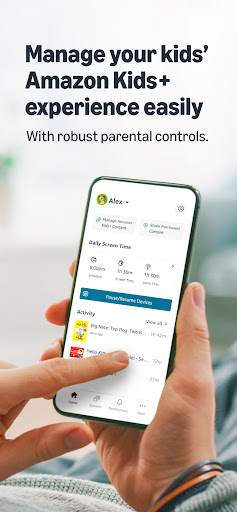
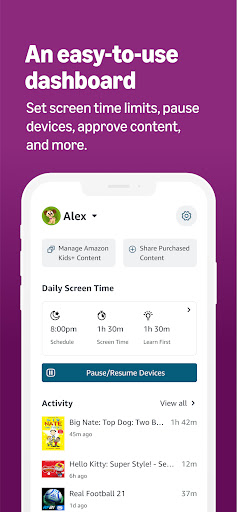
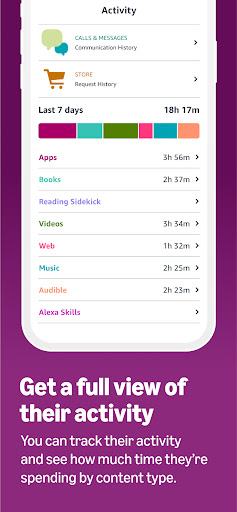
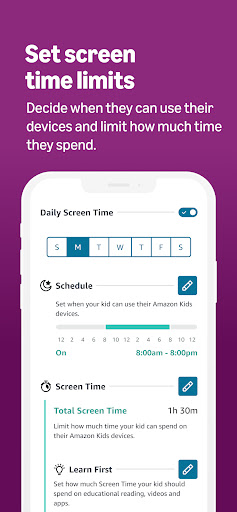
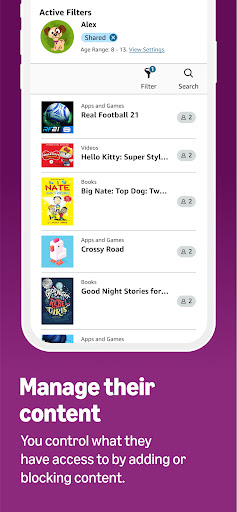
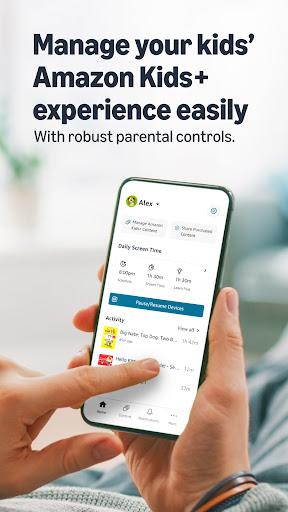
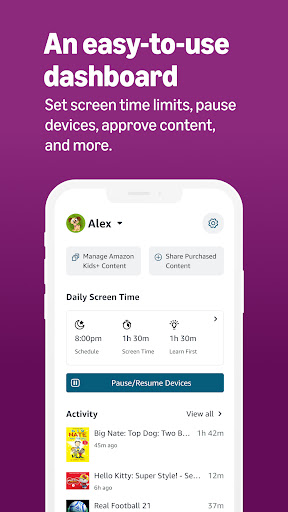
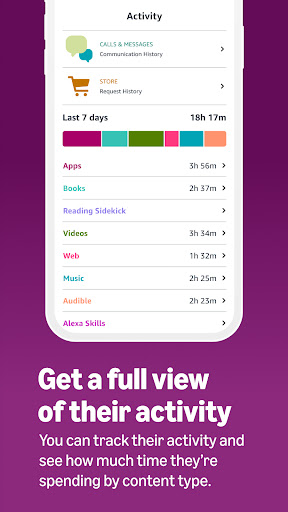
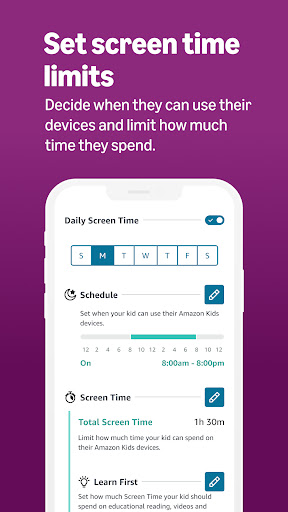
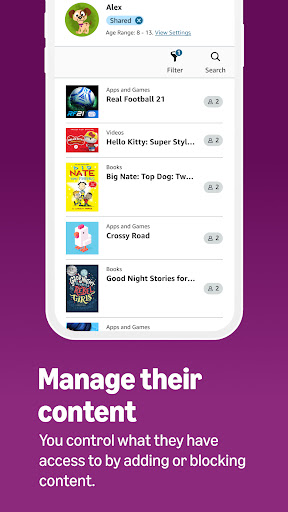
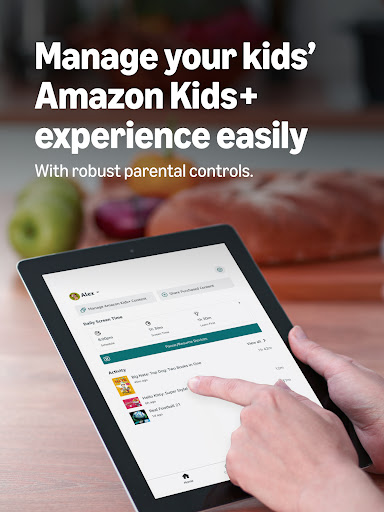
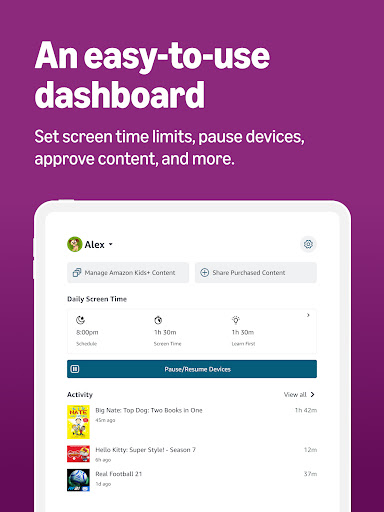
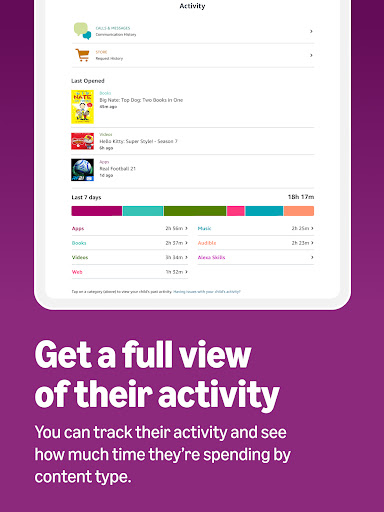
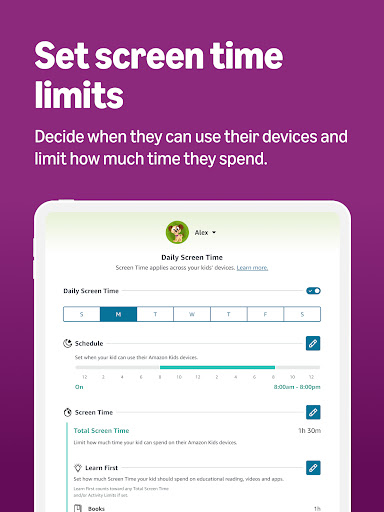
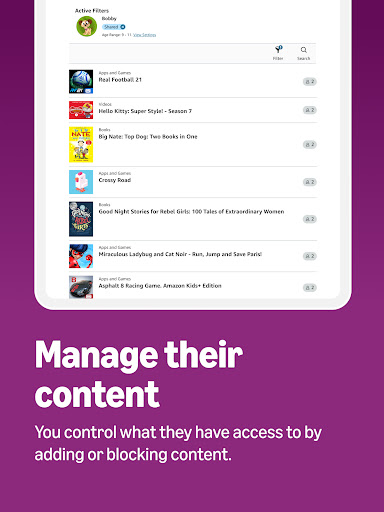
Amazon Kids Parent Dashboard is one of those apps that makes sense the moment you understand what it is trying to do. It is not a flashy kid app, and it is not a general-purpose family organizer. It is a remote control for parenting across Amazon’s child-focused ecosystem, and judged on that goal, it does a lot right. In day-to-day use, the app feels designed for busy parents rather than tech hobbyists. The main appeal is convenience: you can make changes from your phone without physically taking a tablet away from your child or interrupting what they are doing. That sounds like a small thing until you actually use it. During testing, the ability to pause access, resume it, tweak time limits, or adjust settings on the fly turned out to be the app’s biggest strength. It removes a lot of the friction that usually comes with parental controls, where rules exist but are annoying to update in real life. The setup is fairly straightforward if your household already uses Amazon devices and child profiles. Once that foundation is in place, the app gives you a clean way to manage up to four child profiles, and it generally keeps the most important controls close at hand. Time limits are especially useful here. You are not limited to a single blunt screen-time cap; the app is built around the idea that different types of content deserve different rules. That makes the experience feel more practical than simplistic. Being able to shape daily limits, bedtime-style shutoff windows, and content priorities means the app supports actual family routines instead of forcing a one-size-fits-all restriction model. Another feature that stood out in regular use is the activity overview. Parents do not always need a minute-by-minute surveillance tool; often they just want a quick understanding of what a child has been doing. The dashboard appears to lean into that more manageable approach. We found it helpful as a lightweight check-in tool, especially for seeing broad patterns and getting a sense of what content was being used. It helps turn parental controls into something more than just locking things down. You can use it to understand habits, not only enforce limits. The content management side is also a real plus. Being able to block specific titles, add content from an Amazon library, and adjust age filtering gives the app more nuance than many parental control tools that stop at timers and passcodes. In practice, this makes the app feel less punitive and more curated. Instead of just saying no, it lets parents steer the experience. That is a meaningful distinction, especially for families trying to balance entertainment with reading and learning. That said, Amazon Kids Parent Dashboard is not universally appealing. Its biggest weakness is that it is tightly tied to Amazon’s world. If your household uses Fire tablets, Kindle devices, Echo speakers, Fire TV, and Amazon child profiles, the app feels purposeful. If your kids use a broader mix of non-Amazon devices and services, the dashboard starts to feel narrower than its polished interface suggests. It is very good at managing Amazon Kids experiences, but it is not the kind of parental control app that naturally becomes the command center for every screen in the house. A second frustration is that the usefulness of the app depends on how invested you are in setting up and maintaining child profiles. For parents who like structure, that is fine. For parents hoping for a lighter-touch tool that works instantly across existing accounts and devices, this can feel like homework. The app itself is not especially difficult, but it assumes a certain level of commitment to Amazon’s family framework. If you are not already bought into that model, the convenience can feel conditional. The third weak spot is that, while the app is functionally solid, it is not especially exciting or elegant. The experience is practical rather than delightful. That is not necessarily a problem for a parental control app, but there were moments where it felt more utilitarian than refined. The interface generally does the job, yet it can come across as a tool you use out of necessity rather than one you enjoy opening. For some parents that will be completely acceptable; for others, it may make the app feel a little dry and transactional. Still, reliability and usefulness matter more here than visual charm, and on that front the app earns its reputation. We came away appreciating how quickly it lets a parent step in, make a change, and move on. The pause/resume controls are handy, the time management tools are thoughtful, and the content controls are detailed enough to be genuinely helpful without feeling impossibly complicated. Who is this app for? It is best for parents and guardians already using Amazon’s family setup who want a simple mobile dashboard to manage screen time, content access, and child profiles across compatible Amazon devices. It is especially good for households with younger children, where structure and age-appropriate filtering matter more than wide platform coverage. Who is it not for? If you want one app to govern every device and service your child touches, or if your family barely uses Amazon hardware, this probably will not feel essential. It is also not ideal for parents who dislike account setup, profile management, or ecosystem lock-in. Overall, Amazon Kids Parent Dashboard succeeds because it focuses on practical parenting rather than feature bloat. It does not try to be everything. Inside its intended lane, it is effective, easy enough to manage, and helpful in the moments that matter most. Its limitations are real, but for the right household, it is the kind of app that quietly makes family tech life easier.