Apps Games Articles
Moises: The Musician's App
Moises Systems
Rating 4.6star icon
Editor's summary
Editor rating
star icon star icon star icon star icon
half star icon
4.5

One-line summary Moises is one of the most genuinely useful music-practice apps on Android, but its free-tier limits and occasional imperfect stem separation keep it from feeling like an automatic recommendation for everyone.

  • Installs

    10M+

  • Developer

    Moises Systems

  • Category

    Audio

  • Content Rating

    Everyone

  • Latest version

    2.3.0

  • Package

    ai.moises

Screenshots
In-depth review
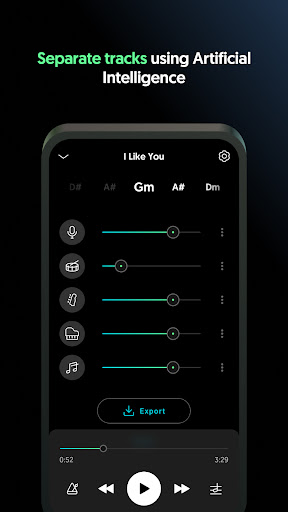
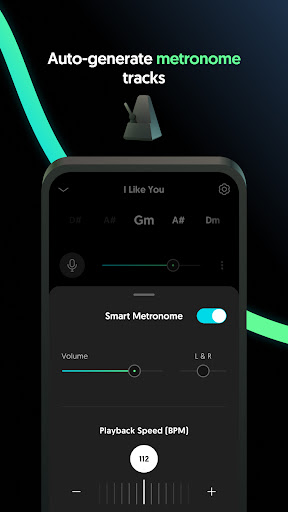
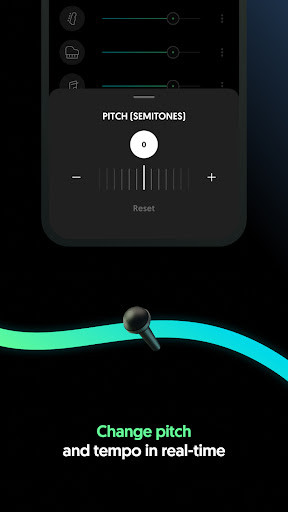
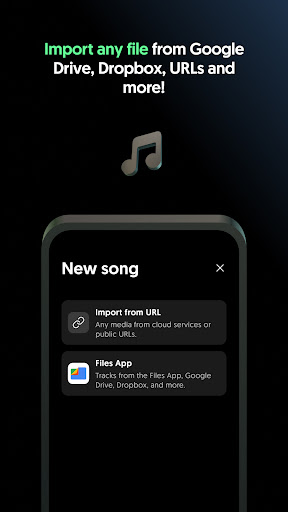
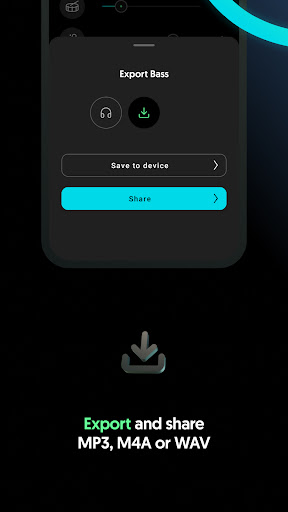
Moises feels like one of those rare music apps that immediately justifies why it exists. Within the first few uploads, it becomes obvious that this is not a gimmicky “AI music” label slapped onto a basic editor. The core trick here—separating a song into usable stems like vocals, drums, bass, and other instruments—works well enough to change how you practice, learn, and experiment with music. In day-to-day use, the app is surprisingly approachable. You upload a track, wait for processing, and then land in a clean workspace where each separated part can be muted, soloed, or adjusted. That sounds simple, but it is exactly the kind of simplicity this category needs. Moises does not bury its best features under clutter. Even when it is doing several things at once—stem separation, chord detection, tempo changes, pitch shifting—it usually presents them in a way that feels musician-friendly instead of technically intimidating. What impressed me most during testing was how often the results were not just “interesting,” but actually useful. Removing vocals to create a practice backing track worked very well on many songs. Pulling out bass and drums made it easier to study arrangements. Slowing difficult passages without wrecking the listening experience was a real advantage for transcription and instrument practice. I also found the chord and key tools more than just decorative extras; they genuinely help when you are trying to learn a song quickly or adapt it to a different vocal range. That usefulness is Moises’ first big strength: it turns passive listening into active study. Singers can strip away the lead vocal and hear their own pitch issues more clearly. Guitarists and bassists can isolate parts that would normally get buried in a full mix. Drummers can lower the tempo and focus on groove details. Teachers and students, especially, will get a lot from this app because it shortens the distance between hearing a song and understanding it. Its second major strength is polish. The interface feels modern, organized, and refreshingly free of the junk that clutters a lot of audio apps on mobile. There is a real sense that the app wants you to get to work quickly. Uploading, processing, and making simple adjustments is smooth. The ability to build custom mixes and export stems gives the app a seriousness beyond casual karaoke use. The third strength is breadth. A lot of apps do one of these jobs halfway well: maybe they slow audio, maybe they remove vocals, maybe they show rough chords. Moises stands out because it brings several genuinely useful musicians’ tools into one place. Stem separation, tempo control, pitch shifting, chord detection, key changes, looping, and backing-track creation all reinforce one another. That makes the app feel less like a novelty and more like a compact rehearsal and study environment. Still, Moises is not perfect, and its flaws matter depending on what you want from it. The most obvious limitation is that the separation quality, while often impressive, is not magic. On cleaner recordings with distinct parts, the results can be excellent. On denser mixes or where instruments occupy similar frequency space, artifacts creep in, and some stems feel less isolated than you might hope. If you are expecting pristine studio-quality multitracks from every file, you will be disappointed. For practice and learning, the quality is often more than good enough; for professional-grade production work, it can feel like a starting point rather than a final result. The second weakness is how quickly the free experience reminds you that it is a limited one. Moises gives enough access to prove its value, but not enough to forget that there is a subscription hovering over the experience. If you only process a few songs per month, that may be fine. If you are a heavy user—music teacher, working musician, cover creator, or frequent transcriber—the cap becomes noticeable fast. The third issue is that some of the advanced features feel stronger in concept than execution. Chord and lyric-related tools are useful, but not always as flexible or fully open as power users would want. A few editing and workflow touches also feel like they could be deeper, especially if you are the sort of person who wants batch actions, finer trimming control, or more robust organization across lots of projects. None of this breaks the app, but it does remind you that Moises is best when treated as a highly capable music practice and prep tool, not a full desktop DAW replacement. Who is it for? Musicians, vocalists, teachers, students, and hobbyists who learn songs by ear, rehearse parts, create backing tracks, or want to transpose and slow music down without hassle. It is also great for anyone who has ever wanted to hear “what is actually happening” inside a favorite song. Who is it not for? People who need flawless, forensic-grade stem separation every time, or those looking for a complete pro production environment with deep editing control. After spending real time with it, I came away thinking Moises is easy to recommend because it solves real musical problems with very little friction. It makes practice smarter, song study faster, and arrangement details more accessible. Its AI has limits, and its best workflow eventually nudges you toward paying, but the app delivers enough quality and convenience that those compromises feel understandable rather than fatal. For the right musician, this can become part of the daily routine very quickly.
Alternative apps