Apps Games Articles
AI Cleaner - Phone Cleaner
GRIMLAX TRADE, S.L.
Rating 4.3star icon
Editor's summary
Editor rating
star icon star icon star icon
half star icon
empty star icon
3.8

One-line summary AI Cleaner is a fast, surprisingly effective storage scrubber for photo-heavy phones, but the aggressive trial-to-subscription framing makes it harder to recommend without hesitation.

  • Installs

    10M+

  • Developer

    GRIMLAX TRADE, S.L.

  • Category

    Tools

  • Content Rating

    Everyone

  • Latest version

    3.0

  • Package

    ai.storage.cleaner.app

In-depth review
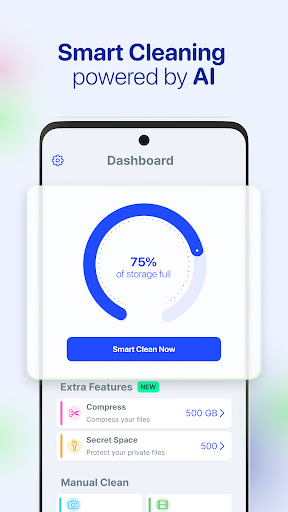
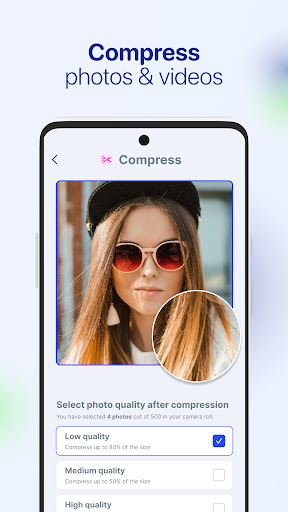
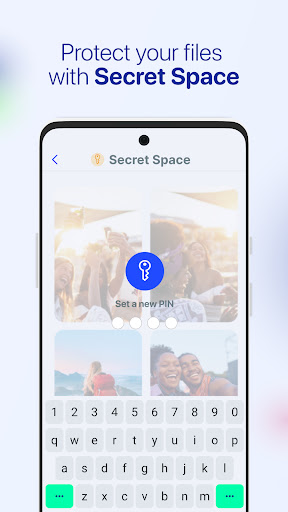
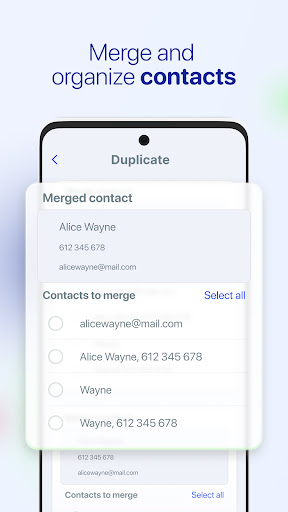
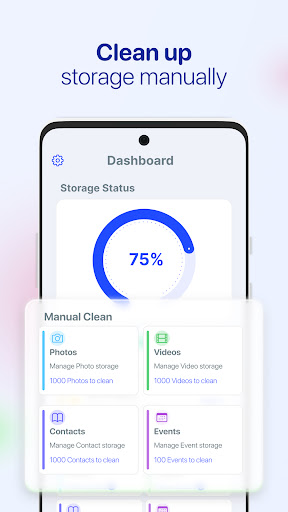
AI Cleaner - Phone Cleaner is the kind of app that targets a very specific modern smartphone problem: you open your gallery, discover years of duplicates, screenshots, bloated videos, half-forgotten contacts, and a phone that constantly warns you about running out of space. After spending time with it, my takeaway is fairly simple: this app is genuinely useful when you want quick, guided cleanup, but it also leans hard on the familiar mobile utility playbook of free trial hooks, premium nudges, and broad promises that sound bigger than the actual day-to-day experience. The best part of using AI Cleaner is how little effort it takes to get started. Once inside, the app pushes you quickly toward a scan and presents results in a way that feels accessible even if you are not especially tech-savvy. That matters, because storage cleanup apps often fail not because they lack features, but because they bury simple actions behind confusing categories. AI Cleaner mostly avoids that trap. In my time with it, the interface felt fast, and the cleanup suggestions were easy to understand: duplicate or similar photos, videos that could be compressed, contacts that looked redundant, and other areas where clutter tends to build quietly over time. Its strongest feature in actual use is the photo cleanup flow. This is where the app feels most practical. Instead of leaving you to manually dig through an endless camera roll, it groups likely duplicates and near-duplicates in a way that can save a lot of time. Just as importantly, it does not feel reckless. I was able to review what it wanted to delete before committing, which is exactly how a cleaner app should behave. Anything that automatically touches personal photos needs to earn trust, and AI Cleaner does a decent job of creating that trust through review screens rather than blind automation. The second strength is speed. On a crowded phone, that matters more than flashy branding or AI buzzwords. Scans complete quickly, and the app generally feels responsive rather than bloated. That makes it easy to do cleanup in short bursts instead of treating it like a major maintenance session. If your device is cluttered with years of duplicate media, AI Cleaner can make a visible dent in a surprisingly short amount of time. The third thing it does well is packaging several maintenance tools into one place. The app is not just about duplicate photos. It also reaches into contacts, media compression, and even a vault-style privacy feature. I would not say every tool here feels equally essential, but there is convenience in having one app handle multiple cleanup jobs without forcing you to bounce between different utilities. For people who want a “just help me fix my messy phone” experience, that all-in-one approach is a legitimate selling point. That said, AI Cleaner is not as magical as its branding suggests. The first weakness is that the actual storage recovered can vary wildly. In testing, the app was useful, but not every category delivered dramatic gains. Deleting duplicates sounds transformative, yet depending on how your phone is used, the result may be modest rather than life-changing. If you expect one tap to suddenly free massive amounts of space, your mileage may vary. This is a real cleaner, not a miracle worker. The second weakness is the monetization pressure. The app strongly revolves around a short free-trial model and premium upsell. That does not automatically make it bad, but it does affect the feel of the experience. There is a difference between “here is a helpful tool with optional paid upgrades” and “here is a useful tool that is constantly reminding you that the full experience lives behind a subscription.” AI Cleaner lands closer to the latter. If you are comfortable using a trial, cleaning aggressively, and deciding quickly whether it is worth paying for, that may be fine. If you dislike subscription-first utility apps, you will feel that friction almost immediately. The third weakness is that some of its claims feel broader than the strongest parts of the app. The photo and media cleanup features are easy to understand and immediately useful. Other areas feel more secondary. For example, not every user will care about calendar cleanup, and privacy vault features can feel somewhat bolted on in an app whose main appeal is storage recovery. None of that makes the app unusable, but it does create the sense that AI Cleaner wants to be your all-purpose phone fixer when its real value is more specific: media decluttering and a bit of digital housekeeping. In everyday use, the app is at its best when you treat it as an organizer, not a performance miracle. It is good for people with overstuffed galleries, lots of similar photos, duplicate contacts, and limited patience for manual cleanup. It is especially suitable for casual users who want guidance and clear review steps rather than digging through Android settings and file managers on their own. It is less suitable for power users who already manage storage manually, people who dislike giving broad access to personal media, or anyone allergic to trial-driven subscription apps. It is also not the app I would point to if your main problem is general system slowdown and you are hoping for a dramatic “phone booster” effect. Its usefulness is more concrete than that: reclaim some space, remove clutter, compress media, and bring order back to a messy device. Overall, AI Cleaner earns a cautious recommendation. I came away thinking it is one of the more usable and effective phone cleanup tools in its category, particularly for photo libraries that have gotten out of hand. But I also came away wishing it were a little less pushy about premium access and a little more restrained in its all-in-one marketing. If you go in with realistic expectations, this app can absolutely help. If you go in expecting free, unlimited, one-tap magic, you may walk away annoyed.