Apps Games Articles
Whataburger
Whataburger
Rating 3.0star icon
Editor's summary
Editor rating
star icon star icon star icon
half star icon
empty star icon
3.7

One-line summary Whataburger is easy to recommend if you order often and want fast reorders plus solid rewards, but it’s harder to love when the app’s polish doesn’t always match the convenience it promises.

  • Installs

    5M+

  • Developer

    Whataburger

  • Category

    Food

  • Content Rating

    Everyone

  • Latest version

    6.0.6

  • Package

    wb.mobile.cx.client.droid

Screenshots
In-depth review
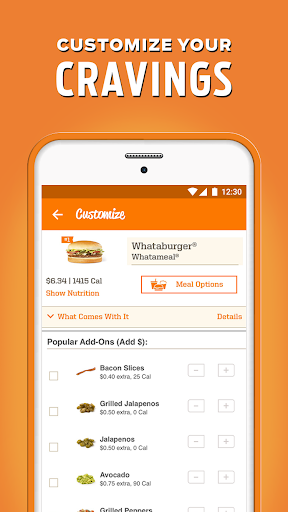
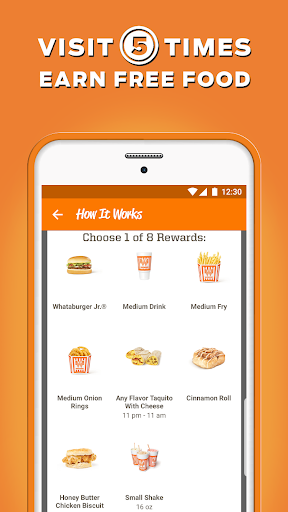
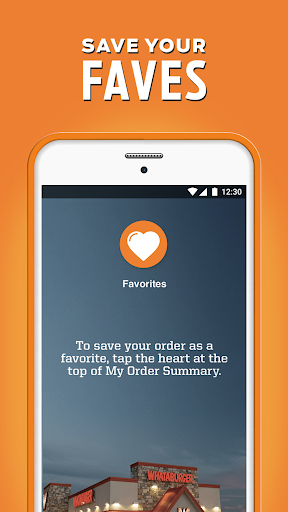
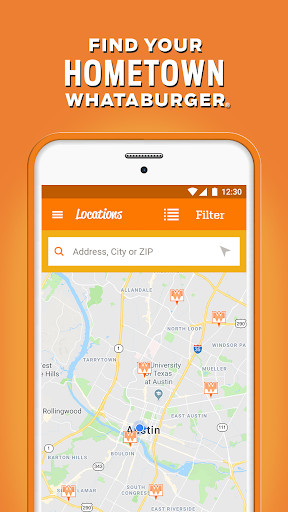
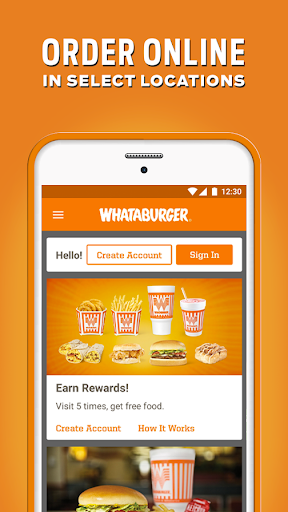
Whataburger’s app aims at a very specific kind of convenience: getting your usual meal ordered quickly, customized the way you like it, and tied to a rewards system that makes repeat visits feel worthwhile. After spending time with it as a day-to-day fast-food companion rather than a one-time novelty, my impression is mostly positive, but not unreservedly so. This is an app that can be genuinely handy when it clicks into your routine, yet it still carries enough rough edges to explain why its reputation feels more mixed than a polished food app should. The best thing about the Whataburger app is that it understands repeat behavior. If you already know what you want, the app is at its strongest. Building a burger order, tweaking ingredients, and saving favorites makes the process much faster on the second and third visit than it is on the first. That matters more than it sounds. In food ordering, speed is not just about kitchen time; it is about reducing the friction between “I’m hungry” and “my order is in.” On that front, Whataburger does a good job. The customization flow feels central to the experience, not tacked on, and that fits a brand where people often have very specific preferences. The second big strength is the rewards system. Earning points on spending gives the app a reason to stay installed, and in regular use it adds a sense of momentum to orders that might otherwise feel disposable. If you are the kind of customer who returns often, the app gives you a clear incentive to use it instead of walking up and ordering cold. Rewards apps can sometimes feel hidden behind too many taps or vague rules, but here the value proposition is easy to grasp: order through the app or scan in-store, and you are building toward something. That simplicity makes a difference. The third thing the app gets right is practical convenience. Ordering ahead for pickup is the kind of feature that sounds standard until you rely on it during lunch or dinner rush. In my use, the app was at its best when I placed an order a few minutes before arriving. That routine cuts down on waiting and makes the whole Whataburger experience feel more modern than the chain’s old-school image might suggest. The location tools also help keep the process grounded; finding a nearby store is straightforward, and the app generally keeps the focus on getting you from menu to meal without too much wandering. That said, this is not an exceptionally refined app. The first weakness is that it can feel uneven in execution. The core tools are there, but there is a difference between “functional” and “slick,” and Whataburger does not always cross into the latter. Some parts of the experience feel smooth and obvious, while others have the mild clunkiness of an app that still needs occasional maintenance and updates to stay dependable. It is not a disaster, but it does mean the overall feel is less premium than the brand would probably like. The second weakness is that pickup and fulfillment are only partly under the app’s control. The ordering flow may be simple, but the handoff experience can be less predictable, especially in busy conditions. Choosing pickup sounds easy on paper, but not every store interaction feels equally optimized once you arrive. In practice, the app can save time, but it cannot fully eliminate the real-world bottlenecks of a crowded location, and that gap between digital promise and in-person execution is noticeable. The third weakness is payment and account convenience. The app supports several payment methods, which is good, but the overall payment experience does not always feel as elegantly prioritized as it could. In a food app, customers want confidence that stored balances, cards, and checkout choices will work in the order they expect. When that experience feels even slightly less intuitive than it should, it creates hesitation at exactly the point where speed matters most. Visually and structurally, the app is competent rather than memorable. It does not reinvent restaurant ordering, and that is fine. In fact, it is smarter for not trying. The interface is primarily there to get out of your way. But that also means the app’s success depends heavily on reliability. If it is updated and behaving well, it becomes easy to keep using without thinking much about it. If it starts feeling inconsistent, the illusion breaks quickly, because there is not enough design charm here to make you forgive friction. Who is this app for? It is best for regular Whataburger customers, especially those who reorder favorites, care about points, and want to place orders before arriving. If Whataburger is part of your weekly routine, the app is useful enough to become the default way you order. It is less compelling for occasional diners who just want a one-off meal and do not care about rewards, saved customizations, or linked payment methods. Those users may find the app merely adequate rather than essential. In the end, Whataburger’s app succeeds by solving a practical problem, not by dazzling. It makes repeat ordering easier, rewards loyalty in a way that feels tangible, and helps reduce wait time when the store side cooperates. But it also feels like an app that still needs a steadier level of polish to match how often people are likely to use it. If you are already in the Whataburger ecosystem, it is worth having. If you are hoping for one of the smoothest restaurant apps on Android, this one lands closer to solid than standout.