
PhotoScan by Google Photos
Google LLCRating 4.2
Editor's summary
Editor rating

 4.5
4.5
One-line summary PhotoScan is one of the easiest ways to turn printed photos into clean, glare-reduced digital copies, but it’s less convincing if you want high-resolution archiving or more control over where and how files are saved.
-
Installs
10M+
-
Developer
Google LLC
-
Category
—
-
Content Rating
Everyone
-
Latest version
1.5.2.242191532
-
Package
com.google.android.apps.photos.scanner
Screenshots

In-depth review
PhotoScan by Google Photos feels like one of those rare utility apps that understands exactly what job it is supposed to do and then mostly stays out of your way. I spent time using it the way many people actually would: pulling old prints from albums, scanning loose snapshots on a table, trying to rescue glossy photos that normally catch reflections, and quickly digitizing a stack without setting up a flatbed scanner. In that kind of real-world use, PhotoScan is not just good—it is genuinely practical.
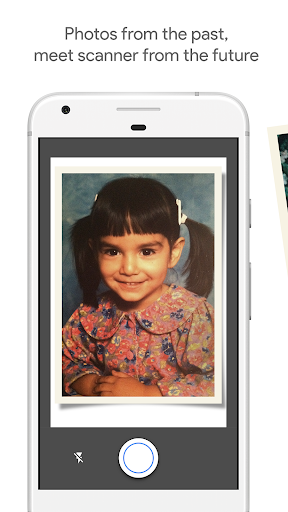
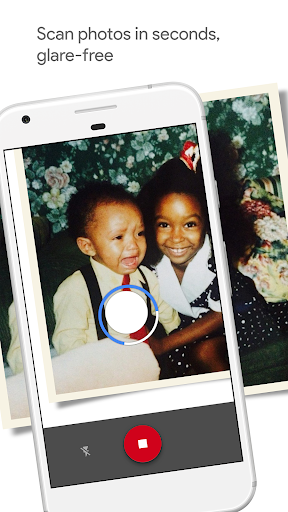
The core idea is smarter than a normal camera capture. Instead of simply photographing a print and calling it a scan, the app guides you through a short capture process that moves over several points on the photo. In use, this is surprisingly approachable. You frame the picture, follow the on-screen prompts, and within seconds the app produces a cleaned-up image that usually looks much better than a basic phone snapshot. The biggest win is glare reduction. On glossy prints, especially older ones under uneven room light, PhotoScan often delivers a dramatically more usable result than the regular camera app. That alone makes it worth installing.
The second thing it gets right is automation. Cropping, edge detection, straightening, and rotation happen with very little fuss. During my testing, the app usually recognized the boundaries of a photo well enough that I didn’t feel like I was doing repair work after every scan. That matters because the whole promise here is speed. If you are digitizing dozens or hundreds of family photos, every extra manual step becomes a tax. PhotoScan mostly respects your time. Put the print on a simple background, keep it reasonably flat, and let the app do its thing. When the conditions are cooperative, it feels almost effortless.
Its third strength is accessibility. This is a free app with no ads and no in-app purchases, and the experience reflects Google’s usual preference for clean, low-friction design. There is not much of a learning curve. You do not need to understand scanning jargon, color settings, or file formats to get started. For someone who has boxes of old snapshots and just wants them safely digitized before they fade any further, that simplicity is a major advantage.
That said, using PhotoScan for a while also reveals its limits. The first frustration is that the multi-point capture process can become repetitive. For one or two photos, it feels clever. For fifty, it starts to feel like a rhythm exercise. You have to line things up, move deliberately, and give the app a moment to process each scan. It is still faster and more convenient than hauling out a traditional scanner in many situations, but it is not a magic one-tap archive machine. If your goal is to rip through a huge collection at top speed, the method can wear on you.
The second weakness is that quality, while often impressive, is not identical to a dedicated flatbed scan. For casual preservation, family sharing, slideshows, and digital albums, the results are more than good enough. But if you are trying to produce the cleanest possible archival copy of a damaged print, or if you expect maximum detail for restoration work, PhotoScan still feels like a mobile convenience tool rather than a full replacement for dedicated hardware. It can look excellent, but it is not the final word in high-end scanning.
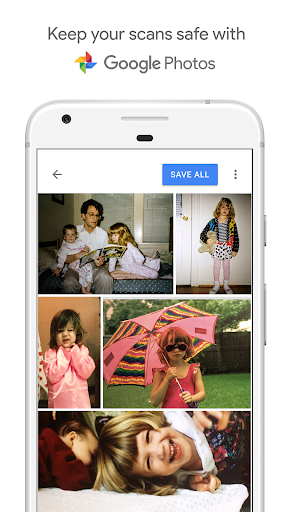
The third complaint is that the app can feel a little too minimal. That clean design comes at the cost of control. I would have liked more obvious export and save-location choices, and a few more post-scan editing options inside the app itself. You can crop and rotate, and the essentials are covered, but power users may wish for more flexibility. The workflow also makes the most sense if you already live comfortably in the Google Photos ecosystem. If you prefer a more open file-handling approach from the start, PhotoScan can feel slightly constrained.
In everyday use, I found that setup matters a lot. A plain surface under the photo helps. Good lighting helps. Keeping the print flat helps. Once I stopped treating it like a casual camera snapshot and started treating it like a quick scanning tool, results improved consistently. On album photos that are awkward to remove, PhotoScan is particularly handy. It also works well for sentimental projects—the kind where image perfection matters less than getting old memories into a searchable, shareable digital form before another decade passes.
Who is this app for? It is for families digitizing old prints, casual archivists, scrapbookers, and anyone who wants a fast, inexpensive way to preserve physical photos with less glare and less fiddling than a normal camera capture. It is also a great fit for people who want decent results without owning a scanner. Who is it not for? Serious restoration enthusiasts, professional archivists, and anyone who needs meticulous file control or the highest possible capture quality will eventually run into its boundaries.
Overall, PhotoScan succeeds because it solves a very specific problem elegantly. It makes old printed photos easier to preserve, and it does so with very little technical overhead. The app is not perfect: the scanning dance can get tedious, the output won’t always satisfy perfectionists, and the file workflow could be more flexible. But judged by how it feels to actually use, it remains one of the most useful photography utilities on Android. If you have a drawer full of fading prints and keep meaning to digitize them someday, this app turns “someday” into something you can actually start tonight.
Alternative apps
Recommended Apps
-

Coffee Stack
Rollic Games4.6
-

Email Home - Email Homescreen
Yobi Mobi4.2
-

Omega - Live Random Video Chat
Omega Tech.3.8
-

Jelly Dye
Good Job Games4.3
-

Flip Dunk
VOODOO4.4
-

Smoothie King
Smoothie King Franchises, Inc.3.5
-

Shadow Fight 3 - RPG fighting
NEKKI4.5
-

Adobe Acrobat Reader: Edit PDF
Adobe4.5
-

Dragon City Mobile
Socialpoint4.7
-

TradingView: Track All Markets
TradingView Inc.4.7
-

Big Keyboard: Easy Homescreen
SwipeTap Apps4.5
-

JioTV
Jio Platforms Limited4.1
-

Riding Extreme 3D
playducky.com4.3
-

Chat Master!
Supersonic Studios LTD4.3
-

Jump into the Plane
BoomBit Games4.2