Apps Games Articles
The Roku App (Official)
Roku, Inc. & its affiliates
Rating 4.7star icon
Editor's summary
Editor rating
star icon star icon star icon star icon
half star icon
4.5

One-line summary If you own a Roku, this app is one of the rare official companions that genuinely earns a place on your phone thanks to its excellent remote and private listening tools, though it still can’t fully replace a physical remote when your device isn’t already on the same Wi-Fi network.

  • Installs

    50M+

  • Developer

    Roku, Inc. & its affiliates

  • Category

    Entertainment

  • Content Rating

    Teen

  • Latest version

    13.5.0.7722687

  • Package

    com.roku.remote

Screenshots
In-depth review
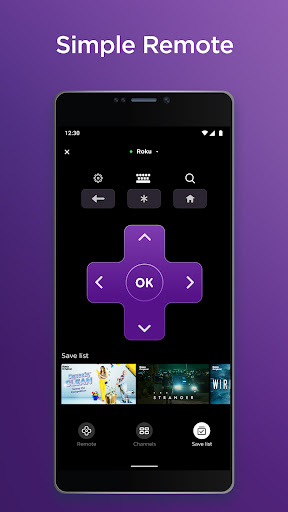
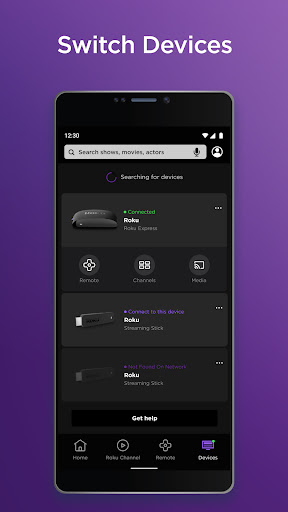
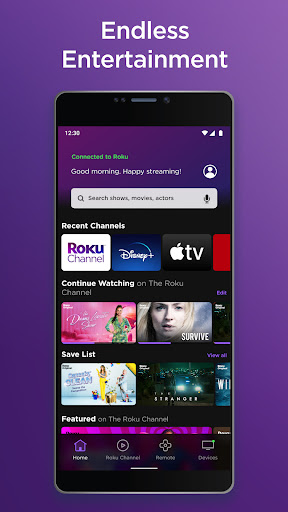
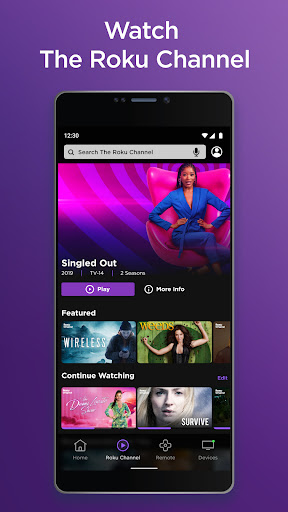
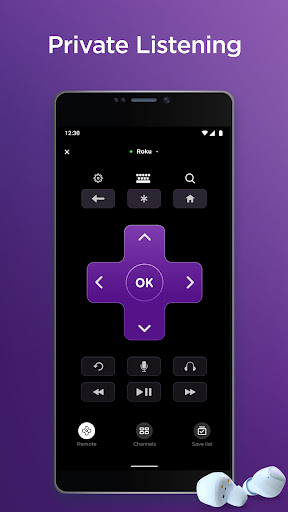
The Roku App (Official) is one of those companion apps that sounds optional until you actually live with it for a while. After spending real time using it as a daily control center for a Roku setup, I came away with a simple conclusion: this is not just a throw-in mobile extra. In many situations, it is better than the physical remote sitting on the coffee table. The biggest reason is the remote itself. Roku’s mobile remote is fast, responsive, and refreshingly simple. Once the phone and Roku device are on the same network, pairing is painless and the app gets to work quickly. In day-to-day use, I found myself reaching for my phone before the real remote, not because the hardware remote was bad, but because the app is just more convenient. You do not need to point anything at the TV, so controlling playback from another part of the room feels effortless. That sounds minor until you are adjusting volume from the kitchen, searching for a show from bed, or trying to pause something while the remote has vanished into the couch. The second thing that makes the app feel genuinely useful is text entry. This is one of the most irritating parts of using many streaming devices, and Roku’s app solves it elegantly. Typing with a phone keyboard is dramatically better than pecking across an on-screen alphabet with directional buttons. Logins, search terms, and password entry all become much less annoying. It turns a task that usually feels like punishment into something you can finish in seconds. Then there is private listening, which is easily one of the app’s standout features. Plugging headphones into your phone, or using Bluetooth headphones through the phone, gives the Roku setup a flexibility that many living-room TV experiences still lack. In testing, this feature felt less like a gimmick and more like a reason to keep the app installed permanently. Watching late at night without waking anyone else, or listening more clearly without cranking TV speakers, is exactly the kind of practical benefit that makes a companion app worth using. The app also does a nice job of feeling like more than a remote. Search, launching channels, browsing entertainment, and casting personal media from your phone all add to the impression that Roku wants this to be a full second-screen experience rather than a barebones utility. It is helpful to have those controls gathered in one place, especially if you regularly bounce between streaming apps and free content in The Roku Channel. That said, the app is not perfect, and the most important limitation is also the one you need to understand before depending on it completely: the whole experience relies heavily on your Roku device already being reachable over the same wireless network. If your TV or streaming device is not connected, if you changed routers, or if the Roku is offline, the app cannot magically rescue you in every situation. This is why I would not tell anyone to throw away their physical remote. The mobile app is an excellent backup and often the better day-to-day controller, but it is not a universal substitute in every setup scenario. A second frustration is that the experience can be a little inconsistent depending on the device and network conditions. Most of the time, control is smooth and immediate. But companion apps like this always live or die by connection reliability, and there are moments when that dependence on Wi-Fi is noticeable. If the television is off, if the network is unstable, or if the device takes a moment to reappear, the seamless feeling breaks. It is not a constant problem, but it is enough to remind you that this is still a network tool, not an old-fashioned always-works infrared remote. The third annoyance is subtler: while the app is generally clean and easy to navigate, some controls can feel a touch less tactile than a real remote. On a phone screen, navigation is only as good as the app’s responsiveness and button layout at that moment. When everything is behaving, it is great. When it is not, taps can feel slightly less precise than a dedicated hardware button. That is not a deal-breaker, but it is one of the few areas where physical controls still have an edge. Even with those caveats, The Roku App succeeds because it solves real living-room problems. It helps when the remote is missing, when you need silent listening, when entering text would otherwise be a chore, and when you want more flexible control than the bundled hardware offers. Importantly, it does this without feeling bloated or confusing. For an app tied to a streaming platform, that is a win. Who is this app for? First and foremost, it is for anyone who owns a Roku device and actually uses it often. It is especially good for households where remotes disappear, shared spaces where private listening matters, and users who are tired of painfully slow on-screen typing. It is also a smart install for anyone who wants a backup controller already sitting in their pocket. Who is it not for? If you expect a mobile app to replace every function of a physical remote under every condition, you may be disappointed. It is also not particularly useful if your phone and Roku are rarely on the same Wi-Fi network, or if you want something that can control the TV before the streaming device is properly connected. In the end, The Roku App (Official) is exactly what a companion app should be: practical, easy to use, and valuable often enough that it stops feeling optional. It has a few network-dependent rough edges, and it does not eliminate the need for a physical remote altogether, but for most Roku owners it is one of the easiest recommendations in the category.