Apps Games Articles
Prime Video
Amazon Mobile LLC
Rating 4.0star icon
Editor's summary
Editor rating
star icon star icon star icon star icon empty star icon
4.3

One-line summary Prime Video is easy to recommend for its strong catalog, dependable playback, and genuinely useful downloads, but the shifting interface and growing ad friction make it harder to love than it should be.

  • Installs

    500M+

  • Developer

    Amazon Mobile LLC

  • Category

    Entertainment

  • Content Rating

    Teen

  • Latest version

    3.0.442.1647

  • Package

    com.amazon.avod.thirdpartyclient

Screenshots
In-depth review
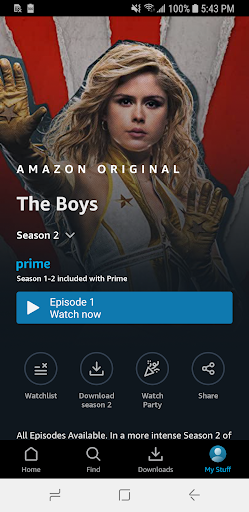
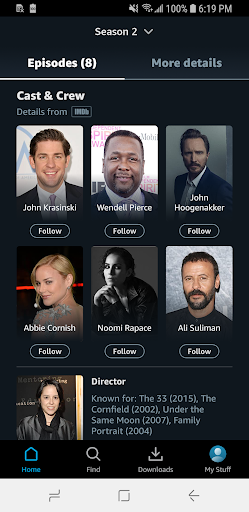
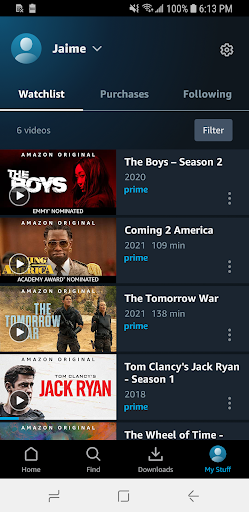
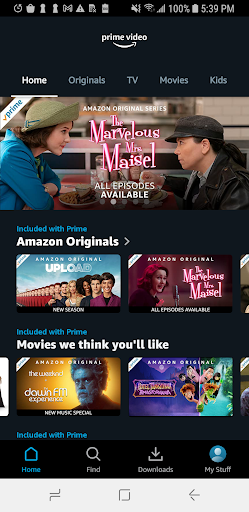
Prime Video is one of those apps that reveals its strengths gradually. On first launch, it looks like a standard modern streaming service: rows of content, recommendations, big hero banners, and a mix of movies, series, live programming, and sports. Spend real time with it, though, and a clearer picture emerges. This is an app that often feels very good at the core job of watching something, yet still has a habit of getting in its own way. In day-to-day use, the best thing about Prime Video is that it usually gets you from tapping a title to actually watching it without much drama. Playback is generally solid. Streams start quickly, scrubbing is responsive enough, and resuming a show from where you left off works the way it should. That last point matters more than it sounds. Prime Video does a good job of remembering progress across episodes and films, which makes it easy to treat the app as an everyday companion rather than a destination you only open for one prestige series. I used it in short sessions and in longer binges, and it handled both well. Offline viewing is another real strength. Downloading videos for travel or patchy connections is not just a checkbox feature here; it is part of what makes the app feel practical. On mobile, Prime Video works well as a commuter app, a waiting-room app, a flight app, or a “watch half an episode while dinner is cooking” app. It is flexible in a very real, everyday sense. If you are the kind of person who watches on the move, this convenience adds a lot to the value of the experience. The content side is also a big reason people will keep coming back. Prime Video feels broad rather than narrowly curated. The app gives the impression that there is always something to watch, whether you want a recognizable original, an older movie, a documentary, or something you would not necessarily see featured as prominently elsewhere. Browsing can be enjoyable when you are in the mood to wander a little. Search is there for direct retrieval, but Prime Video also works reasonably well as a “let me see what catches my eye” platform. One feature I continue to like is X-Ray. It is not essential, but it adds flavor. For viewers who enjoy cast details, trivia, and behind-the-scenes context, it makes the app feel a bit more distinctive than a plain video player. It is one of those touches that reminds you Amazon has thought about movie and TV fandom as part of the product, not just passive consumption. That said, Prime Video absolutely has rough edges, and the biggest one is the interface. The app is usable, but not always elegant. Categories can feel inconsistent, and the home screen has a habit of rearranging itself in ways that make the experience less predictable than it should be. Sometimes the section you actually want, like Continue Watching, feels obvious and convenient; other times it seems buried, relocated, or less prominent than promotional rows. Over time, that inconsistency adds friction. It is not a deal-breaker, but it keeps the app from feeling truly polished. The second issue is the way the service blends included content with titles that must be rented or purchased, depending on your marketplace. Prime Video is hardly alone in doing this, but on a practical level it can create uncertainty while browsing. You are not always just choosing what to watch; sometimes you are also decoding what is actually included. Once you understand the app’s logic this becomes easier, but it still interrupts the relaxed simplicity that a streaming app should ideally provide. The third annoyance is ads. Some viewers will tolerate them, especially if they would rather keep costs lower, but ads undeniably change the feel of the experience. Prime Video works best when it feels frictionless and premium, and ad interruptions chip away at that. Even when playback itself is smooth, commercials can make the service feel less clean than its better moments suggest. This may not matter much to viewers who mainly want access to a large library, but it will matter to anyone sensitive to interruptions. There are also a few smaller quality-of-life issues that come up during extended use. Subtitle behavior can occasionally be finicky, and while the app is mostly stable now, Prime Video still carries a faint sense that some parts of the experience are better refined than others. Nothing in my time with it suggested a fundamentally broken app, but I also never got the impression that every corner had been obsessively sanded smooth. Who is Prime Video for? It is a strong fit for people who want a broad entertainment app that works across casual and committed viewing: commuters, frequent travelers, binge-watchers, and anyone who values downloads and easy resume playback. It is also for viewers who like having a mix of originals, movies, TV shows, and live programming in one place. If you appreciate bonus context like cast info and trivia, it becomes even more appealing. Who is it not for? If you want the cleanest, most straightforward interface in streaming, Prime Video may test your patience. If you strongly dislike ads or find mixed storefront-and-subscription catalogs irritating, this is not the most soothing app to browse. It is also not ideal for someone who wants every interaction to feel perfectly organized and visually consistent. Overall, Prime Video is a very good streaming app with a slightly messy personality. Its fundamentals are strong: reliable playback, useful downloads, broad content, and a few smart extras. What holds it back is not a lack of substance but a lack of discipline in the presentation. I enjoyed using it, and in many everyday situations it is excellent. I just wish the app trusted its own strengths enough to stop cluttering them with interface drift and ad-related friction.
Alternative apps