Apps Games Articles
MEGA
Mega Ltd
Rating 4.5star icon
Editor's summary
Editor rating
star icon star icon star icon star icon
half star icon
4.5

One-line summary MEGA is one of the best picks in cloud storage if you care about privacy, generous free space, and reliable syncing, but its mobile app still stumbles on media handling and a few rough organizational edges.

  • Installs

    100M+

  • Developer

    Mega Ltd

  • Category

    Productivity

  • Content Rating

    Everyone

  • Latest version

    VARY

  • Package

    mega.privacy.android.app

In-depth review
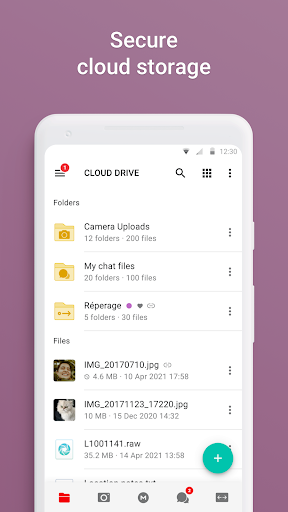
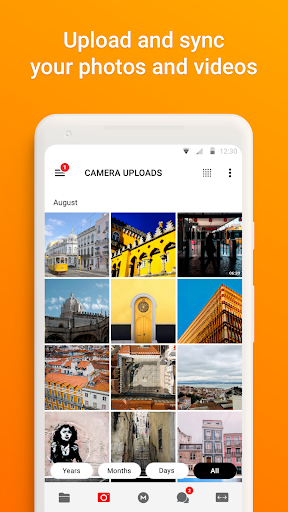
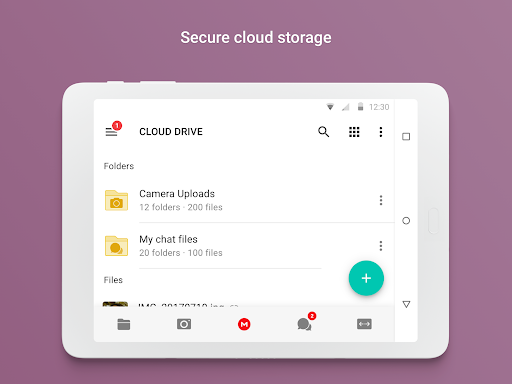
MEGA feels like one of those rare cloud apps that knows exactly what it wants to be. From the first few minutes of use, the pitch is obvious: this is not trying to be a social feed, a photo-first memories app, or a bloated productivity suite wearing a storage badge. It is fundamentally about putting your files in the cloud, keeping them accessible across devices, and doing so with a strong privacy-first identity. After spending real time with the Android app, that focus comes through clearly in both the best and worst parts of the experience. The first thing I liked is how straightforward the core workflow is. Uploading files from a phone or tablet is easy, browsing folders is quick, and syncing important local folders to the cloud feels genuinely useful rather than buried behind too many menus. MEGA is at its best when you use it as a practical digital locker: documents you want on multiple devices, photo collections you do not want to lose, media files you want to pull down later, or backup folders that should quietly keep themselves up to date. In day-to-day use, that kind of dependable access is the app’s biggest strength. I never felt like I had to fight the interface just to do basic storage tasks. The second major strength is that MEGA gives off a reassuring sense of seriousness. The privacy angle is not just decoration in the marketing copy; it shapes the whole product. The app reminds you that your account security matters, and the user-controlled encryption model gives it a different character from generic cloud storage tools. If you are the sort of person who cares where your files live, who can access them, and whether your provider can casually inspect them, MEGA stands out. It also helps that the app avoids feeling ad-heavy or noisy. The overall presentation is clean, modern, and mostly efficient. Its third strength is value. Even before you get into paid plans, MEGA is notably useful as a free service. For a lot of people, especially anyone trying to back up personal files without immediately reaching for a subscription, the free storage offering makes the app easy to recommend. That practicality matters. This is not an app that only becomes good after you pay; it starts out genuinely functional for everyday users. That said, MEGA is not flawless, and the rough spots become more visible the longer you use it. The biggest annoyance on mobile is media handling. The app can stream and preview content, which is convenient, but it does not always feel as polished as dedicated media apps. Video playback in particular can feel limited, and there are quality-of-life gaps that stand out once you start using MEGA to store a lot of audio or video. If your idea of cloud storage includes frequently browsing, sorting, and casually watching media inside the app, the experience is good enough, not great. Organization is another area where MEGA still feels more functional than elegant. Folder navigation is fine when your library is tidy, but once your storage grows, some tasks become more cumbersome than they should be. Moving through deeply nested folders, finding specific upload destinations, and managing photo collections can involve more scrolling and tapping than a polished storage app should demand in 2025. Albums and galleries are serviceable, but they are not the app’s strongest suit. I often had the feeling that MEGA is excellent at storing things and merely decent at helping you curate them. The third weakness is stability under heavier workloads. In ordinary use, the app runs well, but when I imagine the kind of activity power users will throw at it—large batches, huge media libraries, lots of transfers, extensive file shuffling—it is easier to see where friction can creep in. MEGA generally feels reliable, but not quite bulletproof in every demanding scenario. That does not cancel out its strengths, though it does keep it from feeling completely polished. Where MEGA succeeds most is in the everyday trust test. It feels like a place where your files can live for years. That matters more than flashy design. I especially liked using it as a bridge between desktop and phone: save something on one device, pull it down on another, keep a backup folder synced, share a file when needed, and move on. In that role, the app is excellent. It is calm, capable, and rarely confusing. Who is this app for? It is a very good fit for people who want privacy-conscious cloud storage, anyone who needs a lot of usable free space, and users who mainly care about backup, sync, and cross-device access. It is also a smart choice for people with mixed file types—documents, PDFs, music, videos, and folders they simply want available everywhere. Who is it not for? If you want the absolute best mobile gallery experience, the smoothest media playback controls, or a highly refined photo organization system, MEGA may feel a little utilitarian. It is also not ideal for users who are careless with passwords and recovery details, because the app takes account security seriously enough that losing access can become your problem, not the provider’s. Overall, MEGA is a strong Android app built around a clear, useful promise: secure cloud storage that does the basics very well and offers enough extras to stay relevant. It is not the most luxurious storage experience on mobile, and some interface frustrations remain, but the combination of privacy, dependable syncing, and generous free storage makes it one of the easiest cloud storage apps to recommend.