Apps Games Articles
YouTube Kids
Google LLC
Rating 4.2star icon
Editor's summary
Editor rating
star icon star icon star icon star icon
half star icon
4.5

One-line summary YouTube Kids is one of the easiest ways to hand a child a screen without immediately regretting it, but its safety still works best when a parent actively curates rather than blindly trusts the algorithm.

  • Installs

    500M+

  • Developer

    Google LLC

  • Category

    Entertainment

  • Content Rating

    Everyone

  • Latest version

    11.10.361

  • Package

    com.google.android.apps.youtube.kids

In-depth review
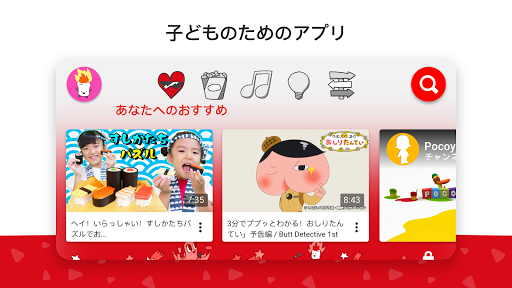
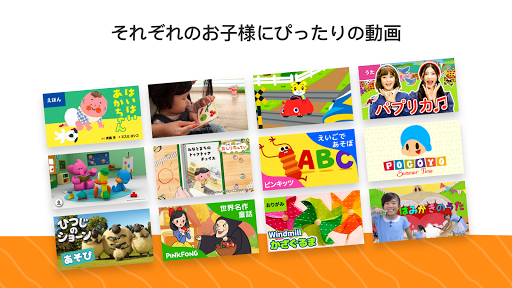
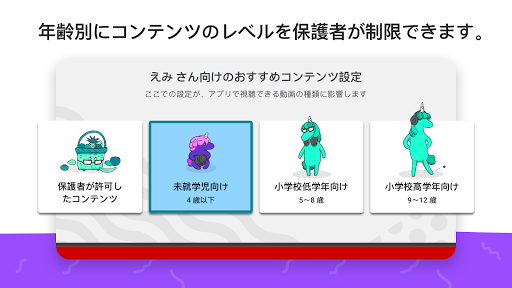
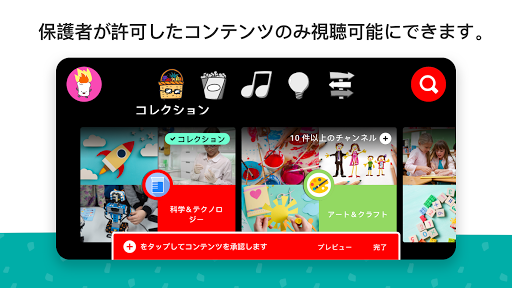
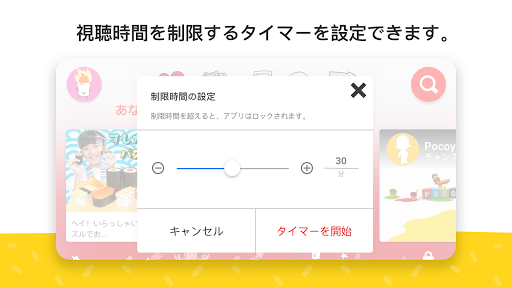
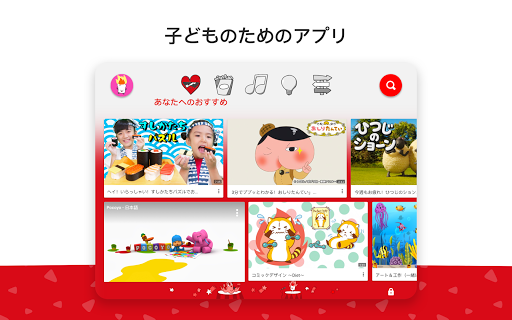
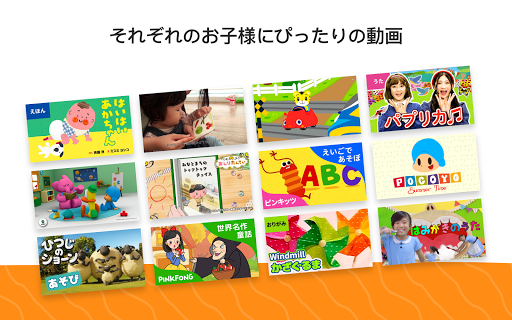
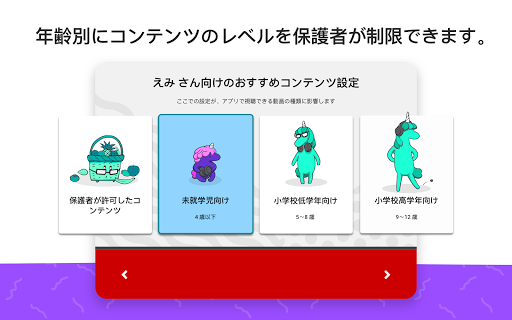
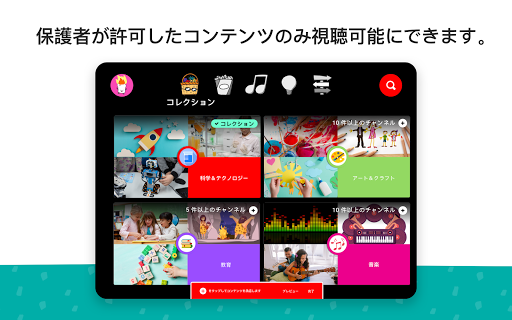
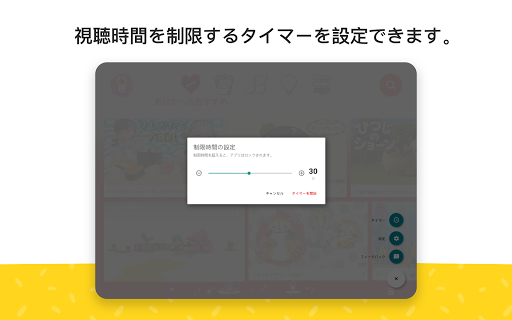
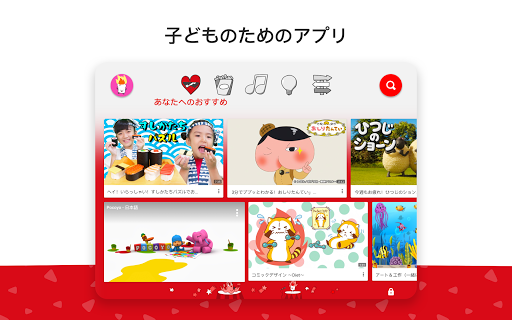
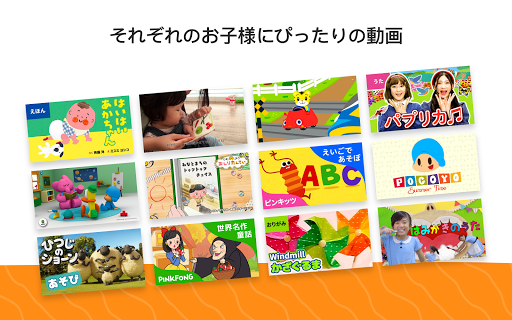
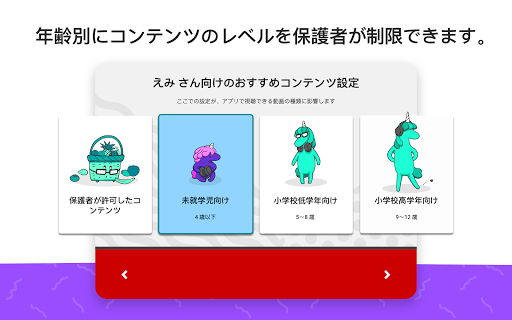
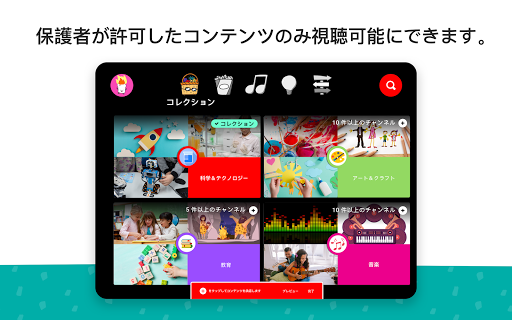
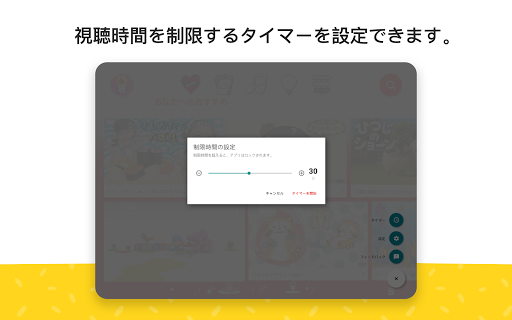
YouTube Kids succeeds at the thing most “kid-friendly” apps only promise: it makes handing over a phone or tablet feel less like a gamble. After spending time with it the way families actually use it—in short distraction sessions, longer car-ride stretches, and casual living-room browsing—the app comes across as thoughtfully designed in the places that matter most. It is simple enough for a very young child to operate, structured enough for a parent to set boundaries, and familiar enough that it doesn’t feel like a stripped-down punishment version of YouTube. The first thing that stood out in daily use was the interface. YouTube Kids is big, bright, and easy to understand at a glance. Even very young children can usually figure out how to tap into videos, return to the home screen, and move around without needing constant adult rescue. That matters more than it sounds. A lot of children’s apps are technically safe but frustrating to navigate, which leads to interruptions every two minutes. YouTube Kids generally avoids that problem. It feels built for small hands and short attention spans, not just repackaged from an adult app. That ease of use is backed by the app’s biggest practical strength: parental controls that are actually useful. The app gives parents several ways to shape what a child sees, and in hands-on use, that flexibility makes all the difference. If you want a looser experience with age-oriented discovery, it can do that. If you want a much tighter setup where only hand-picked videos, channels, or collections are available, it can do that too. The “Approved Content Only” style of setup is where the app feels strongest. Once that’s configured, the experience becomes dramatically more comfortable. Instead of hoping the recommendation system behaves, you know the child is choosing from material you already trust. Another genuinely strong feature is how the app supports boundaries without turning them into a battle. The timer is simple, but effective. Set a limit, let the session run, and the app stops when time is up. In real family use, that kind of built-in stopping point is valuable because it removes some of the negotiation from screen time. The watch history and “watch again” behavior also make the app feel more practical than chaotic. Children often want the same songs, stories, and clips repeatedly, and YouTube Kids understands that rhythm well. The content experience itself is mostly solid. There is plenty of educational and entertaining material, especially for preschool and early elementary ages. Songs, stories, crafts, beginner learning content, and familiar kid-oriented channels are easy to find. When the app is aligned with the child’s age and a parent has done some curation, it can be genuinely useful rather than merely distracting. It works well for quick learning moments, for calming down a bored toddler, or for giving kids a safe-feeling space to explore topics they already love. But YouTube Kids is not a “set it and forget it” solution, and that is where the hesitation comes in. The first weakness is that the content filtering is good, not perfect. During use, it is still possible to come across videos that feel annoying, low-quality, overly frantic, or simply not what every parent would consider appropriate. The app clearly aims for family-friendly content, but it cannot fully eliminate edge cases, strange cartoons, or material that technically passes moderation while still feeling off. If you are expecting a perfectly curated educational garden, this is not that. The second issue is that the best version of YouTube Kids requires effort from the adult. Out of the box, it is safer than regular YouTube, but not automatically ideal. To get the most reassuring experience, you need to spend time blocking channels, approving content, and adjusting profiles. That setup is worthwhile, but it is still work. Parents looking for a completely hands-off solution may find themselves disappointed. In practice, the app rewards involvement. The third weakness is that some quality-of-life limitations show up once you use it heavily. Finding exactly what you want can feel less precise than it should, especially if you are trying to keep browsing tightly controlled while still allowing enough variety. There are also moments where playback and navigation feel a little less polished than the rest of the app, particularly when switching around quickly or trying to manage repeated favorites in a neat way. None of this breaks the app, but it reminds you that YouTube Kids is still dealing with the messiness of a huge video platform underneath. Who is this for? It is excellent for parents of toddlers and younger children who want a safer alternative to regular YouTube and are willing to spend a little time setting rules. It is especially good for families who want children to browse independently within boundaries, and for those who value the option to manually approve what appears. It also works well on larger shared screens, where a child can watch familiar content without being dropped into the full internet. Who is it not for? It is not ideal for parents who want zero supervision forever, or for families who are deeply uncomfortable with any algorithmic recommendations at all. It is also not the best fit if your child has aged into wanting unrestricted mainstream YouTube content, because the app’s guardrails will start to feel limiting by design. Overall, YouTube Kids is one of the better child-focused apps on Android because it understands that safety is not just about blocking bad content; it is also about making the whole experience manageable. It is easy for kids to use, genuinely helpful for parents to control, and broad enough in content to stay relevant beyond the first week. Just go in with the right mindset: this is a very good supervised kids’ video app, not a magical autopilot. Used that way, it is easy to recommend.