Apps Games Articles
Metro
Metro by T-Mobile
Rating 4.7star icon
Editor's summary
Editor rating
star icon star icon star icon star icon
half star icon
4.5

One-line summary myMetro is one of the easiest carrier apps to live with for paying bills and checking usage, but the occasional rough edge in stability and a still-not-great interface keep it from being an automatic slam dunk.

  • Installs

    100M+

  • Developer

    Metro by T-Mobile

  • Category

    Communication

  • Content Rating

    Everyone

  • Latest version

    11.3.1

  • Package

    com.nuance.nmc.sihome.metropcs

Screenshots

In-depth review
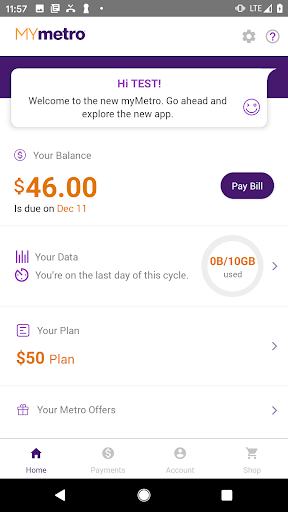
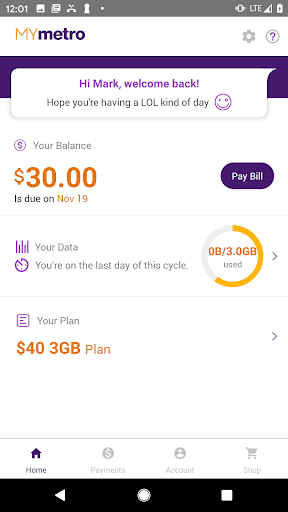
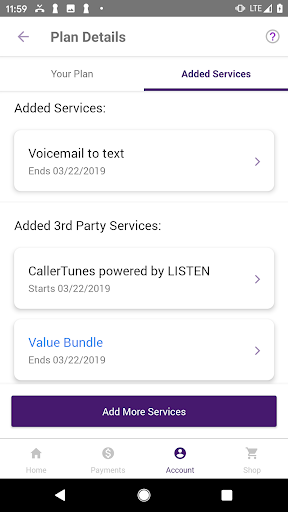
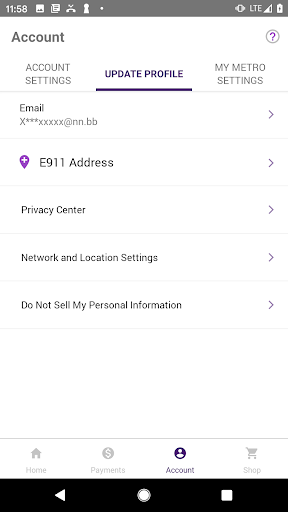
myMetro is the kind of carrier app that succeeds when it stays out of your way. After spending time with it as a day-to-day account management tool, that ends up being its biggest strength: it handles the routine stuff quickly, clearly, and with very little friction. If your main goal is to pay your Metro bill, check data usage, manage lines on your plan, and dip into account perks without calling customer service, this app does the job well enough that it can genuinely replace a store visit or a support call. The first thing that stands out is how practical the app feels. This is not a flashy experience built around visual polish or clever design tricks. It is closer to a utility dashboard, and in many ways that works in its favor. Payment management is front and center, and that matters because bill pay is the single task most people will open this app for. In regular use, paying a bill is straightforward, and the app does a good job of keeping the important account information easy to find. You do not have to hunt through layers of menus just to see what is due or when it is due. That alone makes it more usable than a surprising number of carrier apps. The second major strength is visibility. If you are on a limited data setup, managing multiple lines, or just want to keep an eye on what is happening with your account, myMetro gives you the information in a direct, understandable way. We found it especially useful for checking usage and getting a quick pulse on account status without navigating a maze of support articles or promotional clutter. For family plans or users handling more than one line, that convenience becomes more valuable over time. It turns the app into something you actually use, not something you install once and forget. A third win is that the app reduces human friction. There is a certain kind of user who never wants to call support unless absolutely necessary, and myMetro is clearly built for that person. Routine tasks that would otherwise involve phone trees, wait times, or a trip to a store can be handled quietly from the app. There is real value in that. Being able to make a payment, review account details, or make simple changes on your own schedule is exactly what a carrier app should deliver. That said, myMetro does not feel especially refined. The interface is serviceable rather than elegant. Nothing here is confusing enough to be a dealbreaker, but it can feel a bit dated and visually plain. Buttons, menus, and page layouts generally get the job done, yet the overall design lacks the smoothness and polish you see in stronger modern mobile apps. You can sense that functionality was prioritized over finesse. For many users that tradeoff is acceptable, but if you care deeply about clean UI and premium app design, myMetro will not impress you. The second weakness is that reliability has not always felt completely bulletproof. During normal use the app is mostly stable, but carrier apps live and die by the payment flow, and that is the exact place where even a single freeze or failed submission feels worse than it would in a social or shopping app. In our time with it, the app generally behaved, but it still gives off the impression that certain screens could be more robust. When you are entering payment information, you want total confidence. myMetro usually earns that confidence, but not with quite enough consistency to call it flawless. The third drawback is that feature depth seems uneven. The core tools are here, and they are the right tools, but there are moments where the app feels more like a well-functioning account portal than a fully mature mobile experience. Some tasks appear easier than others, and the app can still leave you with the sense that for more complicated account changes, you may need to go beyond it. That is not unusual for carrier apps, but it does limit how complete the experience feels. There are also extras tucked into the experience, including access to deals and promotions tied to the broader T-Mobile ecosystem. These are nice to have, but they are not the reason to install myMetro. The real value is still the basics: account access, bill payment, usage monitoring, and quick support paths. On that front, the app is strongest when used frequently for simple maintenance rather than as a one-stop solution for every account scenario. So who is this app for? It is ideal for existing Metro customers who want a low-hassle way to stay on top of their account. If you pay your bill monthly, keep an eye on your data, manage multiple lines, or want to avoid calling customer service, myMetro is absolutely worth having installed. It is also a good fit for users who value convenience over style and just want the essentials to work. Who is it not for? If you expect a beautifully designed app, rock-solid premium polish, or deep self-service options for every complex account change, you may find it a little ordinary and occasionally frustrating. And if you only rarely interact with your account, the app may not feel essential beyond payment day. In the end, myMetro is a strong utility app, not a glamorous one. It succeeds because it makes the most common carrier tasks easy and accessible. It stumbles because it still feels a little rough around the edges, especially in presentation and confidence under pressure. But judged by what it is supposed to do, it does more right than wrong, and for most Metro customers that will be enough to make it a very worthwhile install.
Alternative apps