
Apps Games Articles
Skype
Skype
Rating 4.1star icon
Editor's summary
Editor rating
star icon star icon star icon star icon empty star icon
4.1

One-line summary Skype is still easy to recommend for straightforward voice and video calling across devices, but its aging feel and occasional clunky moments make it harder to love than it once was.

  • Installs

    1B+

  • Developer

    Skype

  • Category

    Communication

  • Content Rating

    Everyone

  • Latest version

    VARY

  • Package

    com.skype.raider

Screenshots
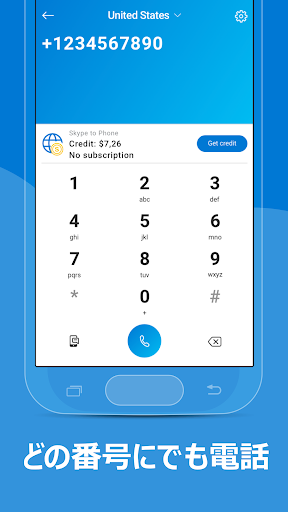
In-depth review
Skype is one of those apps that almost everyone knows, and after spending real time using it again, what stands out most is how familiar and functional it still feels. This is not the flashiest communication app on Android, and it does not feel especially modern in every corner, but it remains a dependable tool for what many people still want most: making calls, jumping into video chats, and sending messages without much setup drama. The first thing I noticed during day-to-day use was how approachable the app still is. Skype does not require much explanation. Open it, sign in, find your contacts, and you are basically ready to go. That simplicity matters. There are plenty of communication apps that bury basic calling behind layers of social features, channels, communities, stories, or other extras. Skype largely keeps the core experience recognizable. If your goal is to call family, check in with a friend, or handle a casual remote conversation from your phone, the app gets you there quickly. That ease of use is one of its biggest strengths. In actual use, the strongest part of Skype is still its core communication toolkit. Voice and video calling remain the reason to install it, and that part of the experience feels stable enough for regular use. Calls connect without much fuss, the layout during calls is easy to understand, and moving between chat and calling feels natural. I especially appreciated that Skype still feels designed around communication first. It is not trying too hard to become an all-purpose entertainment or social platform. There is value in that focus, especially for users who just want something familiar and practical. Another clear advantage is its cross-device identity. Skype has long had the feel of a service meant to follow you around rather than tie you to one phone. In everyday use, that makes it convenient for people who communicate across different devices and different kinds of contacts. Even on Android, that broader sense of continuity comes through. It feels like a utility app as much as a messaging app, and that is a real plus for people who want their conversations available in more than one place. That said, Skype also shows its age. The biggest weakness is not that it fails outright, but that it often feels a step behind more modern communication apps in polish. The interface is functional, but parts of it feel a little heavy and less elegant than they could be. Navigation is usually clear, yet the overall presentation can seem slightly dated. Nothing here is confusing enough to stop you from using it, but there were moments where I noticed the app feeling more utilitarian than fluid. It works, but it does not always feel especially refined. The second weakness is that Skype can sometimes feel crowded in small ways. Even when the main calling and messaging tools are easy to reach, the app does not always deliver that crisp, minimal experience some users now expect. There is a sense that the product has accumulated layers over time. For longtime users, this may feel familiar. For newer users, it can come across as a little busier than necessary. I never found it unusable, but I did find myself wishing for a cleaner, leaner version that put the core actions more front and center. The third issue is emotional rather than technical: Skype is dependable, but not especially exciting. That may sound trivial, yet app feel matters. Some communication apps create a sense of momentum and freshness that makes you want to keep them in your daily rotation. Skype instead feels more like a trusted tool you keep around because it still does the job. That is not a criticism for everyone, but it does affect who will enjoy it most. If you want an app that feels current, sleek, and tightly optimized for modern mobile habits, Skype may leave you a little cold. Still, there is a lot to like here. Messaging works as expected, calling remains central, and the overall experience is accessible even for less technical users. I found it particularly easy to recommend for people who value familiarity over trendiness. If you have contacts who already use Skype, or if you simply want a communication app with a long-standing, recognizable format, it remains a sensible pick. It also suits users who move between chat and calls often and do not want to relearn a new interface every few months. Skype is for people who want straightforward communication, especially those who prioritize voice and video contact and appreciate an interface that feels established rather than experimental. It is also good for users who prefer practical tools over social noise. On the other hand, it is not the best fit for someone who wants the most modern-looking messaging experience, the lightest interface, or a communication app that feels especially fresh and streamlined. After using Skype as a regular communication app, my verdict is that it is still relevant because it remains competent at the essentials. Its strengths are clear: easy setup, dependable calling and messaging, and a familiar cross-device communication identity. Its weaknesses are just as clear: an aging design, a slightly cluttered feel in places, and less modern energy than newer rivals. But if your standard is simple usefulness rather than novelty, Skype still earns its place on your phone.
Alternative apps