Apps Games Articles
Video Downloader HD - Vidow
Vidow™
Rating 4.1star icon
Editor's summary
Editor rating
star icon star icon star icon
half star icon
empty star icon
3.8

One-line summary Video Downloader HD - Vidow is easy to pick up and genuinely convenient for saving videos for offline playback, but the ad-heavy flow and a few rough edges in navigation keep it from feeling like an easy top recommendation.

  • Installs

    50M+

  • Developer

    Vidow™

  • Category

    Social

  • Content Rating

    Everyone

  • Latest version

    2.3.34

  • Package

    com.hdvideodownloader.downloaderapp

Screenshots
In-depth review
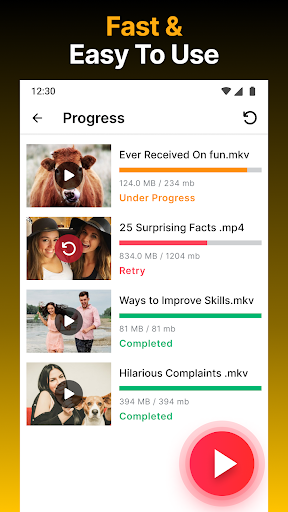
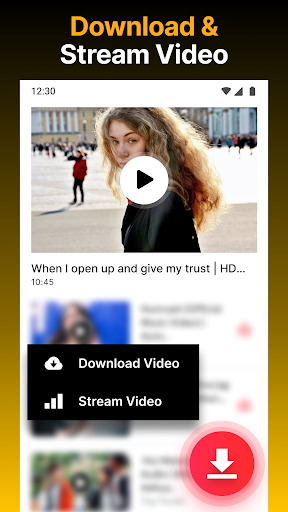
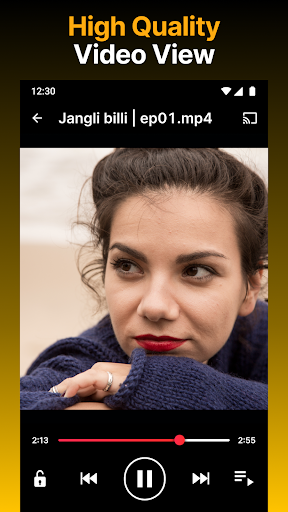
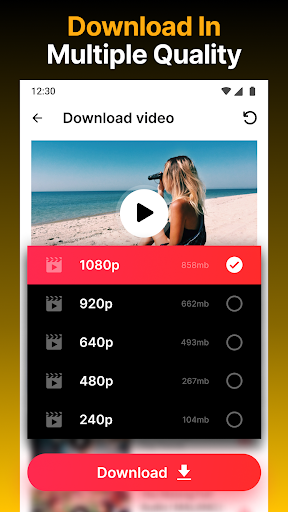
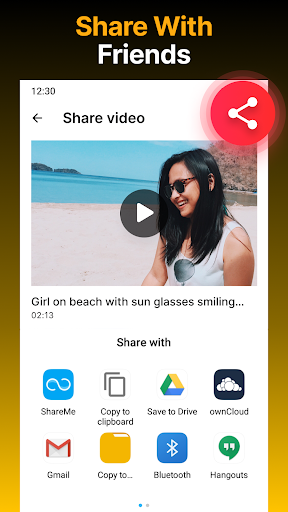
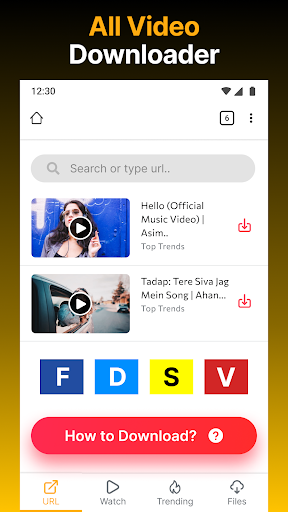
Video Downloader HD - Vidow is one of those Android utilities that tells you exactly what it wants to be: a simple, broad-purpose video downloader with offline playback built in. After spending time with it, that straightforward pitch mostly holds up. This is not a beautifully refined app in the premium sense, and it is not the sort of tool that disappears into the background with zero friction. But if your goal is practical rather than elegant—find a video, save it, play it later, maybe cast it to a TV—it gets a surprising amount right. The first thing that stands out in use is accessibility. Vidow does not feel intimidating, even if you are not especially technical. The app’s core workflow is easy to grasp: bring in a link, let the app detect supported media, choose a format or resolution where available, and download. That simplicity matters, because downloader apps often overwhelm users with cluttered interfaces, strange terminology, or too many steps before anything actually happens. Here, the learning curve is light. Within a few minutes, it was clear where downloads lived, how to monitor progress, and how to handle basic file actions afterward. That leads to the app’s first real strength: it is convenient. Vidow combines downloading, file management, and playback in one place, which makes it useful in day-to-day use. Once videos are saved, you do not need to jump to another player just to watch them. The built-in player is not flashy, but it is a practical inclusion that makes the app feel more complete. For someone downloading clips for travel, unstable mobile connections, or just keeping a few videos handy offline, this all-in-one setup works well. The second strength is download handling. In testing, the app feels comfortable managing multiple items and background activity without making you babysit every single transfer. The ability to pause, resume, retry, rename, and share files is more important than it sounds, because downloader apps become frustrating quickly when they treat every failed transfer like a dead end. Vidow at least tries to behave like a usable download manager rather than a one-shot saver. If you regularly queue several videos at once, that flexibility helps. A third plus is that playback and TV casting make the app feel more lifestyle-friendly than bare-bones alternatives. Offline viewing is the main event, but being able to push saved clips to a larger screen gives the app broader usefulness. It is the kind of feature that sounds secondary until you actually want it; then it feels smart to have it included in the same app instead of needing another tool. That said, Vidow is also a good example of how utility can be undercut by friction. The biggest annoyance in everyday use is the ad load. This is a free app, so ads are not surprising, but here they can interrupt momentum often enough to become part of the experience rather than just background monetization. When you are trying to move quickly through several downloads, pop-ups and ad interruptions can make the app feel less efficient than it really is. This is the strongest reason to hesitate before recommending it wholeheartedly: the core function works, but the experience around that function can feel too busy. The interface also has some rough navigation spots. In regular use, there are moments where the app does not quite keep you where you expect to be, especially when moving between a found video, the download action, and getting back to continue browsing. A polished downloader should make repetitive use feel smooth, and Vidow sometimes adds little bits of back-and-forth that wear on you over time. None of this makes the app confusing, exactly, but it does make it feel less refined than the best utility apps. The third weakness is trust in file persistence and polish. This is the kind of app people use to build a small offline library, so anything that creates uncertainty around saved downloads matters. Even apart from any one isolated issue, Vidow does not always project that rock-solid, dependable feeling of a mature media manager. It is functional, yes, but not consistently reassuring. If you are the kind of user who wants a bulletproof archive of saved content with zero worry, this app may feel a bit too casual in its execution. There is also an important limitation in what the app is actually for. Vidow is best suited to users who want a simple downloader for supported, publicly accessible video sources and who value convenience more than elegance. If you want an easy tool for grabbing videos for offline playback, watching them inside the app, and occasionally casting them to a TV, it fits that role well. It is also friendly to people who do not want to manage separate apps for downloading and playback. It is not for users who are highly sensitive to ads, who expect premium-level interface polish, or who need guaranteed support across every platform they throw at it. It is also not for anyone expecting unsupported services to work just because the app is a downloader. The app itself is clear that some platforms are off-limits, and in practice you should approach it as a utility for supported sources rather than a universal catch-all. Overall, Video Downloader HD - Vidow is a useful but imperfect app. I came away thinking positively about its core utility: it is easy to use, reasonably capable, and genuinely handy when you want offline access without extra fuss. But I also came away wishing the experience were cleaner, calmer, and more polished. If you can tolerate ads and a few UI annoyances, there is enough here to make it worthwhile. If you want a smoother, more premium-feeling tool, this one may feel a little too rough around the edges.
Alternative apps
  • All Video Downloader
  • HD Video Downloader
  • Video Downloader & Video Saver