Apps Games Articles
Hey Color Paint by Number Art
ZephyrMobile
Rating 4.6star icon
Editor's summary
Editor rating
star icon star icon star icon star icon
half star icon
4.5

One-line summary Hey Color is easy to recommend for its huge, genuinely relaxing catalog and smooth paint-by-number flow, but it loses a little shine when ads, occasional sluggishness, and the odd glitch interrupt the calm.

  • Installs

    10M+

  • Developer

    ZephyrMobile

  • Category

    Board

  • Content Rating

    Everyone

  • Latest version

    1.8.1

  • Package

    com.hey.color.number.coloring.paint

Screenshots
In-depth review
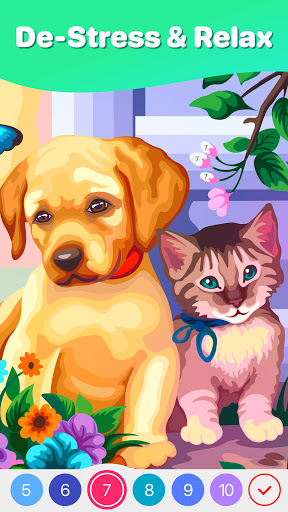
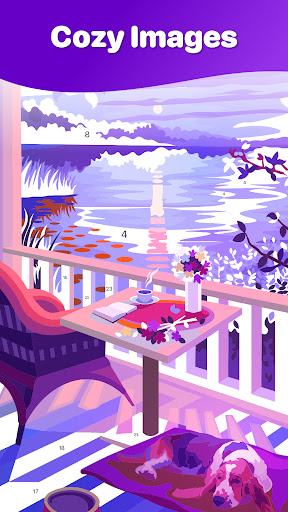
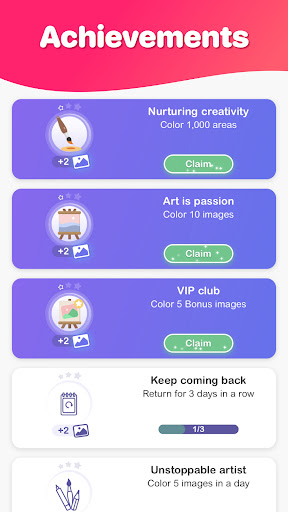
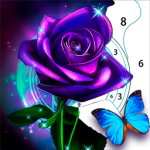
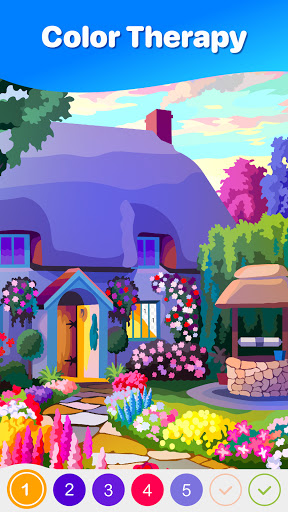
Hey Color Paint by Number Art understands exactly why people download coloring apps in the first place: not for challenge in the traditional game sense, but for comfort, rhythm, and that small but satisfying feeling of turning an empty image into something vibrant. After spending time with it across quick five-minute breaks and longer evening sessions, I came away impressed by how often it gets the basics right. This is one of those apps that is very easy to settle into, and once you do, it becomes the kind of low-pressure habit you open almost automatically. The first thing that stands out is the sheer volume and variety of artwork. There is no sense of being boxed into one visual style. You can jump from animals to mandalas to places to floral pieces to more decorative fantasy-style images without feeling like the app is recycling the same few templates. That variety matters more than it sounds. In a lot of paint-by-number apps, the repetition sets in quickly, and every session feels interchangeable. Here, I found myself browsing for a while before starting, which is usually a good sign: the app gives you enough choice that picking the next picture becomes part of the appeal. Actually coloring is mostly excellent. Hey Color keeps the interaction simple, and that simplicity is where much of its appeal comes from. Tap the numbered sections, watch the art slowly reveal itself, move to the next color, repeat. The app does a good job of keeping your eyes on the picture instead of forcing you to manage the interface too much. Auto-advancing through colors and crossing out completed numbers sounds minor on paper, but in practice it makes the whole experience feel smoother and less fiddly. On a phone screen, especially with dense images full of tiny fragments, that kind of workflow polish matters. The app also has a nice sense of pacing. Some pictures are quick and straightforward; others are packed with tiny details and take a lot longer to complete. I liked that range. If I only had a few minutes, there were easier images that delivered a fast sense of completion. If I wanted something more absorbing, the more intricate pages scratched that itch. The more detailed works are where Hey Color becomes most satisfying, because finishing them feels earned. There is a real pleasure in hunting down the last few tiny cells and watching a complicated image finally click into place. Visually, the color choices are one of the app’s best traits. Finished pieces tend to look bright, appealing, and polished rather than muddy or random. Some paint-by-number apps feel mechanically assembled, as though colors were assigned by algorithm and never reviewed by an actual human eye. Hey Color generally avoids that. The resulting images have enough punch to make completion feel rewarding, and that helps sustain the loop of “just one more picture.” That said, the experience is not perfectly zen. The biggest interruption is advertising. For a free app, the ad load is not catastrophic, and I never felt aggressively shaken down at every tap, but ads do cut into the meditative flow. That matters more in a relaxation app than it would in a more active game. When you are trying to unwind, even a brief ad can feel louder than it would elsewhere. I found them tolerable, not deal-breaking, but definitely noticeable. Performance is the second weak spot. Most of the time the app runs fine, but on heavier or more detailed pictures, I did hit moments where the responsiveness felt slightly off. Taps occasionally needed a firmer repeat, and the overall feel could become a bit sluggish. It is not broken, but it can take some of the elegance out of the experience, particularly on images with lots of tiny regions where precision and responsiveness matter most. The third issue is that the app can occasionally stumble on polish in small but annoying ways. Every so often, a design feels harder than it should because tiny numbered regions are awkward to spot, or a page gives the impression that something isn’t mapping quite right. Hints help, and the app does provide support for those moments, but it is still frustrating when a relaxing activity turns into a pixel hunt that feels more tedious than calming. There were also moments where transitions into ads or picture completion didn’t feel as seamless as they should. Still, those complaints never outweighed the core appeal for me. What keeps Hey Color above many similar apps is that it respects the user’s time and mood more often than not. It gives you plenty to color, it makes progress feel satisfying, and it includes little touches like a personal gallery and achievement-style milestones that make extended use feel more rewarding without becoming pushy. It is easy to use with one hand, easy to pick up after a long break, and easy to recommend to anyone looking for a calming, low-stakes mobile routine. This app is for adults who want a relaxing, visually pleasing way to unwind, especially if they enjoy repetitive tasks that create a clear sense of progress. It is also a strong fit for people who like having lots of categories and difficulty levels to choose from rather than being funneled through one narrow art style. It is not ideal for anyone who is extremely impatient with ads, demands perfectly flawless technical performance, or wants a more traditional creative app with free drawing and deeper artistic control. In the end, Hey Color succeeds because it knows its job. It is not trying to turn coloring into a complicated platform or a hyper-competitive game. It is there to help you slow down, focus on something pleasant, and leave with a small completed piece of art. Despite the occasional ad break and some intermittent sluggishness, it does that well enough to earn a place among the better paint-by-number apps on Android.