Apps Games Articles
PDF Reader - All PDF Scanner
Dev Globeg
Rating 4.6star icon
Editor's summary
Editor rating
star icon star icon star icon star icon empty star icon
4.1

One-line summary PDF Reader - All PDF Scanner is easy to recommend if you want one lightweight app to open, scan, and organize local documents, but I’d hesitate if you dislike ads or don’t want to grant broad file-access permissions.

  • Installs

    100K+

  • Developer

    Dev Globeg

  • Category

    Productivity

  • Content Rating

    Everyone

  • Latest version

    1.0.4

  • Package

    com.first.pdfreader

Screenshots
In-depth review
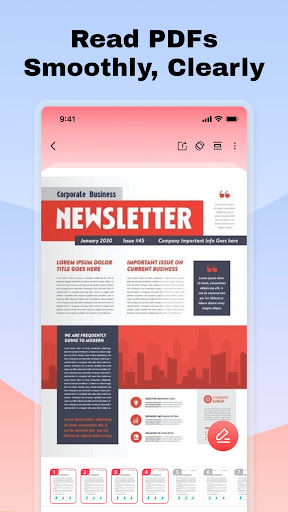
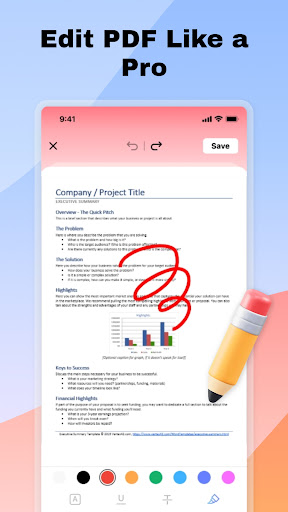
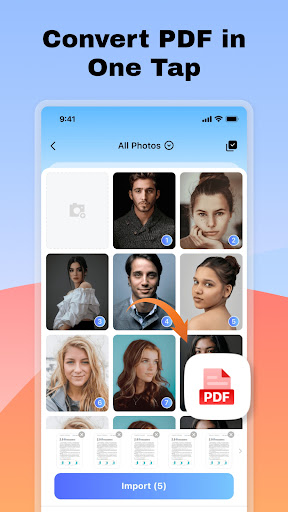
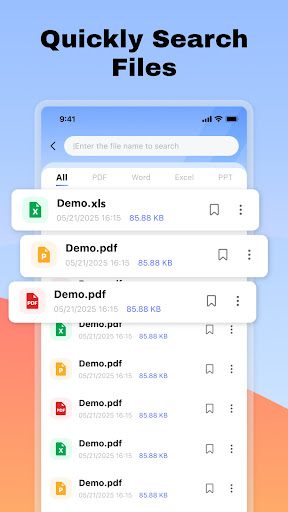
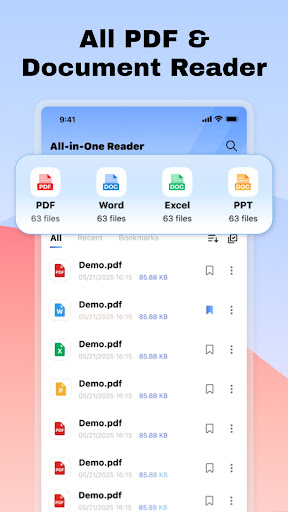
PDF Reader - All PDF Scanner positions itself as a practical document utility rather than a full office suite, and after spending time with it, that framing feels about right. This is the kind of app you install because you need to open a PDF quickly, scan a paper receipt into a shareable file, or gather a handful of phone images into one PDF without thinking too hard about the process. In day-to-day use, it generally succeeds at that mission. The first thing I appreciated is that the app feels aimed at local file handling, not at pushing you into an account system or cloud workflow. If your documents live on your phone and you simply want a viewer that can also do a bit more, the app makes a good first impression. Opening PDFs is straightforward, and the overall navigation leans toward utility over flair. I never got the sense that the app was trying to overwhelm me with advanced options before letting me do the basics. That matters for a tool like this. A PDF app should disappear into the background and let you get on with your work, and this one often does. The file discovery and management side is one of its better qualities. The app is built around scanning local storage, importing documents, and keeping them organized enough that you can return to them later without friction. Search is especially useful in an app like this, and even when your downloads folder is cluttered, being able to pull up files by name or keyword gives the app real everyday value. For students, office workers, freelancers, and anyone who deals with invoices, forms, or notes on a phone, this convenience adds up quickly. The multi-format preview feature is also genuinely handy. Being able to open PDF, Word, Excel, and PowerPoint files from one app makes it feel like a general document hub rather than a single-purpose reader. That said, the distinction between viewing and editing is important here. In use, the app makes the most sense as a viewer for many formats and a light editor for PDFs only. If you go in expecting full document editing across file types, you will run into a wall. But if your real need is “open almost anything, and mark up PDFs when needed,” the app stays on solid ground. PDF editing itself is basic but useful. The brush and text tools are not trying to replace a desktop editor, but for quick annotation they do the job. I found this enough for simple tasks like highlighting attention points, adding a short note, or marking up a scanned page. That’s one of the app’s strengths: it knows where lightweight editing can be valuable on mobile. It is not trying to become a heavy-duty workstation, and that restraint actually helps the experience feel faster and less cluttered. The image-to-PDF and scan-to-PDF features are where the app becomes more than just a reader. Turning several photos into one PDF is convenient, especially for expenses, IDs, handwritten notes, or classroom materials. The process feels designed for speed. Likewise, using the camera to capture paper documents and convert them into PDFs makes the app useful in real-world situations beyond file viewing. For casual home-office use, that kind of built-in scanning can save a surprising amount of time. Still, the app is not without compromises. The biggest practical hesitation is permissions. It requests broad storage access, and while that aligns with its core purpose of scanning, importing, and managing local documents, it is the kind of permission that privacy-conscious users may pause over. I can understand why the app wants it, but it is still a meaningful ask. If you are selective about what utility apps can access on your device, this will probably be your main concern. The second issue is that the app’s ambitions are a little wider than its editing depth. It can preview several file types, but the actual modification tools are limited to PDFs. That is not misleading if you read carefully, but in practice it means some users may install it hoping for broader office-style editing and end up with a narrower toolkit than expected. For reading and light annotation, it works. For more advanced document creation or cross-format editing, it does not appear designed to go very far. The third drawback is one common to many free productivity apps: ads. They do not erase the app’s usefulness, but they are part of the experience. In a document tool, interruptions feel more noticeable than they do in entertainment apps because you are usually trying to complete a task quickly. If you only open the app occasionally, this may be easy to tolerate. If you use it many times a day, the presence of ads may become one of the first things you notice. In terms of fit, PDF Reader - All PDF Scanner is best for users who want a simple, do-it-all local document companion on Android: something to open files, search them, do quick PDF annotations, scan papers, and convert images into PDFs without a learning curve. It is especially suitable for students, remote workers, and anyone handling forms and receipts from a phone. It is not the best pick for people who want advanced editing, a tighter privacy posture around storage access, or a premium ad-free environment. Overall, I came away with a positive impression. The app delivers practical value where it counts most: opening documents quickly, handling local files with minimal fuss, and adding a few genuinely useful extras like scanning and image conversion. It doesn’t feel luxurious, and it doesn’t feel especially advanced, but it does feel functional in a way that many people will appreciate immediately. If your expectations are realistic, PDF Reader - All PDF Scanner is a capable and convenient productivity tool.