Apps Games Articles
Olive Garden Italian Kitchen
Darden Restaurants, Inc.
Rating 4.5star icon
Editor's summary
Editor rating
star icon star icon star icon star icon empty star icon
4.1

One-line summary If you eat at Olive Garden with any regularity, this app is an easy recommendation for its smooth waitlist and To Go workflow, but the occasional friction around payments keeps it from feeling truly polished.

  • Installs

    1M+

  • Developer

    Darden Restaurants, Inc.

  • Category

    Food

  • Content Rating

    Everyone

  • Latest version

    2.11.0

  • Package

    com.darden.mobile.olivegarden

Screenshots
In-depth review
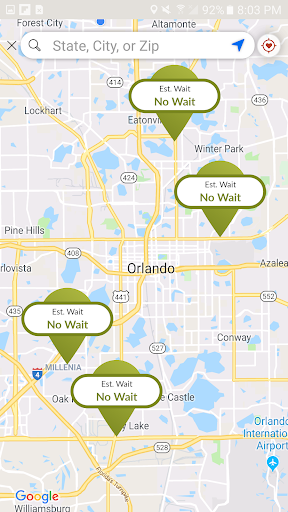
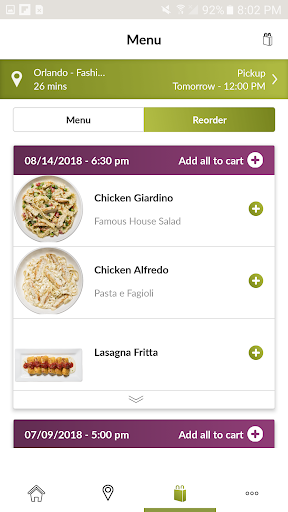
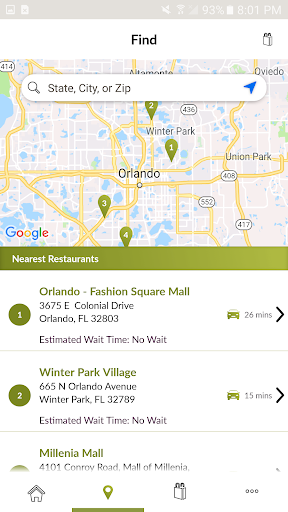
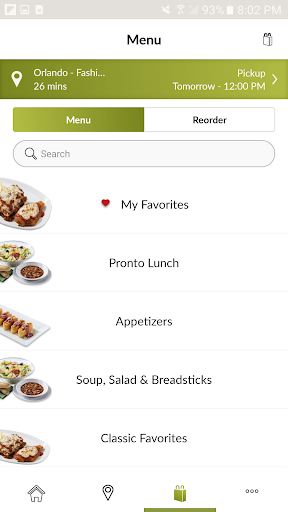
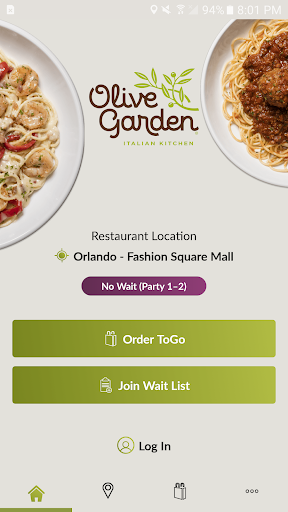
Olive Garden Italian Kitchen is one of those restaurant apps that makes the most sense the moment you actually need it. On paper, it sounds routine: find a nearby location, check hours, join a waitlist, place a To Go order, manage gift cards. In practice, though, the app succeeds or fails based on whether it saves time during the slightly chaotic moments when you are hungry, in a hurry, or trying to coordinate dinner with other people. After spending time using it as a regular customer would, I came away with a positive impression overall. It is useful, reasonably focused, and at its best it trims away the little bits of friction that usually make restaurant apps feel like chores. The strongest part of the experience is that the app understands why most people open it in the first place. You are usually trying to solve a very specific problem: find the nearest Olive Garden, see whether there is a wait, or get an order in quickly. The app is at its best when it keeps those actions close at hand. Finding a location is straightforward, and saving a favorite restaurant helps turn future visits into a faster process. That sounds minor, but in daily use it matters. Once a preferred location is set, the app starts feeling less like a marketing wrapper and more like a functional utility. The waitlist feature is another genuine strength. Being able to check current wait times and put your name in before arriving is exactly the kind of practical convenience restaurant apps should deliver. In use, it makes the app feel worthwhile even if you never place a mobile order. There is a meaningful difference between showing up blind and showing up with some expectation of how busy the restaurant is. The app cannot magically eliminate the realities of a busy dining room, and it is careful not to promise immediate seating, but it does help you approach the visit with a bit more control. That makes it especially useful for families, groups, and anyone trying to avoid a long, uncertain wait. Ordering To Go is the other major reason to install this app, and for the most part it works well. The flow is easy to understand, and the ability to save and reorder past orders is exactly the kind of convenience that frequent customers will appreciate. If you tend to order the same few meals, the app cuts repetition down nicely. This is one of its clearest wins: it respects habit. Instead of making every order feel like starting from scratch, it lets recurring customers move quickly. That gives the app a practical edge over restaurant apps that bury reordering behind too many screens. That said, the app does not feel consistently refined in every corner. The biggest weak spot during use is the payment experience. Saving preferred payment methods should be one of those invisible, one-time setup tasks, but here it can introduce more friction than expected. The most notable issue is card scanning, which does not always seem as reliable or effortless as it should be. When that part stumbles, the app briefly loses the sense of convenience it works hard to build elsewhere. It is not a deal-breaker, but it is exactly the kind of annoyance that stands out because the rest of the app is trying to be fast. A second weakness is that the app’s polish is uneven. The main utility features are solid, but the overall experience does not always feel especially modern or elegant. It gets the job done, but there are moments where it feels more functional than delightful. That is not inherently bad for a restaurant app, yet it does affect how often you enjoy using it versus simply tolerating it. If you are expecting a particularly sleek or premium mobile experience, this one is more practical than impressive. The third limitation is that the app is closely tied to a narrow use case. That sounds obvious for a single-brand restaurant app, but it matters when judging whether it deserves space on your phone. If you visit Olive Garden often, the value is easy to see. If you only stop by occasionally, the app may feel situational rather than essential. Outside of ordering, waitlist access, and basic account tools like gift cards, there is not much here that transforms the broader dining experience. It is useful, but mostly in short bursts. Who is this app for? Frequent Olive Garden customers, busy families, and anyone who regularly orders To Go will get the most out of it. It is also a smart install for people who dislike standing around wondering how long the restaurant wait might be. If your visits are predictable and your orders repeat, the app fits naturally into that routine. Who is it not for? Casual diners who visit once in a while may not find enough value to keep it installed, and users who are easily annoyed by small payment or setup hiccups may find the convenience slightly less frictionless than they hoped. In the end, Olive Garden Italian Kitchen is a good restaurant app because it focuses on real-world tasks instead of trying to do too much. Its best features—location lookup, waitlist access, and fast reordering—solve common problems cleanly. Its weaker points—payment friction, uneven polish, and limited value outside repeat visits—keep it from being a top-tier mobile experience. But if you are the kind of person who actually eats at Olive Garden often, that balance still works in the app’s favor. It may not be perfect, but it is genuinely handy, and that counts for a lot in this category.
Alternative apps
  • Chili's
  • Outback Steakhouse
  • Applebee's