Apps Games Articles
Translate Language Translator
Next Generation Apps Developers
Rating 4.5star icon
Editor's summary
Editor rating
star icon star icon star icon star icon empty star icon
4.2

One-line summary Translate Language Translator is easy to like because it packs text, voice, OCR, and a handy dictionary into one surprisingly usable free app, but the ad load and occasional delay keep it from feeling truly premium.

  • Installs

    10M+

  • Developer

    Next Generation Apps Developers

  • Category

    Business

  • Content Rating

    Everyone

  • Latest version

    2.3

  • Package

    com.languagetranslator.translatorapp.smartscanner.dictionary.translation.voicetranslator

Screenshots
In-depth review
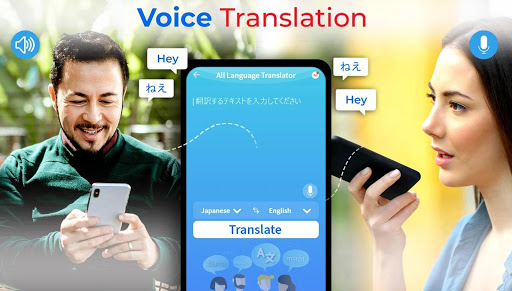
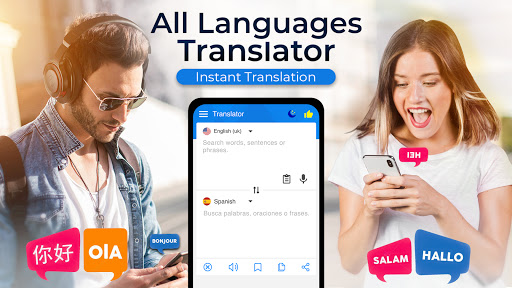
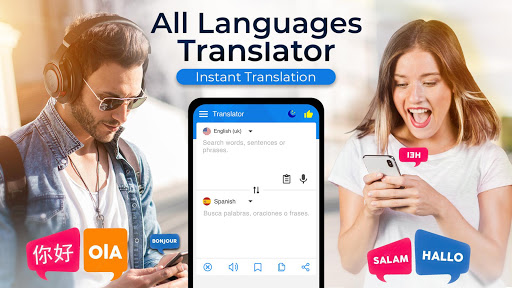
Translate Language Translator makes a strong first impression by doing the simple thing many translation apps forget to do: it gets you from opening the app to translating something with very little friction. After spending time with it as an everyday utility rather than a one-minute test, what stood out most was not one flashy feature, but the fact that it tries to be a practical all-in-one language tool. You can type text, speak into it, scan text with OCR, and lean on extras like a dictionary, idioms, and quotes. That sounds like a kitchen-sink approach on paper, but in use, it mostly works in the app’s favor. The core translation experience is the reason to install it. For quick text translation, the app feels direct and approachable. The interface is not especially stylish, but it is easy to understand, and that matters more here than visual flair. You are not hunting through layers of menus just to switch languages or paste in a sentence. For basic communication, travel phrases, homework help, and everyday lookups, it feels fast enough to be useful in the moment. That immediacy gives the app its best quality: it is the sort of tool you can keep on your phone and actually remember to use. Voice translation is the second major draw. In testing, the voice input concept is simple enough that almost anyone can figure it out right away: tap the mic, speak, and let the app do the rest. When it works smoothly, it is genuinely convenient. This is the mode that makes the app feel most practical for real-world use, especially if you are trying to communicate quickly rather than compose perfect translated text. The presence of spoken output also helps, because a translation app is far more useful when it can help with pronunciation and not just display words on screen. The third thing that gives this app an edge over bare-bones translators is its extra learning layer. The built-in dictionary and pronunciation support are useful additions, especially for students or anyone trying to understand a word rather than merely convert it. The idioms and quotes content is not essential to the app’s mission, but it gives the experience a more educational flavor than a simple translator-only tool. If you are the kind of user who jumps between translating a sentence and then checking the meaning of one unfamiliar word, this setup is surprisingly convenient. That said, using Translate Language Translator for more than a few minutes also makes its biggest weakness impossible to ignore: ads. This is not a subtle, occasional-banner kind of free app experience. Ads are a regular part of the flow, and while they do not completely break the app, they interrupt the pace often enough to become part of your mental calculation every time you use it. If you only need a translator once in a while, you may tolerate this. If you expect to rely on it heavily throughout the day, the ad frequency becomes much more irritating. The app also has moments where it feels less polished than the best translation tools. In most routine use, it is responsive, but there are occasional delays when searching or processing, and those pauses stand out because translation is the kind of task where you want near-instant feedback. Even a short wait feels longer when you are trying to answer someone in real time. This does not make the app unreliable, but it does keep it from feeling as seamless as top-tier alternatives. Another limitation is that, while the app offers a lot of functions, not all of them feel equally refined. The translation side is clearly the priority, while the extra educational and scanning features feel more like useful add-ons than deeply specialized tools. That is not necessarily a problem, but users looking for highly context-aware translation or the most advanced OCR workflow may find that this app is best treated as a versatile generalist rather than a specialist. It is strongest when used for practical, everyday translating, not when held to the standard of professional-grade language software. In daily use, the app’s personality is clear: it is built for accessibility, convenience, and breadth. It is very easy to recommend to students, travelers, casual language learners, and anyone who frequently needs quick translations across text and speech without wanting to pay upfront. It is also a good fit for people who like having dictionary-style support in the same app instead of bouncing between separate tools. It is less ideal for users who are highly sensitive to ads, want a cleaner premium feel, or need maximum speed and nuance every single time. If your use case is mission-critical communication, intensive language study, or frequent document scanning, you may start to notice the rough edges more quickly. Overall, Translate Language Translator succeeds because it is genuinely useful. It covers the basics well, adds enough extra features to feel generous, and stays approachable for non-technical users. Its flaws are real, especially the ad burden and occasional sluggishness, but they do not erase the fact that this is a capable, handy translation app that earns its place on a lot of phones. It may not be the most polished translator on Android, but as a free, feature-packed companion for everyday language help, it does more right than wrong.