Apps Games Articles
Google Analytics
Google LLC
Rating 4.2star icon
Editor's summary
Editor rating
star icon star icon star icon star icon
half star icon
4.5

One-line summary Google Analytics is one of the best at-a-glance analytics companions on Android, but I’d only hesitate if you need full desktop-grade analysis instead of fast mobile check-ins.

  • Installs

    5M+

  • Developer

    Google LLC

  • Category

    Business

  • Content Rating

    Everyone

  • Latest version

    4.6.511476871

  • Package

    com.google.android.apps.giant

In-depth review
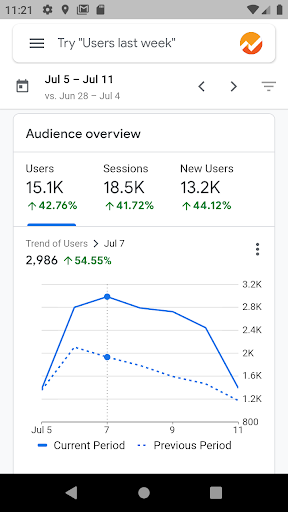
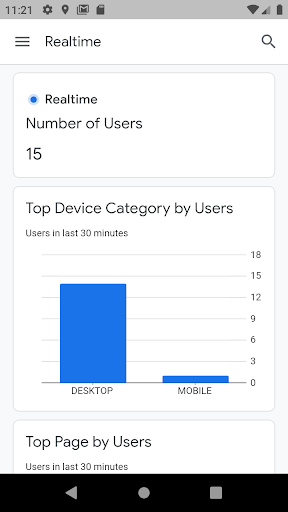
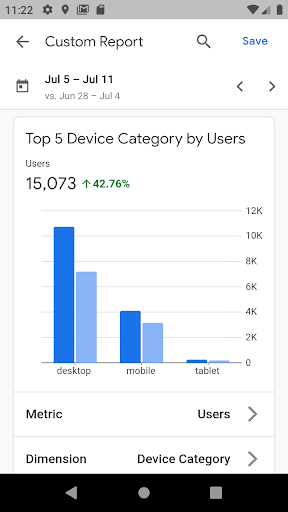
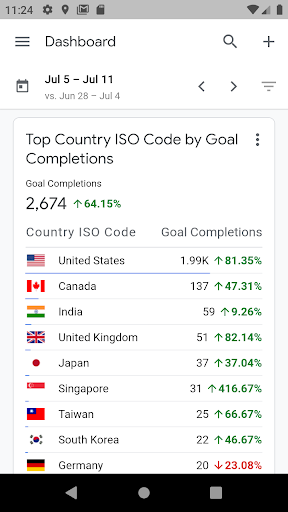
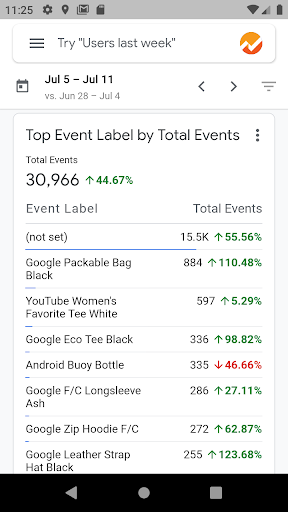
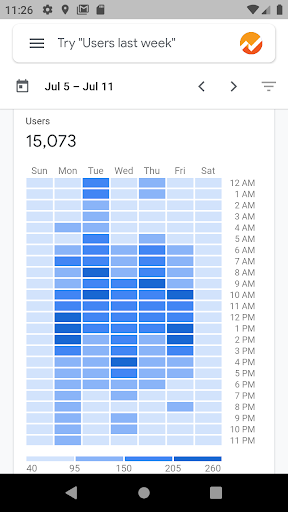
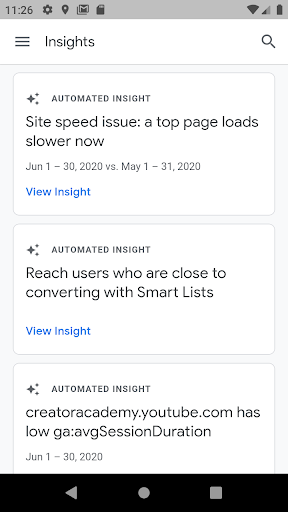
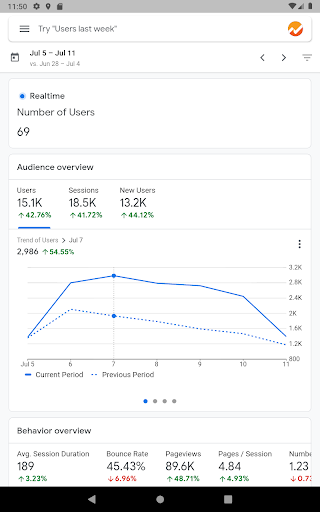
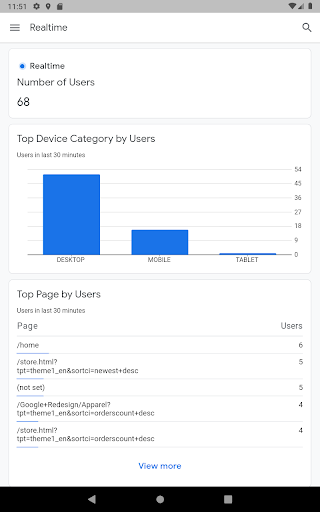
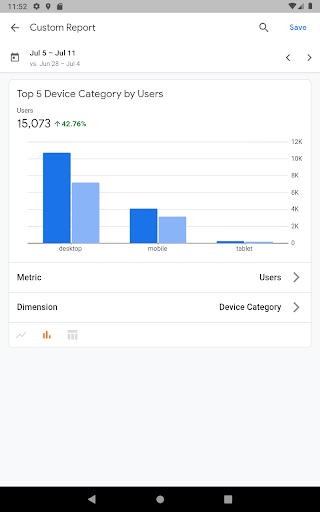
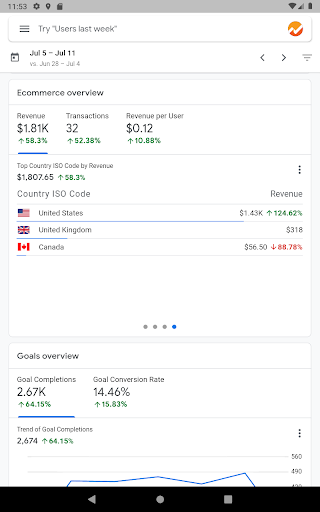
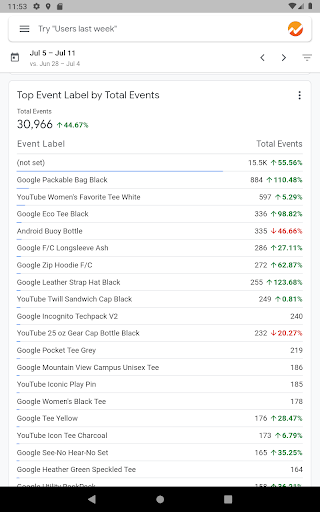
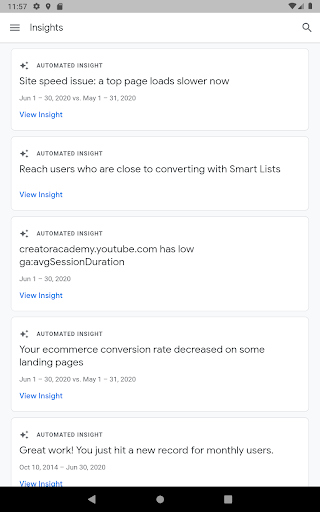
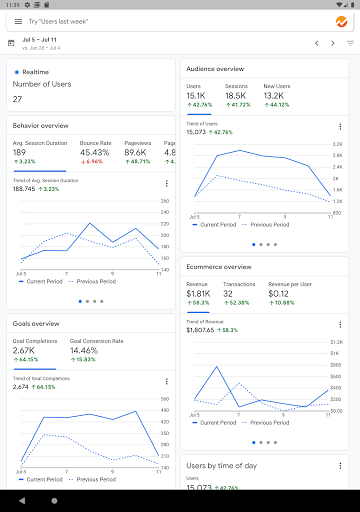
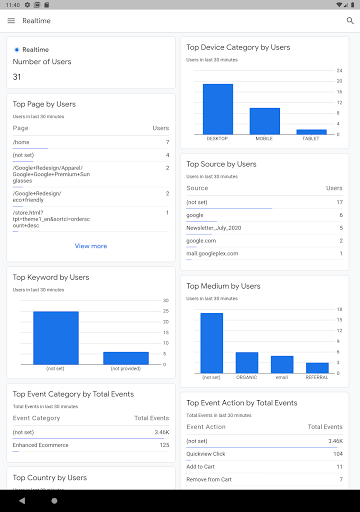
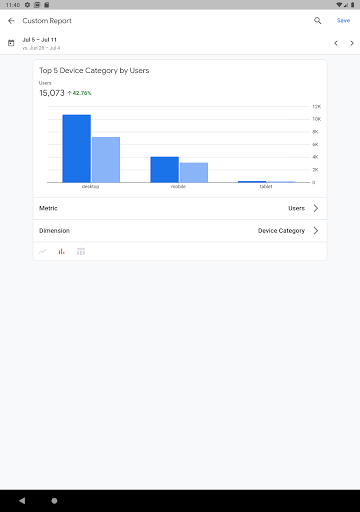
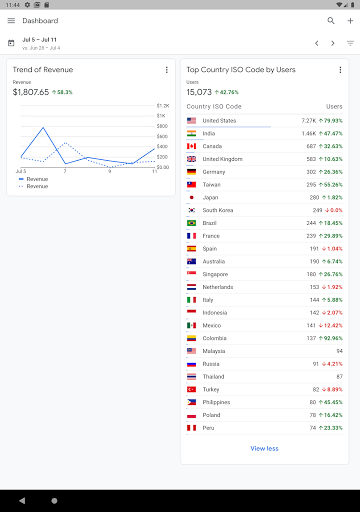
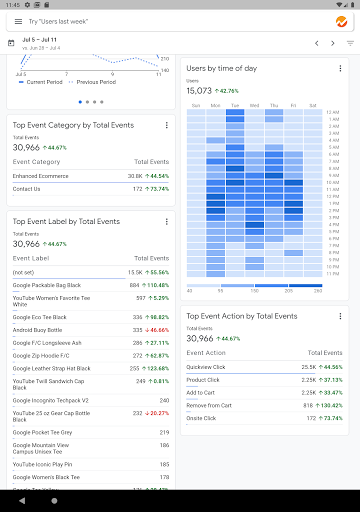
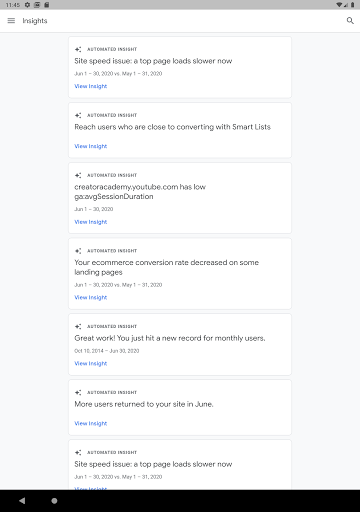
Google Analytics on Android feels like an app built for a very specific kind of moment: you are away from your desk, you want to know what is happening on your site or app right now, and you do not want to pinch, zoom, and wrestle with a desktop dashboard on a phone screen. Used that way, it is excellent. After spending time with it as a daily check-in tool, what stands out most is how well it handles the basics that matter. Opening the app and getting straight to key metrics is quick. The built-in reports make it easy to see the numbers you are likely to care about first, and the real-time view is genuinely useful when you want immediate feedback. If you are launching a campaign, publishing new content, or simply watching traffic patterns during the day, the app gives you that reassuring ā€œpulse checkā€ feeling that a mobile analytics tool should provide. The interface is also in pretty good shape. It looks modern, clean, and more thoughtfully arranged than many enterprise-style mobile apps that cram dense tables into a small screen and call it a day. Here, navigation is straightforward enough that I rarely felt lost. Reports are readable, filters are accessible, and saving reports to a dashboard helps create a more personal workspace over time. The dark theme is another welcome touch. It makes the app more comfortable to use at night and gives the whole experience a more polished, up-to-date feel. That ease of use is probably the app’s biggest strength. Google Analytics on mobile is not trying to replace the full desktop experience, and that restraint works in its favor. I found it best for checking yesterday’s performance, comparing one date range against another, and confirming whether current traffic is moving in the expected direction. The app is at its strongest when you treat it as a focused analytics companion rather than an all-in-one command center. Another thing it gets right is portability without feeling stripped down. Many mobile dashboards stop at a handful of headline metrics, but this app goes further. You can work with reports, apply filters, compare date ranges, and even build your own reports using different metrics and dimensions. That gives it more depth than a simple ā€œstats glanceā€ app, while still staying manageable on a phone. I appreciated being able to save useful views and return to them instead of rebuilding the same setup repeatedly. The AI-generated insights can also be helpful in the right context. They are not a substitute for real analysis, but they do provide a useful nudge toward patterns you may want to investigate further. In practice, this feature feels less like magic and more like a shortcut to noticing movement in the data. That is still valuable on mobile, where speed matters more than exhaustive exploration. But the app is not perfect, and its weaknesses become obvious once you try to do too much with it. The biggest limitation is that some visualizations and layouts still feel more functional than elegant. Charts are useful, but at times they could be more space-efficient and easier to parse quickly. On a phone, every bit of screen real estate matters, and there were moments when the presentation felt a little too airy, with more scrolling than necessary. That is not a deal-breaker, but it does occasionally slow down the very quick-inspection workflow the app is otherwise so good at. There is also a mild tension between simplicity and depth. For casual monitoring, the app is excellent. For deeper investigation, it starts to remind you that you are on mobile. I could check trends, compare periods, and monitor live activity comfortably, but when I wanted a more complete analytical picture, I still felt the pull back to the web version. That does not mean the app fails; it means its ceiling is lower than its very capable surface might initially suggest. Power users expecting a full desktop replacement may come away a little frustrated. A third weakness is that the visual clarity of some report elements could be better. Depending on the screen and the report you are in, there are places where labels, spacing, and graph presentation do not feel as crisp or as instantly readable as they could. The app is generally polished, but not every screen feels equally optimized for scanning at speed. For a tool that lives or dies by quick comprehension, that matters. Who is this app for? It is for site owners, marketers, app managers, and anyone who already relies on Google Analytics and wants trustworthy access from a phone. It is especially good for people who need frequent status checks, real-time monitoring, and a customizable dashboard they can carry around. It is also a strong fit for small teams or solo operators who want to keep an eye on performance without opening a laptop every time. Who is it not for? If you do not already have your analytics setup in place, this is not a magical shortcut to understanding your data. And if your work depends on deep segmentation, heavy interpretation, and long sessions inside detailed reports, the mobile app will feel more like an accessory than a destination. Likewise, users who want highly customized, visually dense reporting may find the app a little too restrained. Overall, Google Analytics is a very good mobile companion app because it understands the job it needs to do. It gives you fast access to meaningful data, it is pleasant to use, and it adds just enough flexibility to stay useful beyond the basics. Its shortcomings are real, mostly around screen efficiency and the inevitable limits of mobile analysis, but they do not overshadow the core experience. For staying connected to your metrics wherever you are, it is one of the more effective business tools you can keep on your phone.
Alternative apps
  • Google Ads
  • Matomo Mobile
  • Adobe Analytics Dashboard