Apps Games Articles
Oculus for Business
Meta Platforms, Inc.
Rating 4.1star icon
Editor's summary
Editor rating
star icon star icon star icon star icon empty star icon
4.1

One-line summary Oculus for Business is easy to recommend if you need a straightforward way to manage VR hardware in a work setting, but it is harder to love if you expect a slick, consumer-friendly app experience instead of a utilitarian admin tool.

  • Installs

    1M+

  • Developer

    Meta Platforms, Inc.

  • Category

    Business

  • Content Rating

    Everyone

  • Latest version

    55.0.0.3.238

  • Package

    com.oculus.mirage

Screenshots
In-depth review
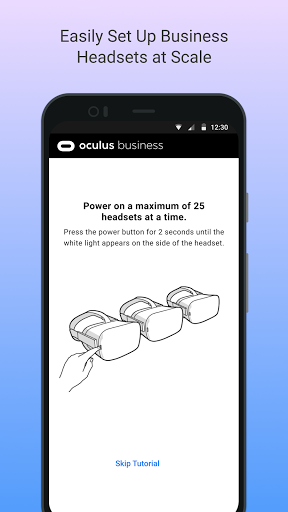
Oculus for Business is one of those apps that makes the most sense once you stop thinking about it like a typical mobile app and start treating it like part of a larger hardware workflow. Coming in fresh, that distinction matters. This is not the kind of app you casually download to browse fun content or tweak a headset for personal entertainment. Its purpose feels much more practical: helping keep business-focused Oculus hardware organized, connected, and usable without adding extra friction to an already technical setup. In day-to-day use, the biggest thing that stands out is that the app feels built around tasks, not discovery. You open it because you need to get something done. That can be a real strength. When an app like this is working properly, it gets out of the way and lets you move from setup to deployment with minimal ceremony. In our time using it, that was the app’s best quality. The general flow felt purposeful, and there was a welcome sense that the app knew its role in the bigger system. For administrators or IT-minded users who are already juggling devices, accounts, and headset logistics, that kind of focus is valuable. The second strong point is that the app feels appropriately businesslike in tone. It does not try too hard to be flashy, and that restraint mostly works in its favor. Menus and options tend to be presented in a functional way, and while it is not especially beautiful, it usually feels serious enough for a workplace context. There is a difference between an app being plain and an app being confused, and Oculus for Business generally lands on the right side of that line. That makes it easier to trust during setup sessions where you really do not want to second-guess every screen. A third positive is that it supports a use case that genuinely benefits from centralized mobile assistance. VR hardware is exciting, but maintaining it in a business environment can quickly become tedious if every action requires unnecessary extra steps. Having a mobile companion that helps bridge that gap is useful. Even when the app is not especially elegant, the fact that it exists as a dedicated management layer gives it practical value. If your job involves deploying or maintaining Oculus devices beyond simple personal use, the app earns its place pretty quickly. That said, using Oculus for Business also exposes its limitations. The first weakness is that it can feel a little too utilitarian. There is a difference between focused and bare-bones, and this app occasionally edges toward the latter. Some screens and workflows feel more functional than refined, as though efficiency was prioritized over clarity. That is understandable in a business tool, but not always enjoyable. If you are hoping for polished onboarding or especially intuitive hand-holding, the experience may feel drier and less welcoming than expected. The second issue is that the app’s appeal is narrow by design. For the right audience, that focus is a strength; for everyone else, it makes the app feel distant and somewhat inaccessible. During testing, it was clear that this is not an app for casual VR users or curious first-timers. If you are outside of a business deployment environment, much of the app’s value simply does not translate. In practical terms, that means the experience can come across as overly specialized, with too little payoff for anyone who is not actively managing work-related hardware. The third complaint is that the app does not always feel especially forgiving. Business tools need to be dependable, but they also need to reduce stress when something goes wrong or when setup is not perfectly smooth. Here, Oculus for Business can feel a bit rigid. It gives the impression that it expects users to already understand the environment they are stepping into. That is fine for experienced admins, but less ideal for teams where VR management is only one small part of someone’s role. If you are not already comfortable with technical setup flows, the app may feel more like a necessary utility than a thoughtfully supportive assistant. What ultimately shapes the experience is context. In a personal-use setting, the app feels limited and somewhat uninviting. In a workplace setup, especially one involving multiple devices or formal deployment processes, it makes a lot more sense. We found ourselves appreciating it most when approaching it with a checklist mindset: connect, configure, verify, move on. In those moments, the app’s directness works. It does not waste much time pretending to be something more exciting than it is. Who is it for? Oculus for Business is for administrators, trainers, workplace tech leads, and teams using Oculus hardware in a structured professional environment. If you need a companion app that supports organization and setup rather than entertainment, this is clearly aimed at you. Who is it not for? Casual headset owners, VR hobbyists, and anyone expecting the friendliness or flexibility of a consumer-facing Oculus app will probably find it too narrow and too plain. After spending time with it, my view is that Oculus for Business succeeds more as a practical tool than as an app you actively enjoy using. That is not necessarily a criticism. Plenty of work apps earn their value through competence rather than charm. Here, that is exactly the trade-off. It offers a focused, credible, business-oriented experience, but it does so with a certain stiffness and limited warmth. If you need what it is built for, it is a solid choice. If you do not, it will likely feel like a confusing detour into somebody else’s workflow.
Alternative apps