Apps Games Articles
Genius Scan - PDF Scanner
The Grizzly Labs
Rating 4.9star icon
Editor's summary
Editor rating
star icon star icon star icon star icon
half star icon
4.8

One-line summary Genius Scan is one of the cleanest, fastest, and least annoying document scanners on Android, but power users may still bump into moments where its automatic document detection is a little too eager.

  • Installs

    5M+

  • Developer

    The Grizzly Labs

  • Category

    Business

  • Content Rating

    Everyone

  • Latest version

    7.4.0

  • Package

    com.thegrizzlylabs.geniusscan.free

Screenshots
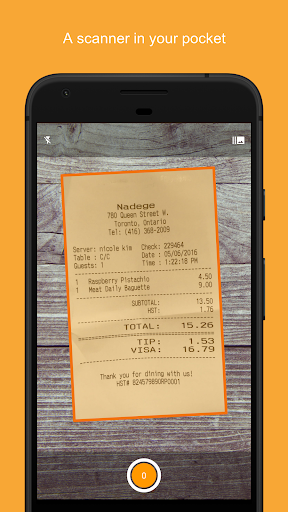
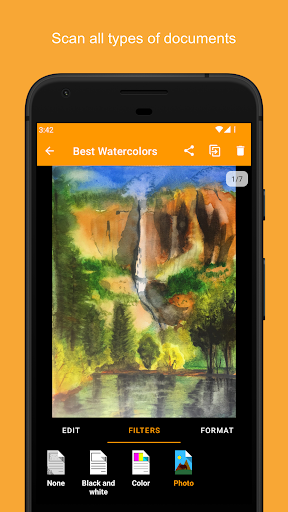
In-depth review
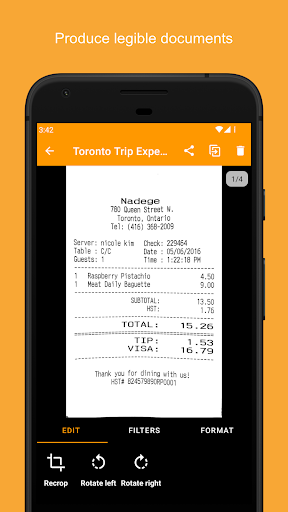
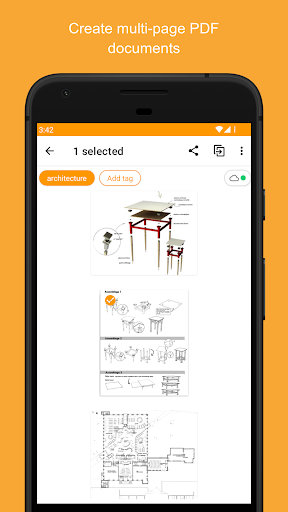
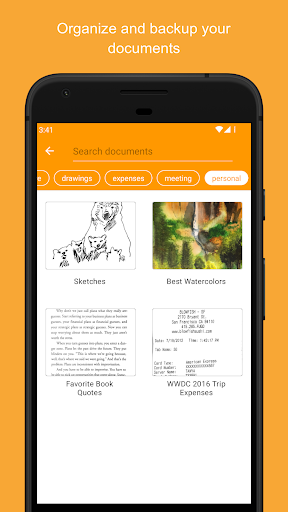
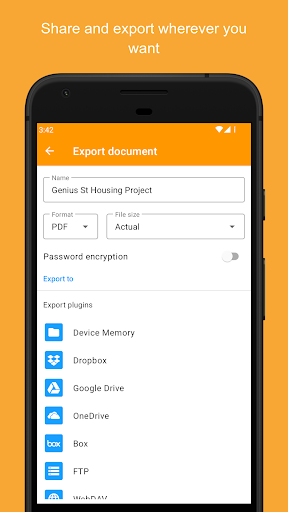
Genius Scan feels like the kind of utility app that understands its job and refuses to waste your time. After spending real time scanning receipts, printed forms, handwritten notes, and a few awkwardly lit documents on a desk, my biggest takeaway is simple: this app is remarkably good at getting from camera to usable PDF with very little friction. That sounds obvious for a scanner app, but it is surprising how many apps in this category still manage to clutter the experience with ads, account prompts, messy export flows, or mediocre image cleanup. Genius Scan is better than that. The first thing I noticed was how fast the core scanning flow feels. Open the app, point the camera, capture, repeat, export. That loop is polished enough that you stop thinking about the app itself and just start processing paper. Edge detection is generally excellent. It locks onto standard documents quickly, crops them neatly, and does a very convincing job of making phone-camera captures look more like scans from dedicated hardware. The app’s cleanup is especially strong with everyday paperwork: shadows are reduced, backgrounds are cleared up, and text gains enough contrast to be easier to read without looking overly artificial. That image processing is one of the app’s biggest strengths. In good lighting, the results are crisp. In mixed or mediocre lighting, the results are still often very usable. I scanned a stack of documents that included creased pages, slightly off-angle captures, and one page with uneven shadows from indoor lighting, and Genius Scan consistently rescued them into clean, shareable files. It also handles multi-page jobs well, which matters more than it sounds. Plenty of scanner apps are fine for one page and become annoying the moment you need to build a proper PDF. Here, combining pages into a document, reordering them, and keeping a scan session moving all feel natural. The second major strength is that the app respects the user. There are no ads breaking concentration, and it does not seem desperate to funnel you into an account before you can do basic work. That makes a real difference in daily use. If all you want is a dependable scanner in your pocket, Genius Scan gets out of the way. For students digitizing assignments, freelancers sending signed forms, home users archiving receipts, or anyone who occasionally needs to turn paper into a PDF without drama, this is exactly the kind of app you want installed before you need it. The export side is also thoughtfully done. Once you have a document, it does not feel trapped in the app. Sending scans out by email or to common cloud services fits naturally into the workflow, and that flexibility gives the app staying power. It is not just a capture tool; it is a practical bridge between paper and wherever your files actually need to go. The organizational features help too. Tags, search, renaming options, and syncing tools push Genius Scan beyond throwaway scanning and into being a light document management app for people who regularly deal with paper. That said, Genius Scan is not perfect, and its biggest frustrations come from the same intelligence that usually makes it feel smart. Automatic document detection is excellent most of the time, but there are moments when it is too aggressive. If you want to capture something that does not behave like a standard sheet of paper, or you intentionally want more of the surrounding image, the app can feel a bit pushy about deciding what the document should be. In most cases that is a convenience. In edge cases, it becomes a limitation. A second weakness is that some of the app’s more advanced value clearly lives beyond the most basic free usage. The free version is genuinely useful and generous enough to recommend, but if you are interested in the fuller workflow around OCR, searchable PDFs, backup, sync, or premium export convenience, you may find yourself evaluating whether the upgrade path makes sense for your needs. That is not unusual for this category, but it does mean the app’s full appeal depends on how much scanning you actually do. The third complaint is less about a broken feature and more about user expectations: Genius Scan is best when your task is document scanning, not general photography or broad image capture. If you want a scanner app that also doubles as a flexible image snipper for whiteboards, posters, or less structured material, you may occasionally feel the workflow is tuned more tightly around paper documents than around creative capture. It excels within its lane, but you do notice the boundaries of that lane. Security and privacy are also worth mentioning because they shape how comfortable the app feels for sensitive paperwork. On-device processing and document protection options make Genius Scan feel more serious than many casual scanning tools. If you are scanning IDs, contracts, financial forms, or anything else you would rather not casually send through unknown services, that approach is reassuring. So who is this app for? It is for students, professionals, small business owners, remote workers, and anyone tired of dealing with clunky office scanners or inferior mobile alternatives. It is especially good for people who need repeatable, clean PDF creation and want an app they can trust to behave consistently. Who is it not for? Users looking for a free-form camera tool first and a document scanner second, or those who need every advanced feature without ever considering an upgrade. Overall, Genius Scan earns its reputation the old-fashioned way: by doing the basics extraordinarily well and layering useful extras on top. It is fast, polished, cleanly designed, and refreshingly low on nonsense. Even with a few edge-case annoyances around automatic detection and some premium features living beyond the basic tier, it remains one of the best document scanner apps you can put on an Android phone.