Apps Games Articles
Color by Number - Colorswipes
Fuero Games Sp. z o.o.
Rating 4.8star icon
Editor's summary
Editor rating
star icon star icon star icon star icon
half star icon
4.5

One-line summary Colorswipes is one of the most satisfying color-by-number apps I’ve used thanks to its fast swipe-based painting, but the occasional screen-drag mishap and ad interruptions keep it from feeling truly effortless.

  • Installs

    1M+

  • Developer

    Fuero Games Sp. z o.o.

  • Category

    Board

  • Content Rating

    Everyone

  • Latest version

    3.10.0

  • Package

    com.artlife.color.number.coloring.book

In-depth review
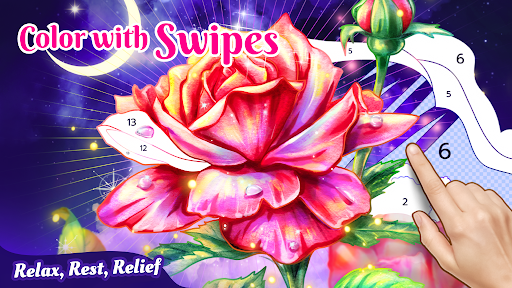
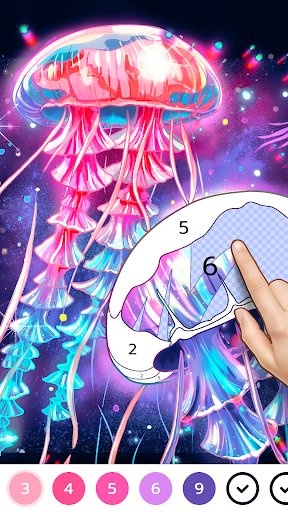
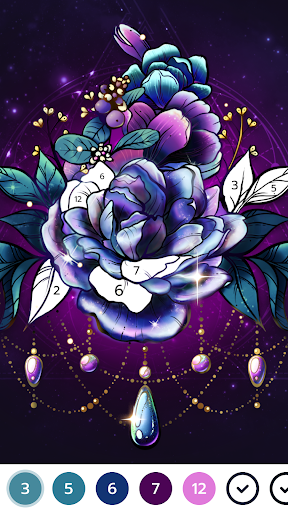
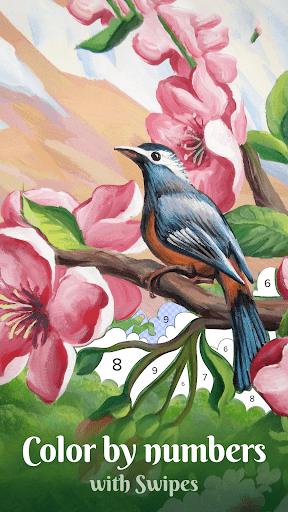
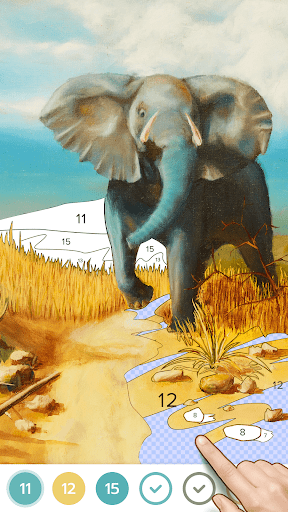
Color by Number - Colorswipes takes a very familiar mobile pastime and fixes the part that usually turns it into busywork. Instead of pecking at tiny numbered fragments one by one, you swipe across matching areas and watch sections fill in quickly. That single design choice changes the entire mood of the app. After spending time with it, I came away thinking this is one of the better picks in the category not because it reinvents coloring, but because it removes a lot of the friction that makes other coloring apps feel slow, fiddly, and oddly exhausting. The first thing that stood out in actual use was pace. Colorswipes feels fast in a way that most paint-by-number apps simply do not. Once you pick a color, you can drag your finger across the artwork and cover a surprising amount of ground in seconds. It gives the app a more fluid, tactile feel, almost like brushing over the page rather than stabbing at it. That makes a real difference if you use these apps to relax. I found myself finishing pictures far more quickly than expected, and that shorter loop makes it much easier to start “just one more.” This is clearly the app’s biggest strength: it respects your time while still delivering the visual reward of a completed image. That payoff is helped by the artwork itself. The app has a broad mix of subjects, and the images generally look vibrant and polished once complete. Some are cute, some decorative, some more dramatic, but the important part is that they feel chosen to show off the app’s strengths. Because sections reveal themselves so quickly, detail emerges in a satisfying way. There is a small thrill in watching an image snap into coherence as colors spread across the page. The playback element and the saved gallery add to that sense of completion; it is easy to build up a personal collection and revisit finished work. Another thing I liked is that Colorswipes is accessible even when you are not in the mood for concentration-heavy play. Some color-by-number apps demand a lot of visual scanning, hunting for tiny leftovers hidden in corners or shaded almost invisibly. Here, the swipe mechanic reduces that strain. It is still possible to slow down on more intricate images, but in general the app is easier on the eyes and hands than the tap-heavy alternatives. For casual downtime, commuting, or winding down before bed, that makes it unusually comfortable. That said, Colorswipes is not friction-free. The biggest annoyance in my testing was touch handling during coloring. The app’s core mechanic is swiping, but sometimes the canvas interprets that movement as a pan instead of a paint action. When that happens, the image shifts under your finger right when you are trying to color a cluster cleanly. It is not catastrophic, and after a while I adjusted to it, but it breaks the sense of flow often enough to be noticeable. An option to lock the canvas more aggressively, or finer control over swipe behavior, would make a good app feel more precise. Ads are the second weak point. For a free app, the ad load is not the worst I have seen, and in many sessions it was tolerable. But there were moments when the interruptions felt poorly timed, especially when they cut in too aggressively or created a messy transition back to the artwork. In a calming app, even a brief jolt like that feels bigger than it would in an action game. The overall experience is still good enough to keep using, but this is one of the places where the free-to-play structure rubs against the app’s relaxing ambitions. The third issue is that some parts of the interface could be clearer. The main interaction is intuitive, but not everything around it feels equally polished. Settings and progression-related elements are not always presented in the most obvious way, and some players will likely wish for more control, such as better customization of swipe size or similar comfort options. None of this makes the app difficult to use, but it does create the sense that the central mechanic received the most attention while the surrounding usability still has room to grow. Who is this app for? It is ideal for people who enjoy coloring apps but are tired of spending half an hour tapping microscopic regions. It is especially good for anyone looking for a low-effort, high-reward mobile unwind: the person who wants something pretty, tactile, and easy to dip into for a few minutes at a time. It also suits older players or anyone who finds repetitive tapping uncomfortable, because swiping is simply less fatiguing. Who is it not for? If you want a very quiet, interruption-free experience and have little patience for ads, this may test you. Likewise, if you are the kind of player who wants lots of advanced control settings and perfectly stable gesture handling, Colorswipes may feel a little looser than ideal. Even with those shortcomings, I enjoyed using it more than many apps in this crowded category. The reason is simple: Colorswipes understands that relaxing games should not feel like chores. Its swipe-to-color system is genuinely more fun than the standard tap-to-fill formula, the artwork is attractive, and the app gets to the satisfying part quickly. It is not flawless, but it is easy to recommend to anyone who wants a faster, more enjoyable take on digital color-by-number.