Apps Games Articles
Meta AI - Vibes & AI Glasses
Meta Platforms, Inc.
Rating 4.6star icon
Editor's summary
Editor rating
star icon star icon star icon star icon
half star icon
4.5

One-line summary Meta AI - Vibes & AI Glasses is an unusually fun, genuinely useful free AI app with impressive video creation and hands-free glasses support, but you should hesitate if you need total reliability, full prompt control, or broad feature availability everywhere.

  • Installs

    10M+

  • Developer

    Meta Platforms, Inc.

  • Category

    Social

  • Content Rating

    Everyone

  • Latest version

    263.1.0.20.164

  • Package

    com.facebook.stella

Screenshots

In-depth review
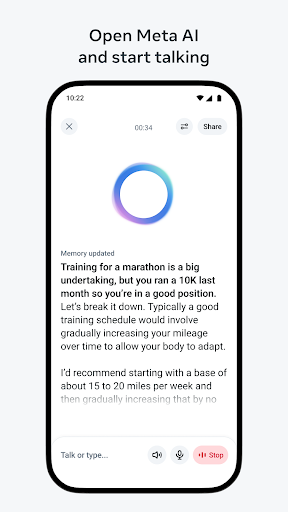
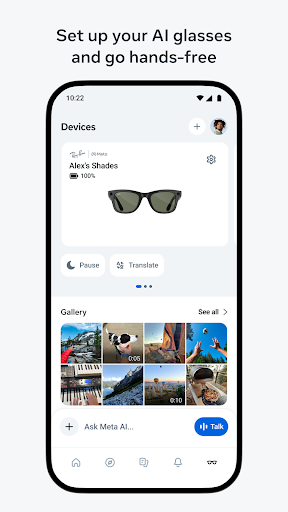
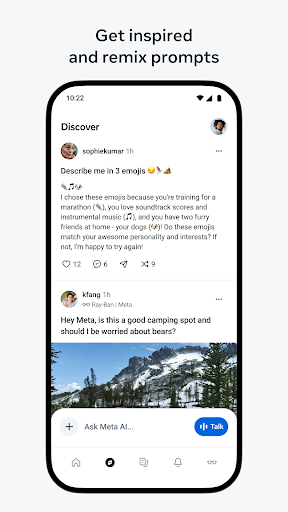
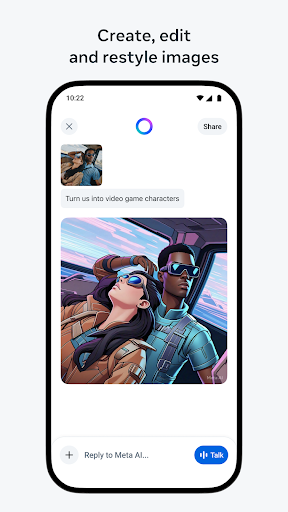
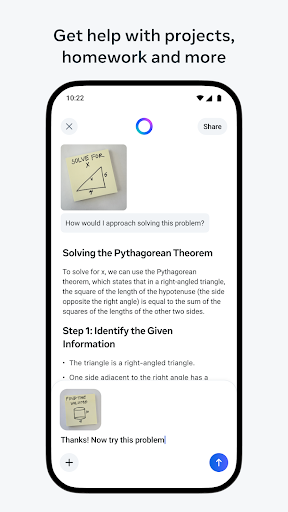
Meta AI - Vibes & AI Glasses feels like two products fused into one app: a creative AI playground for making stylized images and short videos, and a practical companion for Meta’s AI glasses. After spending time with it, that split personality turns out to be both its biggest strength and its biggest source of friction. On the creative side, the app makes a very strong first impression. The interface pushes you quickly toward making something rather than staring at a wall of settings, and that matters. A lot of AI apps still feel like technical demos that expect you to do all the work. Meta AI feels more consumer-ready. Type a prompt, upload a photo, remix something in the feed, add some style, and within a short time you have something shareable. The app is especially good at making the process feel playful instead of intimidating. Even when the result is not perfect, the path from idea to output is fast enough that experimentation feels fun. What stood out most in daily use was how polished the generation quality can be. The image results are often striking, and the video features have real novelty value rather than feeling bolted on. Lip-sync and short “vibe” style creations are the kind of thing that can go wrong easily, but here they often look smooth enough to surprise you. There is a clear sense that Meta wants this app to be something people use casually, not just once for a gimmick. For students, casual creators, or anyone curious about AI media tools without wanting to commit to a paid subscription immediately, that accessibility is a major draw. The second strength is that it does more than just generate flashy content. The conversational AI side is easy to dip into for quick questions, recommendations, and general brainstorming. That part of the app is not presented as some separate serious workspace; it lives naturally alongside the creative tools. In practice, that makes the app more useful day to day. You can jump in to ask a question, then pivot to making an image or a short video. That flexibility gives the app a broader appeal than a single-purpose AI art generator. The third major strength is the glasses integration. If you own compatible Meta AI glasses, this app is not optional, but thankfully it is not a bad companion app to live with. Importing and sharing media works cleanly, and the hands-free angle genuinely adds something different from ordinary phone-based AI apps. The glasses workflow gives the app a hardware ecosystem feel that makes it more interesting than a generic chatbot with image generation attached. For people already in that world, the app has obvious value. That said, using Meta AI also reveals a few recurring frustrations. The first is reliability. The app is capable of producing excellent results, but it does not always get there smoothly. During testing, the generation flow occasionally felt fragile, especially when creating media. This is the kind of app where a progress indicator can race toward completion and then suddenly fail, stall, or throw a vague error. When it works, it feels slick. When it doesn’t, it feels annoyingly opaque, because the app does not always explain what happened or offer a graceful recovery path. The second weakness is control. Meta AI is designed to be approachable, but sometimes that simplicity turns into limitation. Creative users who like refining prompts, choosing output shape, or iterating carefully may run into edges quickly. There are moments when the app feels like it wants you to create in its preferred style rather than truly giving you a deep editor’s toolkit. That is fine for casual play, but less satisfying when you have a very specific result in mind and need precision rather than inspiration. The third issue is uneven feature availability. Some tools appear to arrive gradually, and some capabilities feel different depending on region, platform, or rollout timing. That creates an inconsistent experience. You can sense that the app is evolving quickly, but fast-moving AI apps sometimes leave users dealing with features that appear, disappear, or differ between versions. It does not ruin the app, but it does make it feel slightly less dependable than the smoothest mainstream social tools. Who is this app for? It is for curious everyday users, social creators, students, and Meta glasses owners who want an easy entry point into AI-generated images, videos, and voice/text assistance. It is especially appealing if you value convenience, low friction, and a free experience that does not immediately push you into heavy paywalls. It is also a good fit for people who enjoy remix culture and lightweight creation more than professional-grade control. Who is it not for? If you need highly consistent output, detailed editing precision, or a stable pro workflow for serious creative production, this app may feel too loose around the edges. It is also a tougher sell if you do not care about the social/remix angle or the glasses ecosystem, because part of its charm comes from how those pieces connect. Overall, Meta AI - Vibes & AI Glasses is one of the more enjoyable mainstream AI apps on Android right now. It succeeds because it makes AI feel casual, creative, and useful without too much friction. It falls short when polish gives way to unpredictability, or when simplicity turns into restriction. Still, for a free app with strong media generation, smart assistant features, and meaningful hardware integration, it is easy to recommend to a wide audience—as long as you go in expecting some rough edges along with the fun.