Apps Games Articles
textPlus: Text Message + Call
textPlus
Rating 4.1star icon
Editor's summary
Editor rating
star icon star icon star icon star icon empty star icon
4.3

One-line summary textPlus is an easy, genuinely useful second-number app for texting over Wi-Fi, but I’d hesitate to rely on it as my primary phone line because call quality and credit-based calling can still feel inconsistent.

  • Installs

    50M+

  • Developer

    textPlus

  • Category

    Social

  • Content Rating

    Everyone

  • Latest version

    7.8.6

  • Package

    com.gogii.textplus

Screenshots
In-depth review
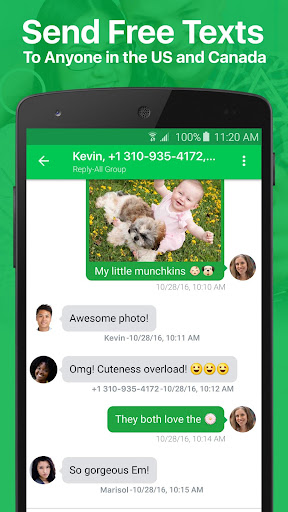
I went into textPlus with a fairly simple question: can a free app really give you a usable second phone number without turning everyday messaging into a chore? After spending real time with it as a Wi-Fi-first calling and texting tool, my answer is mostly yes. textPlus is one of those apps that immediately makes sense the moment you launch it. If you need a backup number, a privacy buffer, or a way to text and receive calls on a device without active cellular service, it gets to the point quickly and with less friction than many apps in this category. The initial setup is refreshingly straightforward. Getting a U.S. number and starting to send messages feels fast, and that matters because this kind of app usually lives or dies by first impressions. textPlus doesn’t make itself feel overly technical. The layout is simple enough that you can hand it to someone who just wants a working second line and they’ll understand what to do. That simplicity is one of its biggest strengths. I never had the feeling that the app was trying to bury core functions under too many menus or gimmicks. Texting, checking missed calls, and reviewing voicemail felt accessible rather than hidden. In day-to-day use, texting is where textPlus feels strongest. Basic messages move through reliably, and the app does a good job of feeling close to a normal messaging experience rather than a stripped-down workaround. MMS and group messaging support make it more practical than a barebones free number app, and in my testing it handled routine conversations well enough that I stopped thinking about the service and just used it. That’s the best compliment I can give it. A second-number app should disappear into your routine, not constantly remind you that you’re using a compromise. The second major win is flexibility. textPlus works well for a very specific kind of user: someone who is often on Wi-Fi, wants a second number, and doesn’t need a traditional carrier plan attached to it. On an old phone, a tablet, or a spare device around the house, it’s surprisingly handy. I can easily see it fitting into travel, side gigs, online selling, temporary projects, or situations where you simply don’t want to hand out your main number. If your needs are modest, the app can save you from paying for more phone service than you actually use. Call handling is a little more mixed, but still often good enough to be useful. When the connection is stable, calls can be clear and perfectly serviceable. Receiving calls over Wi-Fi is one of the app’s more practical features, and voicemail plus missed-call notifications help it feel like a real communication line rather than a toy number. For light use, that’s a real advantage. I especially liked that the app can serve as a safety net when a regular phone line is unavailable or when you’re stuck on Wi-Fi only. That said, textPlus is not a perfect substitute for your main number, and this is where the third act of the experience becomes more complicated. The biggest weakness is that your experience is only as good as your internet connection. On strong Wi-Fi, the app feels dependable. On weaker Wi-Fi, the cracks show quickly: call drops, delays, and occasional message hiccups become much more noticeable. That’s not unique to textPlus, but it is central to whether you’ll love it or uninstall it. The second frustration is the app’s free-calling model. Texting is easy to recommend, but calling can require credits, and earning those credits through ads makes the app feel less clean than its messaging side. If you only place the occasional call, this may not bother you much. If you expect unlimited free calling in the most literal sense, textPlus can feel more conditional than the marketing suggests. I found that acceptable for a backup line, but I would not want to be scrambling for credits when I needed to place an important call quickly. The third weakness is that some edge-case reliability issues still linger. Certain verification texts may not come through consistently, and number retention appears to require attention over time. That means textPlus is a poor fit if your entire digital life is going to depend on this number being accepted everywhere, forever, with zero maintenance. It works best when treated as a practical second line, not an ironclad identity number for every account and service. So who should use textPlus? It’s a strong choice for people who want a low-cost or free second number, send lots of texts, have reliable Wi-Fi, and like the idea of putting an old device back to work. It also suits anyone who wants a privacy layer between their real number and casual contacts. Who is it not for? Anyone who needs flawless always-on call quality, guaranteed compatibility for every verification text, or a true replacement for a full carrier-backed mobile line. My overall impression is that textPlus succeeds because it understands the basics. It gives you a usable number, handles texting well, and keeps the interface approachable. It stumbles where many free communication apps stumble: dependence on internet quality, occasional roughness around calls, and monetization that shows up right when you want the experience to feel invisible. But judged as a second-line app rather than a miracle replacement for phone service, textPlus is good at what it does. For the right user, it’s not just convenient; it’s legitimately practical.
Alternative apps