Apps Games Articles
Google Voice
Google LLC
Rating 4.2star icon
Editor's summary
Editor rating
star icon star icon star icon star icon
half star icon
4.5

One-line summary Google Voice is one of the easiest free ways to get a reliable second number that works across phone and desktop, but you should skip it if you need rich messaging features or broad support outside the US.

  • Installs

    10M+

  • Developer

    Google LLC

  • Category

    Communication

  • Content Rating

    Everyone

  • Latest version

    2026.02.08.867110156

  • Package

    com.google.android.apps.googlevoice

Screenshots
In-depth review
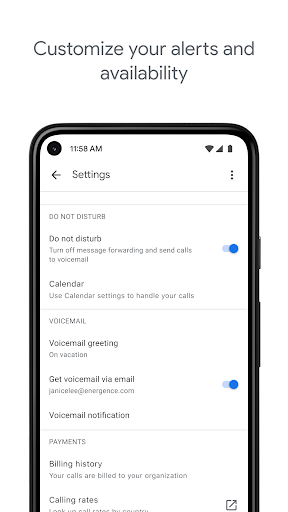
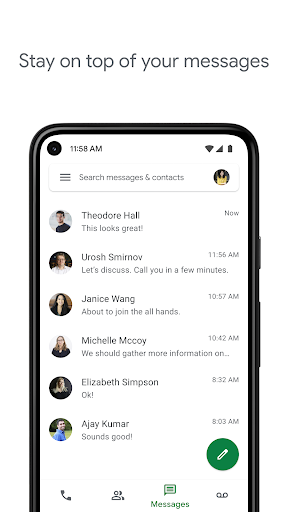
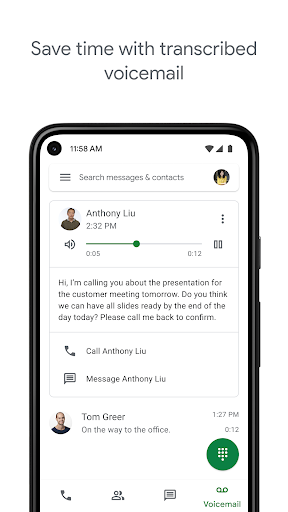
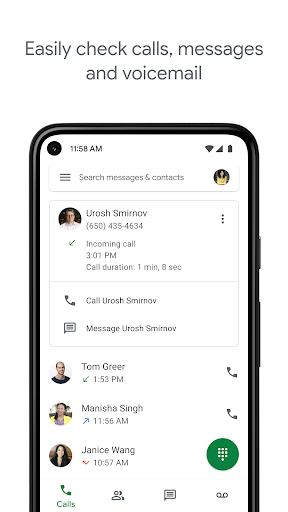
Google Voice feels like one of those rare Google products that quietly solves a real problem without much ceremony: it gives you a phone number that lives with your Google account instead of being tied too tightly to one carrier or one device. After spending time using it as both a secondary number and, for stretches, a primary one for calls and texts, the app still holds up remarkably well for the basics. It is not flashy, and in some areas it feels almost stubbornly plain, but that simplicity is also a big part of its appeal. The setup is straightforward enough that most people can be up and running quickly. Once the number is assigned, the core experience is easy to understand: calls, texts, and voicemail all sit in one place and sync cleanly across devices. That cross-device flexibility is where Google Voice immediately starts to justify itself. Being able to send a text from a laptop, then pick up the thread on a phone or tablet later, is genuinely useful in day-to-day life. If you spend a lot of time at a desk, this alone can make the app worth keeping installed. It also takes some of the anxiety out of changing phones or carriers, because your communication history and number are not trapped inside a single handset. In actual use, texting is mostly smooth and dependable. Messages go out quickly, incoming texts are organized clearly, and the interface is simple enough that you rarely have to think about where things are. Google Voice does a nice job of staying out of your way. The same is true for voicemail, which remains one of the app's strongest features. Voicemail transcription is not perfect, but being able to read a message instead of stopping to listen to it is still enormously convenient. Search is also genuinely practical here. If you need to dig up an old message, voicemail, or call history, Google Voice is much better than many default phone experiences at helping you find it again. Another strength is the sense of control. Spam filtering and number blocking are not glamorous features, but they matter. In testing, Voice did a respectable job of reducing noise, and the call handling options make it useful for people who want one number that can ring through to other phones. That flexibility makes it particularly good for freelancers, remote workers, anyone juggling a personal line and a public-facing number, or users who simply want to protect their real mobile number when signing up for things. But this is also where the app's limitations become obvious. First, Google Voice is excellent at the essentials and much less impressive once you expect a modern messaging experience. It handles standard texting and pictures well enough, but it does not feel feature-rich. If you are used to messaging apps with reactions, stickers, richer media handling, broad file support, or more polished group management, Google Voice can feel bare-bones. It works, but sometimes it feels like it is doing the minimum required rather than trying to delight. Second, call quality and call behavior can be a little inconsistent depending on your setup. Much of the time, calling is clear and perfectly usable, especially on stable Wi-Fi or data. But Voice does not always feel as seamless as using your phone's native dialer. There can be moments of friction around how calls are placed or routed, and the app occasionally gives the impression that calling is the part it has to manage rather than the part it wants to shine at. If you are extremely sensitive to call reliability or expect a polished carrier-level calling experience every single time, this may not be your ideal solution. Third, there are moments where Google Voice feels slightly behind the rest of Android in fit and finish. Notifications and call handling are usually fine, but not always elegant. The app can occasionally feel like a utility first and a fully modern communication platform second. That is not a deal-breaker, but it keeps Google Voice from feeling truly best-in-class. You notice it most if you try to make it your complete phone replacement instead of a very smart companion service. Who is this app for? It is for people who want a stable second number, users who switch devices often, anyone who values voicemail transcription and desktop texting, and people who want a low-cost or free communication layer that follows them around. It is especially handy for side gigs, work-life separation, backup calling, and tablet or laptop use. Who is it not for? If you need advanced messaging features, heavy attachment sharing, or the richest possible mobile-first chat experience, Google Voice will feel limited. It is also not the right fit if you need broad international availability, since its availability is much narrower than many messaging apps. What I like most about Google Voice is that it solves practical problems elegantly. It gives you a number you can keep, access from almost anywhere, and manage with less friction than traditional phone setups. What keeps it from perfection is that it can sometimes feel too utilitarian, with calling quirks and a messaging feature set that trails more modern apps. Even so, for a free app, it remains one of the most genuinely useful communication tools on Android. If your priorities are reliability, flexibility, and cross-device convenience, Google Voice is very easy to recommend.
Alternative apps