Apps Games Articles
Navigation for Google Maps Go
Google LLC
Rating 4.3star icon
Editor's summary
Editor rating
star icon star icon star icon star icon empty star icon
4.2

One-line summary Navigation for Google Maps Go is easy to recommend if you want fast, lightweight turn-by-turn directions on a modest phone, but it is harder to love if you expect the full depth and convenience of the main Google Maps experience.

  • Installs

    500M+

  • Developer

    Google LLC

  • Category

  • Content Rating

    Everyone

  • Latest version

    10.74.3

  • Package

    com.google.android.apps.navlite

Screenshots
In-depth review
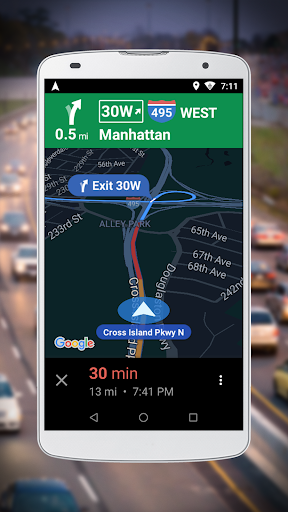
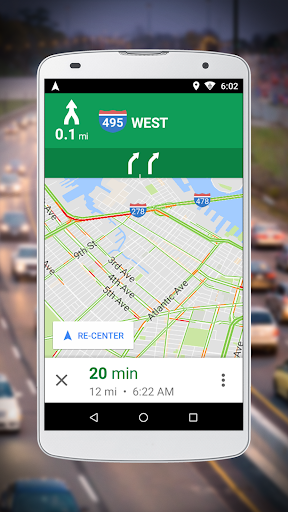
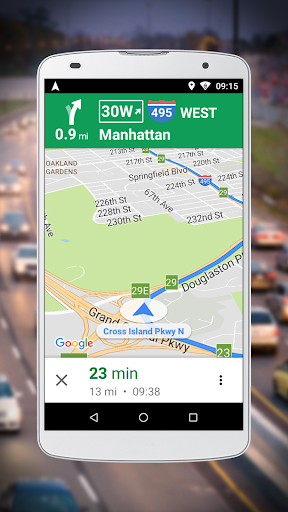
Navigation for Google Maps Go is one of those apps that makes sense the moment you launch it on a phone that is not especially fast. We approached it the way many people actually would: not as a curiosity, but as a practical tool for getting from one place to another without asking too much from the device. In that role, it does a lot right. It feels focused, lean, and built around the idea that navigation should start quickly and stay out of the way. The first thing that stood out in daily use was how light the app feels. It opens without the visual heaviness that often comes with full-featured mapping apps, and that matters more than it sounds. On lower-end hardware or on a phone that already has too much going on in the background, that lighter touch translates into less waiting and less friction before a trip. If your main need is simple route guidance, that streamlined approach is genuinely refreshing. We never got the sense that the app was trying to do too many things at once. It is clearly designed around a narrower purpose, and that focus is one of its biggest strengths. Once a route is underway, the app is generally easy to follow. The core navigation experience feels familiar enough that there is very little learning curve, especially if you have spent any time with Google’s mapping ecosystem. Directions are presented in a straightforward way, and the overall layout is clean rather than cluttered. That simplicity works well when you are moving and do not want to parse a screen full of extras. We appreciated that it stays centered on the essential question: where do I go next? Another strong point is accessibility in the broadest sense of the word. This is an app that feels made for people who do not need every mapping feature under the sun and would happily trade depth for speed and lower system strain. For casual driving directions, quick route checks, and basic turn-by-turn navigation, it gets to the point efficiently. There is a practical elegance in that. On a daily commute or a straightforward trip across town, we found it dependable in the way a utility app should be. You are not constantly nudged into exploring more menus than necessary. You pick a destination, start the route, and get moving. That said, this lighter design also creates the app’s biggest limitation: it can feel like a companion piece rather than a complete destination in itself. If you are used to the full Google Maps app and all the convenience that comes with a more robust feature set, Navigation for Google Maps Go may feel trimmed down to the point of compromise. We repeatedly came away with the sense that it is excellent at the main task, but not always ideal if your expectations extend beyond that main task. Power users may feel the edges of those limitations fairly quickly. The second frustration is that the app experience can feel a bit utilitarian rather than polished in the premium sense. That is not the same as saying it is confusing; in fact, it is mostly quite clear. But there is a difference between an app being simple by design and an app feeling somewhat bare because it has left out layers of convenience. During longer use, that distinction becomes more noticeable. We occasionally missed the richer all-in-one feel that many users now expect from navigation apps. There is less room here for exploration, flexibility, or feature depth. A third weakness is that this app is not equally compelling for every kind of traveler. If your navigation needs are basic and repeatable, it fits beautifully. If your trips are more varied, more spontaneous, or more reliant on a broader map experience, its narrow focus may start to feel restrictive. We found that the app is at its best when you already know what you want from it: fast route guidance with minimal overhead. It is less convincing when asked to be your only mapping solution for everything. That split defines who this app is really for. It is for users with entry-level or older Android phones, people who value speed and simplicity, and anyone who wants navigation without the bulk of a full-scale mapping app. It is also a good fit for someone who mostly needs turn-by-turn directions and does not care much about advanced extras. In those situations, the app’s lightweight design is not just acceptable; it is the point. Who is it not for? It is not the best fit for users who want a richer, more full-featured navigation and mapping environment in one place. If you rely heavily on a broad set of integrated map tools, or if you simply prefer a more comprehensive app that does everything without trade-offs, this one may feel too pared back. In the end, Navigation for Google Maps Go succeeds because it respects the idea that not every user wants a giant app for a basic task. It delivers a straightforward navigation experience, runs with welcome lightness, and keeps the interface approachable. Its weaknesses are real: it can feel limited, a bit stripped-down, and less satisfying for feature-hungry users. But judged for what it is meant to be, it is effective. We would recommend it to anyone who wants a faster, simpler route to turn-by-turn directions, especially on hardware where efficiency matters more than extras.
You May Like
  • No suggestions yet.