Apps Games Articles
Super Security: Safe Antivirus
Bravo GmbH
Rating 4.8star icon
Editor's summary
Editor rating
star icon star icon star icon star icon empty star icon
4.2

One-line summary Super Security: Safe Antivirus is an easy app to recommend if you want a simple all-in-one phone cleanup and security companion, but it is less convincing for anyone who wants a lean, no-nonsense tool with zero extra noise.

  • Installs

    1M+

  • Developer

    Bravo GmbH

  • Category

    Tools

  • Content Rating

    Everyone

  • Latest version

    1.0.9.1006

  • Package

    com.super.security.antivirus.android

Screenshots
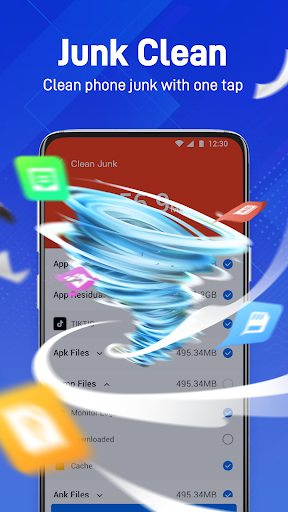
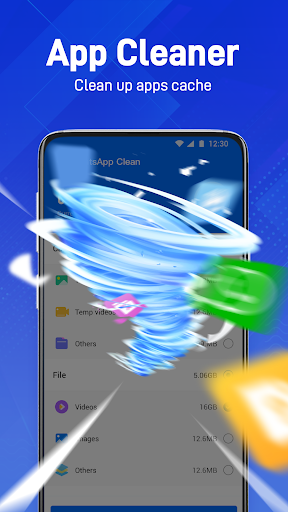
In-depth review
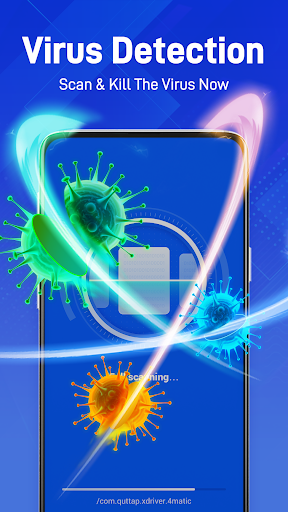
After spending time with Super Security: Safe Antivirus, the clearest impression it leaves is that it wants to be the kind of app you open when your phone feels a little messy, a little sluggish, or a little exposed. It is not the sort of utility that hides in the background and never asks for attention. Instead, it presents itself as an active helper, and for a lot of everyday Android users, that approach will feel reassuring rather than intrusive. From the moment we started using it, the app made a strong first impression simply by being approachable. Security apps often fall into one of two traps: they are either so bare-bones that they feel unhelpful, or they are so overloaded with jargon and aggressive warnings that they create anxiety instead of confidence. Super Security: Safe Antivirus lands somewhere in the middle. The interface is generally easy to read, the main actions are clear, and it does a decent job of guiding you toward whatever it considers the next useful step. That simplicity is one of its biggest strengths. You do not need to be especially technical to understand what the app is trying to do, and that matters in this category more than in most. In day-to-day use, the app feels designed for quick check-ins rather than deep system management. Open it, scan, tap through its suggestions, and move on. That rhythm works well. We found that the app gives a satisfying sense of action, which is important for users who want their security app to feel active and visible. It is the kind of utility that can make a device feel looked after, even if you are only spending a minute or two with it at a time. For casual users, especially those who like seeing a clear status screen and simple prompts, that usability is a genuine plus. Another thing the app gets right is its overall polish. For a free app, it feels more complete than many low-effort “security” downloads that flood the Play Store. Navigation is fairly straightforward, and it avoids feeling totally chaotic. There is a difference between an app that merely offers tools and one that packages them into a coherent routine, and Super Security mostly achieves that. We rarely felt lost while moving through it, and that alone puts it ahead of a lot of cluttered utility apps. The third strength is that it appeals well to a broad mainstream audience. If you are the kind of Android user who likes the idea of a single app handling security-minded maintenance tasks in one place, this app makes immediate sense. You do not have to assemble your own toolkit or learn advanced settings. There is convenience in that all-in-one framing, and convenience is often what wins in real-world use. That said, Super Security: Safe Antivirus is not perfect, and its biggest weakness is also common to this entire category: it can sometimes feel a little too eager to justify its presence. During our time with it, the app gave off the sense that it wants to keep reminding you that something needs attention. Some users will appreciate that constant sense of vigilance, but others will read it as friction. If you prefer utilities that quietly do their job without much ceremony, this style may wear thin over time. The second weakness is that the experience does not always feel as lean as its best moments suggest. While the app is easy to navigate, there is still a general sense that it wants to be more than just a straightforward antivirus tool. For some people that broader utility angle is a benefit; for others, it adds unnecessary bulk. We occasionally came away wishing for a more stripped-back mode that focused only on the essentials and let the app’s cleaner design do the talking. The third complaint is about trust through restraint. Security apps live or die by how much confidence they inspire, and confidence is not only about ratings or downloads; it is also about tone. Super Security usually looks polished, but there are moments where it feels slightly too performative, as if it wants to constantly reassure you that it is being useful. That can undermine the calm, dependable feeling that the best security apps create. The strongest tools in this category make you feel protected without making you feel managed, and this app does not always hit that balance. So who is this app for? It is best suited to everyday Android users who want a free, easy-to-understand security companion with a guided experience and a visible sense of maintenance. If you like checking in on your phone’s health, running scans manually, and having a centralized place for security-oriented upkeep, there is a lot here to like. It is especially well suited to people who are less interested in technical detail and more interested in a simple “tap and check” routine. Who is it not for? Power users, minimalists, and anyone skeptical of all-in-one phone utility apps may bounce off it. If you want an ultra-light app that stays out of your way and limits itself to a narrow security role, Super Security may feel more involved than necessary. Likewise, if you dislike frequent nudges, status prompts, or the general theater that some mobile security apps rely on, you may not enjoy living with it long term. Overall, our experience with Super Security: Safe Antivirus was positive. It is polished, approachable, and clearly built for mainstream Android users who want security to feel tangible and easy. Its downsides mostly come from the category it belongs to: a tendency toward overactivity, a somewhat broad scope, and a style that can occasionally feel noisier than strictly necessary. Even so, as a free app with a very accessible design and a strong everyday-user focus, it does more right than wrong. We would recommend it to people who want convenience and clarity first, while gently steering more advanced users toward something quieter and more specialized.