Apps Games Articles
AVG AntiVirus & Security
AVG Mobile
Rating 4.6star icon
Editor's summary
Editor rating
star icon star icon star icon star icon
half star icon
4.5

One-line summary AVG AntiVirus & Security is one of the most complete and easy-to-live-with Android security apps we’ve used, but the steady upgrade nudges and split-up premium extras keep it from feeling truly clean.

  • Installs

    100M+

  • Developer

    AVG Mobile

  • Category

    Tools

  • Content Rating

    Everyone

  • Latest version

    25.22.0

  • Package

    com.antivirus

In-depth review
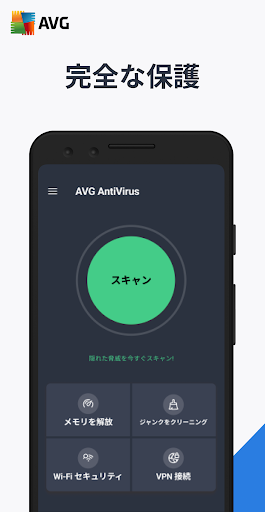
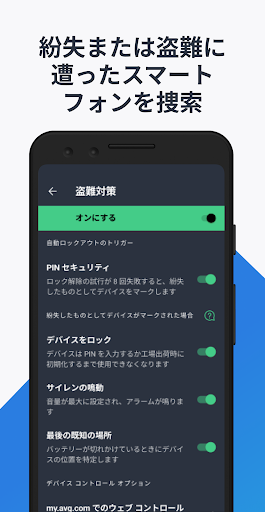
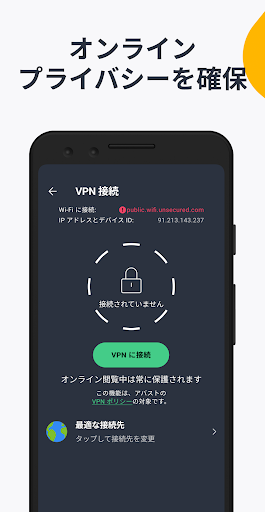
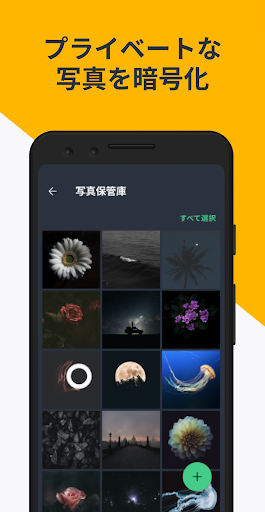
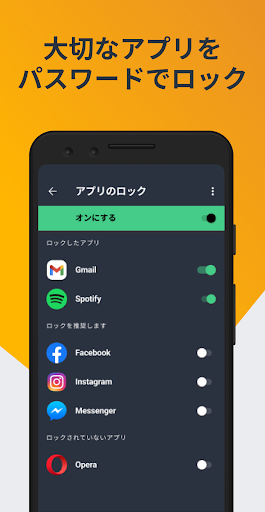
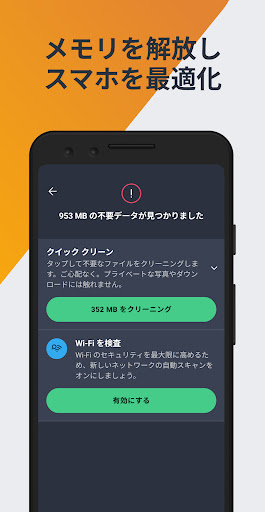
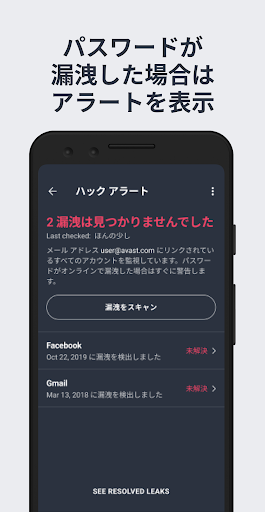
AVG AntiVirus & Security feels like a classic security suite that has learned how to behave on a phone. After spending time with it as a day-to-day Android companion rather than just running a quick scan and moving on, what stood out most was how broad the package feels. This is not just a virus scanner with a scary red warning screen. It tries to be a full mobile safety toolkit: malware scanning, scam and website protection, Wi-Fi checks, privacy tools like App Lock and Photo Vault, breach alerts, junk cleaning, and a VPN upsell sitting nearby. That breadth is exactly why AVG remains easy to recommend. The setup experience is straightforward, though not exactly quiet. The app does a good job guiding you through core protections and explaining what each one is for in plain language. Even if you are not especially technical, the menus are clear, the icons are familiar, and the app generally avoids the cluttered, pseudo-hacker aesthetic that some mobile security apps still lean on. AVG’s design is polished enough that you can find what you need quickly, whether that is a scan, a permissions check, or a look at your privacy features. In regular use, that matters more than flashy promises. The first major strength here is usability. AVG is feature-rich, but it rarely feels confusing. The home screen funnels you toward the most important actions, and the app keeps routine tasks simple. Running a smart scan is easy, and it does a good job of making the process feel active rather than decorative. Some security apps on Android seem to exist mainly to bombard you with warnings about vague dangers; AVG usually does a better job of tying actions to understandable outcomes. If you want an app that gives you a clear sense of “my phone has been checked and here’s what needs attention,” this one delivers. The second strength is that the app feels comprehensive in a genuinely useful way. The malware scanning is the headline feature, but the supporting tools are what make the app worth keeping installed. The Wi-Fi scan is handy if you regularly bounce between home, work, hotels, and public hotspots. The hack alerts add practical value by flagging password exposure issues, which is more relevant to everyday security than old-fashioned virus fearmongering. App Lock and Photo Vault also make sense as part of the package, especially for users who share devices or simply want a little extra privacy without digging through Android settings and third-party utilities. The third strength is that it generally doesn’t feel heavy. In our use, AVG stayed out of the way better than some all-in-one security apps tend to. The app’s presence is noticeable, but not punishing. We did not come away feeling like the phone had been turned into a hostage situation where every tap leads to another performance warning or dramatic security banner. On modern devices, that lighter touch is a real advantage. That said, AVG absolutely has some rough edges, and the most obvious one is its constant desire to upsell. The free version is usable, but you are never allowed to forget there is a paid tier, and then another feature that may live behind another paid door. The app does not drown you in unusable nagging, but it can chip away at the sense of calm that a security app should provide. Instead of simply protecting your phone, it sometimes feels like it is also trying to sell you peace of mind in installments. The second weakness is that some of the suite’s value feels fragmented. You can see how AVG wants to be your single mobile security hub, but the package can give the impression that the full experience is spread across premium add-ons and adjacent tools. That does not make the app bad, but it does make the product feel a little less elegant than it first appears. If you install it expecting one unified security solution with every bell and whistle included from the start, you may find the boundaries between free, paid, and extra services more visible than you’d like. The third complaint is notification pressure. AVG’s alerts can be useful, and in fairness, part of a security app’s job is to get your attention. But there is a line between protective and persistent, and AVG occasionally leans too close to the latter. Some prompts are helpful reminders to enable a feature you probably should use. Others feel more like a continuing campaign to make sure you explore every option in the app. Over time, less patient users may start dismissing alerts on instinct, which is never ideal in a security tool. Who is this app for? It is for Android users who want a recognizable, full-service security app with a broad set of tools in one place, especially those who value easy navigation and appreciate having privacy extras alongside basic protection. It is also a good fit for people who don’t mind some promotional friction if the core app remains capable and approachable. If you are the type of user who wants scans, alerts, app locking, network checks, and breach monitoring without piecing together multiple apps, AVG makes a strong case for itself. Who is it not for? If you hate upsell banners, want a minimalist utility that does one thing and disappears, or get irritated by repeated prompts to unlock more protection, AVG may wear on you. Likewise, if you are expecting every premium-sounding feature to be included in one simple package, the layering of extras may feel slightly messy. Overall, AVG AntiVirus & Security is a mature, credible Android security app that gets the big things right: it is easy to use, broad without being incomprehensible, and useful beyond just basic virus scanning. Its biggest flaw is not weak protection or bad design, but the fact that it can feel just a little too eager to remind you that there is always one more feature to activate or subscribe to. Even so, as an everyday mobile security companion, it remains one of the stronger all-round options on Android.