Apps Games Articles
Parallel Space - Multiple acco
LBE Tech
Rating 4.2star icon
Editor's summary
Editor rating
star icon star icon star icon star icon empty star icon
4.1

One-line summary Parallel Space is an easy, practical fix for running two accounts on one phone, but its convenience can be undercut by the extra layer of overhead and occasional friction that comes with app cloning.

  • Installs

    100M+

  • Developer

    LBE Tech

  • Category

    Personalization

  • Content Rating

    Everyone

  • Latest version

    4.0.9313

  • Package

    com.lbe.parallel.intl

Screenshots
In-depth review
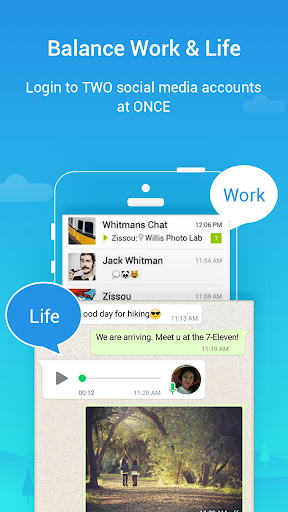
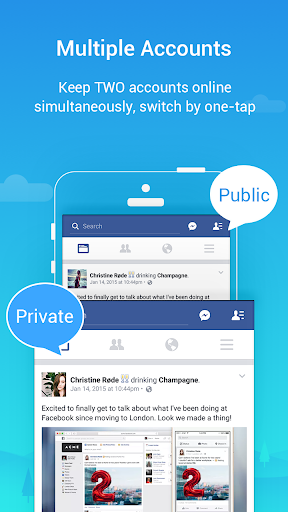
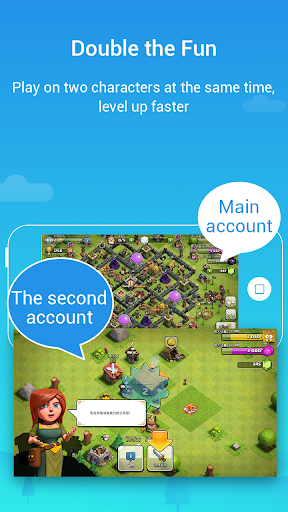
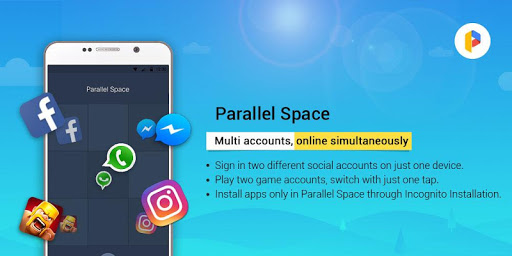
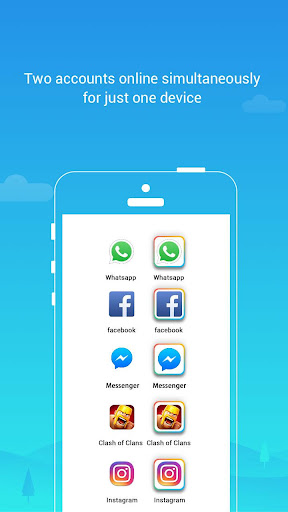
Parallel Space - Multiple acco is one of those utility apps that solves a very specific problem, and when you need that problem solved, it feels instantly useful. We spent time using it the way most people would: to separate personal and secondary accounts on the same device without constantly logging in and out. In that role, it makes a strong first impression. The setup is straightforward, the core idea is easy to understand, and it does not ask the user to learn a complicated system before getting results. You open it, choose the app you want to duplicate, and from there the value proposition becomes obvious very quickly. What stood out first in our hands-on use was how approachable the app feels. A lot of utility apps aimed at account management or device-level work can feel technical, cluttered, or intimidating. Parallel Space is not completely free of that old-school utility-app vibe, but the main workflow is clear enough that most users will understand what to do within a few minutes. That simplicity is one of its biggest strengths. If your goal is just to keep two separate identities for messaging, social, gaming, or another login-heavy app, Parallel Space gets out of the way and lets you focus on the cloned app rather than the cloning process itself. The second big strength is convenience in daily use. Once the cloned app is in place, the benefit is immediate: no repeated sign-outs, no account switching menus, no juggling credentials every time you need to move from one profile to another. For anyone managing a work account and a personal account on the same phone, that alone can make the app feel worth keeping installed. It creates a cleaner boundary between identities than simply swapping users inside the original app. In everyday use, that separation feels practical rather than gimmicky. A third strength is that the app delivers a familiar environment. Instead of forcing you into a strange reworked interface, it generally centers the experience around apps you already know. That means the learning curve stays low. You are not really learning Parallel Space so much as using it as a container. That design choice helps it appeal to mainstream users, not just power users. That said, living with Parallel Space for more than a quick test also exposes the compromises. The biggest one is that cloned apps rarely feel quite as lightweight as their originals. Running another instance of an app through an additional layer can introduce some drag. Depending on your device, the experience can feel a little heavier than using the native app directly. It is not necessarily a deal-breaker, but it is noticeable enough that we would hesitate to recommend it to anyone already using an older phone or struggling with limited storage and memory. The second frustration is that convenience comes with some management overhead of its own. Parallel Space simplifies account separation, but it also adds another destination on your phone that you now have to maintain. If you value a minimal, clean device experience, adding a host app just to run another app inside it may feel inelegant. In our use, there were moments when this extra layer felt efficient and moments when it felt like one more thing to think about. That tension is really the heart of the app: it solves one hassle by introducing a smaller, different hassle. The third weakness is polish. The app is useful, but it does not always feel as seamless as a native built-in multi-account feature would. There is a difference between something working and something feeling effortlessly integrated into Android. Parallel Space lands more on the functional side than the elegant side. You can accomplish what you came to do, but you are often aware that you are using a workaround rather than a native experience. That matters less for practical users and more for people who are picky about interface consistency and smoothness. Who is this app for? It is for people with a clear, recurring need to run two accounts on one phone and who want a solution that is easy to understand. It makes sense for users balancing personal and work profiles, gamers managing alternate logins, or anyone tired of repeated sign-ins. It is especially appealing if your priority is convenience over perfection. Who is it not for? If you rarely switch accounts, if your phone is already under strain, or if you strongly prefer clean, native, no-workaround software experiences, Parallel Space may feel like more trouble than it is worth. It is also not the kind of app you install casually just to experiment with. Its value depends almost entirely on whether you genuinely need duplicated app sessions. After using it with that mindset, our verdict is positive. Parallel Space remains relevant because its core function is immediately understandable and genuinely useful in day-to-day phone use. It is not the prettiest solution, and it is not the lightest one, but it is practical. For the right user, practicality wins. We would recommend it to people who specifically need multi-account convenience and are willing to accept a little extra system complexity in exchange. If that trade-off sounds reasonable, Parallel Space is easy to appreciate. If it does not, the app will probably feel like a workaround you never quite enjoy using.