Apps Games Articles
Nova Launcher
Nova Launcher
Rating 4.4star icon
Editor's summary
Editor rating
star icon star icon star icon star icon
half star icon
4.5

One-line summary Nova Launcher is still one of Android’s best home screen replacements because it makes your phone feel truly yours, but I’d hesitate if you want a zero-maintenance setup or are sensitive to occasional launcher quirks after system updates.

  • Installs

    50M+

  • Developer

    Nova Launcher

  • Category

    Personalization

  • Content Rating

    Everyone

  • Latest version

    VARY

  • Package

    com.teslacoilsw.launcher

In-depth review
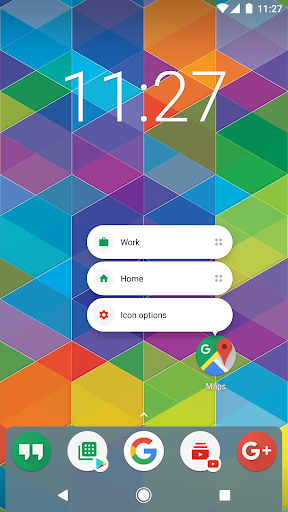
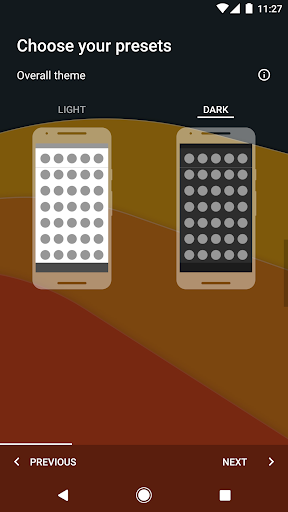
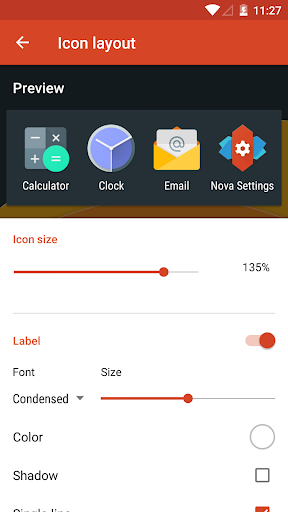
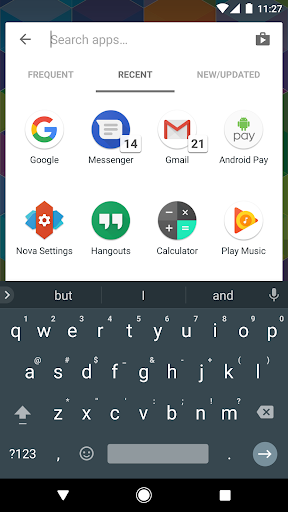
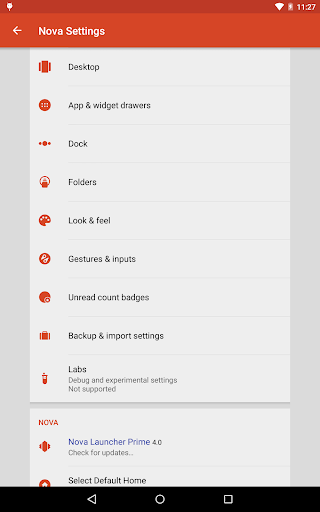
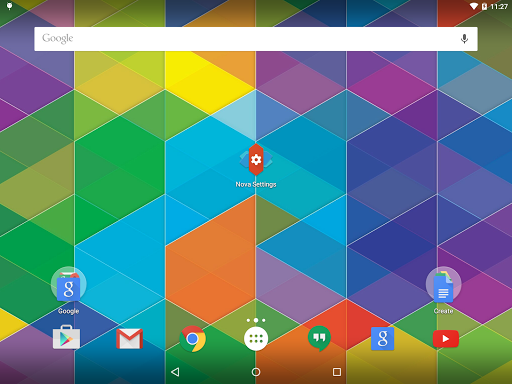
After spending real time with Nova Launcher as a daily driver, the clearest takeaway is this: few Android apps have such a direct impact on how pleasant a phone feels to use. This is not the kind of personalization app that exists just to make screenshots look fancy. Nova changes the rhythm of using your device. The home screen becomes faster to navigate, the app drawer becomes easier to control, and small interface annoyances that you normally tolerate on a stock launcher suddenly feel unnecessary. What makes Nova stand out immediately is how much freedom it gives you without turning the setup process into a mess. On first launch, it can be as simple as a cleaner, more flexible version of standard Android. But if you like to tweak things, it opens up into a very deep toolbox. Grid size, icon shape, folder style, label appearance, scrolling direction, dock behavior, search placement, light and dark theme behavior—there is an unusual amount of control here. The best part is that most of these options are not buried behind ugly menus or explained in overly technical language. Nova generally does a good job of making power-user features feel accessible. The second big strength is everyday usability. Some launchers impress in the first ten minutes and annoy you for the next ten days. Nova does the opposite. It settles into the background in a good way. Swiping around the home screen feels quick, opening the app drawer is immediate, and the overall behavior is predictable enough that you stop thinking about the launcher and just use your phone. That consistency matters more than flashy effects. I especially liked how easy it was to build a layout that stayed out of my way: a dock configured exactly how I wanted it, folders that looked tidy instead of oversized, and an app drawer that was actually practical rather than decorative. Search is another area where Nova feels more thoughtful than many stock launchers. Having a powerful, easy-to-reach search experience changes how you interact with a phone, especially on larger screens. Instead of hunting through pages or folders, I found myself just searching and moving on. It sounds minor, but once you get used to that convenience, going back feels clumsy. A third major strength is how well Nova supports long-term use across devices. If you care about keeping the same general layout and muscle memory when you switch phones or tablets, the backup and restore tools are genuinely useful. Nova feels like a launcher for people who have a preferred way of organizing Android and want to carry that setup forward instead of rebuilding from scratch every time. That said, Nova is not perfect, and some of its rough edges matter precisely because the app tries to be your permanent home screen. The first weakness is that its huge feature set can be intimidating. I wouldn’t call it hard to use, but there is a point where “customizable” starts to become “menu-heavy.” If you are the type of person who wants to install a launcher and never touch a setting again, Nova can feel like overkill. It works fine with minimal tuning, but it is clearly built for people who enjoy adjusting details. The second weakness is that launcher apps are always somewhat vulnerable to Android updates and manufacturer-specific behavior, and Nova is not immune to that reality. In testing, the app mostly behaved well, but this is the kind of software category where the occasional glitch hits harder than it would in a wallpaper app or icon pack. If your home screen freezes, a dock icon disappears, or the system briefly tries to fall back to the stock launcher, it is immediately disruptive. Nova feels stable most of the time, but when system-level quirks do appear, they can be frustrating because they interrupt core navigation. The third complaint is that some of Nova’s best tricks are part of the Prime upgrade. The free version is generous and absolutely usable, but if you really want the full Nova experience—especially the more advanced gestures and organizational tools—you may end up seeing the free app as a preview of what you actually want. That is not unreasonable, but it is worth knowing. Casual users may be perfectly happy without paying; customization enthusiasts probably won’t stop there. Visually, Nova strikes a smart balance. It can look clean and modern with very little effort, especially if you pair it with a good icon pack, and it supports enough theming flexibility to feel personal without becoming gaudy. I also appreciated that it does not drown the experience in ads or junk. For a launcher, restraint matters. This app mostly respects your space. Who is Nova Launcher for? It is for Android users who care about control, efficiency, and consistency. It is especially good for people who dislike restrictive stock launchers, people who want the same setup across multiple devices, and anyone who values gestures, layout precision, and a better app drawer. It is also a strong fit for users who want a more polished version of a classic Android home screen rather than a radical reinvention. Who is it not for? If you love your manufacturer’s default launcher and never think about customization, Nova may feel unnecessary. It is also not the ideal choice for users who want a perfectly hands-off experience and get annoyed by the occasional launcher oddity that can happen after major Android or OEM changes. Even with those caveats, Nova Launcher remains one of the most convincing Android customization apps available. It improves the feel of the phone in ways that are practical, not just cosmetic. That is why it continues to earn a recommendation from me: not because it is endlessly configurable, but because beneath all those options, it is simply a better way to live with Android.