Apps Games Articles
PalmPay - Transfers, Bills
PalmPay Limited
Rating 4.5star icon
Editor's summary
Editor rating
star icon star icon star icon star icon
half star icon
4.5

One-line summary PalmPay is one of the easiest and most rewarding everyday finance apps to use in Nigeria, but its crowded interface and a few rough edges around notifications, card linking, and some bill payments keep it just shy of a perfect recommendation.

  • Installs

    10M+

  • Developer

    PalmPay Limited

  • Category

    Finance

  • Content Rating

    Everyone

  • Latest version

    4.11.1

  • Package

    com.transsnet.palmpay

Screenshots
In-depth review
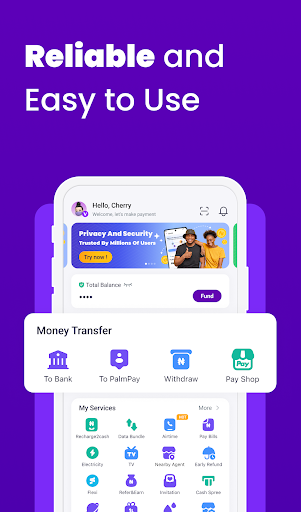
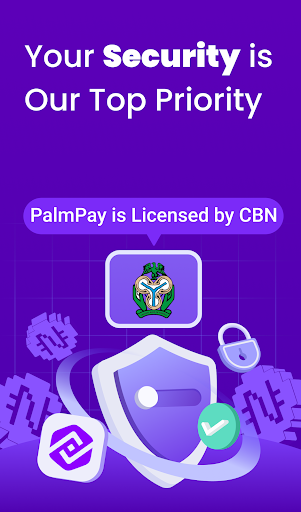
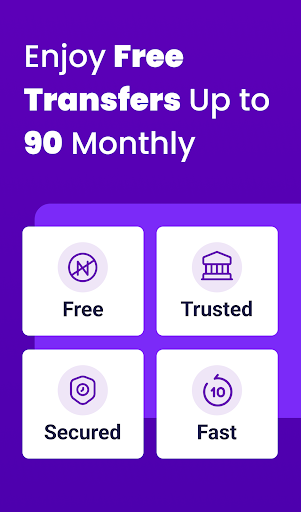
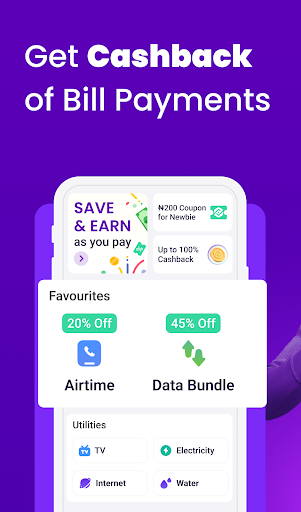
PalmPay feels like a finance app built for daily life first and financial theory second. After spending time with it as an everyday wallet for transfers, airtime, data, and bill payments, the biggest thing that stood out was how little friction there is in the basics. Open the app, fund the wallet, send money, buy airtime, pay a utility bill—it all happens quickly, and more importantly, it usually feels straightforward enough that you stop thinking about the app and just complete the task. That speed is PalmPay’s biggest strength. Transfers are where the app makes its best impression. Sending money is fast, and the process is laid out in a familiar, low-stress way. In actual use, PalmPay gives off the reassuring sense that it was designed around repeat transactions, not occasional exploration. Buttons are where you expect them to be, transaction flows are short, and the app does a good job of keeping routine payments from feeling like work. If your main goal is to move money without paying attention to the app itself, PalmPay gets very close to that ideal. The second thing it does very well is make everyday payments feel rewarding rather than purely functional. Coupons, cashback-style incentives, and discounts on services like airtime and data are not just decorative extras here—they genuinely shape the experience. Many finance apps promise convenience; PalmPay adds a layer of visible value that makes regular use feel worthwhile. When you buy airtime or data often, those little savings stop feeling small. They become part of the reason you keep opening the app instead of defaulting to your bank. A third strength is breadth. PalmPay is not just a transfer tool. It folds in airtime, data bundles, bill payments, savings-style products, card access, and credit-related features in a way that gives it the feel of a financial hub. For someone who wants one app to handle the bulk of routine money tasks, that matters. During testing, it rarely felt like we needed to leave the app to do something essential. That “all-in-one” quality is one of PalmPay’s strongest selling points. Still, PalmPay is not a perfect experience, and its biggest flaw shows up the longer you use it: the app can feel too busy. The dashboard is packed with options, promos, shortcuts, and feature highlights. On one hand, that makes the app feel generous and full of utility. On the other, it can be visually noisy. If you only want to check your balance and send money, PalmPay sometimes feels like it is trying to show you ten other things first. It is functional, but not always calm. A cleaner home screen or better personalization would make a good app feel more mature. Another weakness is inconsistency around certain secondary actions. Core transfers feel polished, but not every adjacent feature is equally dependable. In use, the app gives the impression that the main payment rails get the most attention, while some extras—especially certain bill-payment scenarios or card-linking flows—can be less smooth. That does not ruin the app, but it creates a small trust gap: you feel very confident sending money, slightly less confident when doing something more specific like setting up a linked card again or handling a TV subscription issue. The third weakness is around communication and account control. PalmPay generally feels modern, but there are moments where it could do a better job keeping users informed. Notification behavior does not always seem perfectly consistent, and for a financial app, clarity matters as much as speed. If an app is handling your money, you want immediate, unmistakable confirmation every time. There is also a broader accessibility issue for users who want stronger offline options. If you are often without mobile data and rely on USSD-style convenience, PalmPay may feel a little too app-dependent. Security-wise, PalmPay does many things right in how it presents itself. It feels like a serious financial product rather than a casual payment tool. The app’s trust signals are visible enough to reassure first-time users, and in daily use it behaves like a platform that understands how important confidence is in finance. That said, I would still like to see tighter consistency in things like mandatory authentication prompts at key moments, because convenience should never come at the expense of clarity or security posture. Who is this app for? It is best for people in Nigeria who make frequent transfers, buy airtime and data often, pay recurring bills, and like getting discounts or rewards from routine spending. It is also a strong fit for users who want one app that blends payments with savings and other money tools. If you are the kind of person who prefers speed, visible perks, and a wallet-style banking experience, PalmPay is easy to recommend. Who is it not for? If you want a minimalist interface with almost no promotional clutter, PalmPay may feel too crowded. If you depend heavily on offline banking options, or if you are especially sensitive to occasional rough patches in non-core features, you may find it less elegant than its strongest ratings suggest. Overall, PalmPay earns its popularity honestly. In the areas that matter most—fast transfers, easy recharges, practical bill payments, and everyday value—it performs very well. It is one of those apps that quickly becomes part of your routine because it saves both time and a bit of money. It just needs a cleaner interface and more consistent polish across the edges to go from very good to truly great.
Alternative apps