Apps Games Articles
Ringtone Maker:create ringtone
Big Bang Inc.
Rating 4.6star icon
Editor's summary
Editor rating
star icon star icon star icon star icon
half star icon
4.5

One-line summary Ringtone Maker:create ringtone is easy to recommend because it turns any local audio clip into a ringtone, notification, or alarm in minutes, but I’d hesitate only if you want a modern-looking editor or flawless handling of every music source on Android.

  • Installs

    50M+

  • Developer

    Big Bang Inc.

  • Category

    Personalization

  • Content Rating

    Everyone

  • Latest version

    VARY

  • Package

    com.herman.ringtone

Screenshots
In-depth review
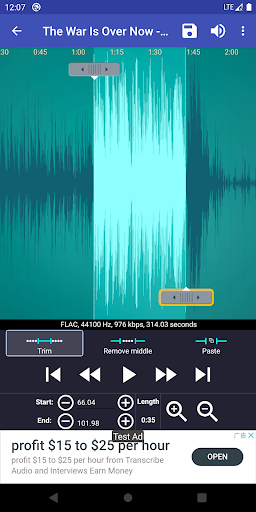
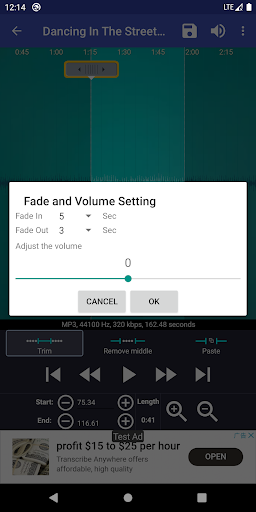
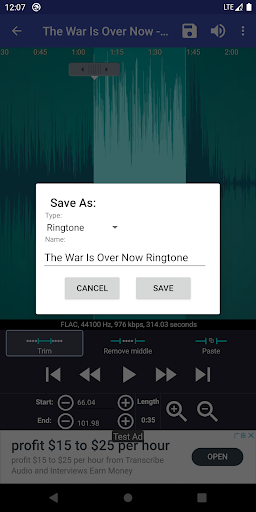
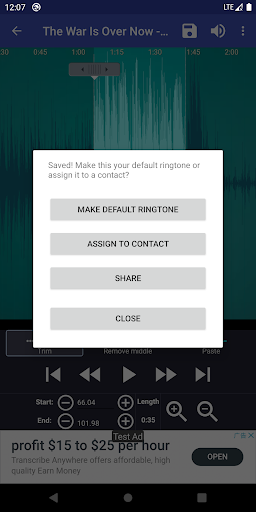
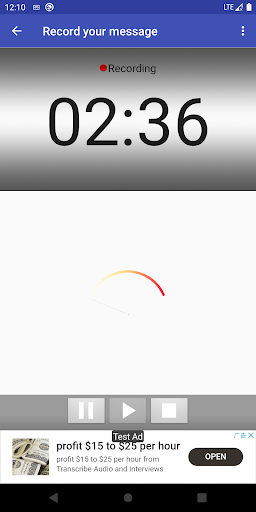
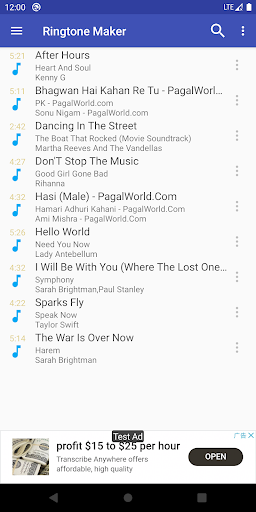
Ringtone Maker:create ringtone is one of those Android utilities that feels almost old-school in the best possible way: it has a clear job, it does that job quickly, and it doesn’t bury the useful tools behind a maze of subscriptions or gimmicks. After spending time with it as a practical daily-use app rather than just a novelty download, my impression is that this is still one of the most dependable ringtone editors on the Play Store. The core experience is straightforward. You open the app, pick an audio file from your device, and trim the section you want using a waveform editor. From there, you can save the result as a ringtone, notification, alarm, or regular music file. In practice, this process is fast enough that it genuinely changes how likely you are to customize your phone. With a lot of utility apps, the promise sounds simple but the real workflow is irritating. Here, it usually isn’t. I was able to jump from a full song to a clean 20- to 30-second ringtone in just a few minutes, and the app deserves credit for making the editing process accessible without feeling too dumbed down. The first major strength is usability. The waveform view is easy to understand even if you have no audio-editing background. You can drag the start and end markers, tap around to preview, and refine your selection without feeling lost. The zoom levels help a lot when you’re trying to cut on a beat, isolate a spoken phrase, or remove a messy intro. This is the kind of feature that sounds minor on paper but makes a huge difference in actual use. The app doesn’t expect precision from your first try; it gives you enough control to get there. The second strength is how complete the output options feel for such a lightweight tool. It’s not just a cutter. I could take a clip and immediately save it in the right category, then assign it as a default ringtone or notification sound without leaving the app. It also supports assigning tones to specific contacts, which is still surprisingly handy if you like knowing who is calling before you even look at the screen. That end-to-end flow matters. A lot of apps can edit audio; fewer make it painless to actually use what you created. The third strength is flexibility. This isn’t limited to songs sitting neatly in one folder. If you want to edit a local music file, record your own voice, create a spoken notification, or make a short alarm tone, the app is well suited to all of that. I found the voice-recording angle especially practical. Recording a quick phrase and trimming it down into a custom notification takes almost no effort, and it gives the app more everyday value than a one-note ringtone novelty. That said, Ringtone Maker is not polished in every respect. The first weakness is its design. The interface works, but it feels dated. Menus, layout choices, and the overall visual style lean more toward utility than elegance. That is not automatically a problem, but some newer users may read it as clunky before they realize how capable it is. I wouldn’t call the app ugly, but I also wouldn’t call it modern. The second weakness is that Android file access and media indexing can still be messy, and this app doesn’t completely shield you from that. In testing, the experience was best with audio files already stored locally and properly visible on the device. If your music lives in a streaming service, a cloud silo, or hasn’t yet shown up in Android’s media database, the app can feel more limited than its feature list suggests. There are workarounds, and the app includes scanning options, but this is still one of those utilities that works best when your files are already where Android expects them to be. The third weakness is that some of the audio-enhancement tools feel less essential than the trimming itself. Features like fade and volume adjustment are nice to have, but they do not feel as bulletproof or central as the cutting workflow. The app shines brightest as a precise clipper and ringtone setter; once you start expecting a richer music editor, it feels more basic. Ads are present, but in my use they did not dominate the experience. That matters because many free audio apps are now far more aggressive than they need to be. Here, the free version still feels functional rather than sabotaged. If your goal is simply to make a ringtone and move on, the app stays mostly out of your way. Who is this for? It is for Android users who want direct control over their sounds: people who want one exact line from a song, a custom text tone, a voice recording as a notification, or unique contact ringtones without fuss. It is also for users who value practical tools over flashy design. Who is it not for? Anyone who expects a sleek, modern creative studio, seamless integration with every streaming source, or advanced multitrack editing will probably hit its limits fairly quickly. Overall, Ringtone Maker:create ringtone succeeds because it solves a very specific problem better than most apps in its category. It is fast, approachable, and genuinely useful long after the novelty of custom ringtones wears off. Its age shows in the interface, and Android’s media quirks can still get in the way, but the core tool remains impressively effective. If you want to make your own ringtone instead of settling for whatever your phone came with, this app still feels like one of the safest bets on Android.
Alternative apps