Apps Games Articles
Twitch: Live Streaming
Twitch Interactive, Inc.
Rating 4.0star icon
Editor's summary
Editor rating
star icon star icon star icon star icon
half star icon
4.5

One-line summary Twitch remains the best live-streaming app for finding communities and watching creators anywhere, but the ad load and the occasional mobile glitch still keep it from feeling truly premium.

  • Installs

    100M+

  • Developer

    Twitch Interactive, Inc.

  • Category

    Entertainment

  • Content Rating

    Teen

  • Latest version

    VARY

  • Package

    tv.twitch.android.app

In-depth review
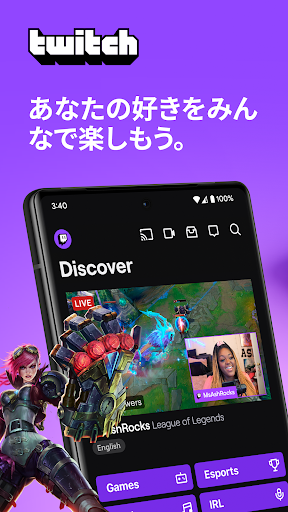
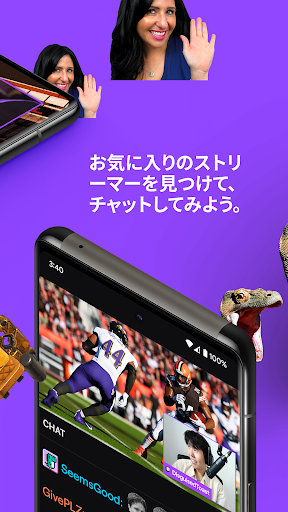
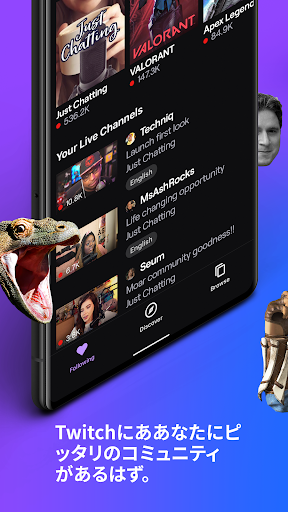
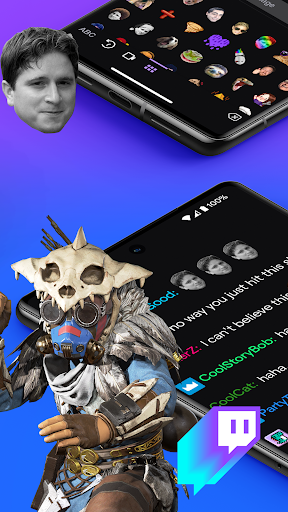
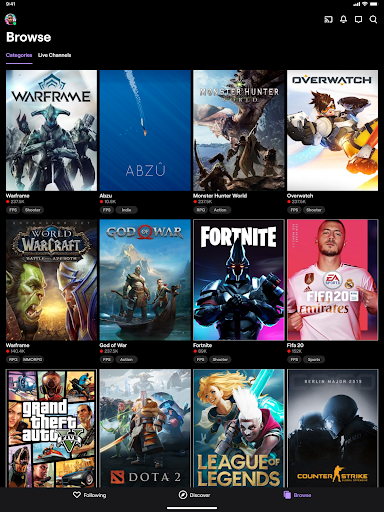
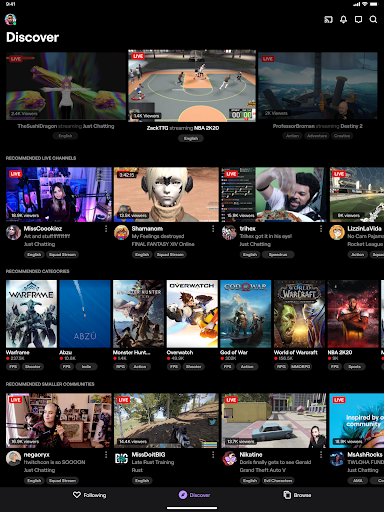
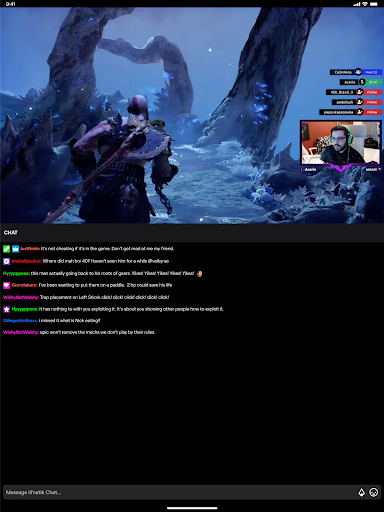
After spending real time with Twitch on Android, my biggest takeaway is that this app still understands something many video platforms don’t: live content is not just about video, it is about presence. Open the app, jump into a stream, and you immediately feel plugged into an active room rather than just pressing play on another piece of content. That sense of community is Twitch’s biggest strength, and the mobile app does a surprisingly good job of preserving it. The overall experience is familiar and easy to settle into. Finding channels, hopping between categories, checking who is live, and opening chat all feel straightforward enough that you can use the app casually without much friction. If you already follow streamers, Twitch works especially well as a quick-access companion. It is the kind of app you open for five minutes to check in on a stream and then realize you have been there much longer because chat is moving, the stream is entertaining, and the app makes it easy to stick around. Watching streams is where Twitch feels strongest. In regular use, video playback is generally smooth, and the app makes good use of the screen whether you are in a normal viewing mode or going fullscreen. Chat responsiveness also feels solid most of the time, which matters more on Twitch than on most platforms. A live stream without lively chat can feel flat, and the app usually keeps that side of the experience moving with minimal delay. For viewers, this is one of the app’s real wins: it lets you feel close to the action even when you are on the go. It is also more capable than some people might expect on mobile. Twitch is not just a stripped-down viewer; it gives streamers and channel owners enough control to make it genuinely useful away from a desktop. Checking your own stream, keeping an eye on chat, handling quick adjustments, and staying connected to your community from a phone all feel practical rather than token. If you are a streamer who does not always have a computer nearby, the app earns its place quickly. I especially came away feeling that Twitch understands mobile as a companion tool for creators, not just a passive viewing app. That said, the app is not free of friction, and the biggest one is impossible to ignore: ads. On a platform built around live moments, ad interruptions feel worse than they do on standard video apps because they can make you miss the exact thing you showed up for. During testing, ads were the most consistent annoyance in the experience. Even when they are technically tolerable in length, their timing can be disruptive, and the interruption feels especially noticeable in streams where momentum matters. On a service so centered on real-time interaction, ads break the rhythm more harshly than they should. The second weakness is that Twitch on mobile still has that occasional rough-edge quality that long-time users will recognize. Most of the time it works well, but every so often you run into small bugs or odd behavior that chip away at the polish. That might be a stream freezing after an ad, a control not responding the way it should, or a playback hiccup when returning to a stream. None of this made the app unusable in my time with it, but it did stop it from feeling as refined as the very best Android media apps. The third issue is that some parts of the interface can feel a little intrusive or inconsistent. Twitch is generally easy to navigate, but now and then the app surfaces prompts, subscription nudges, or overlays that pull attention away from the stream itself. On a platform that works best when it fades into the background and lets the streamer and chat take center stage, these interruptions can feel unnecessary. The core design is strong, but it sometimes gets in its own way. Still, there is a lot to like here. Twitch’s best feature is not a single button or tool; it is the combination of live video, active chat, and a huge range of content that makes the app feel alive at almost any hour. Gaming is still the obvious draw, but Twitch is broader than that in daily use. You can move from gameplay to music to casual conversation streams without feeling like you have left the platform’s identity behind. That variety helps the app feel less like a niche download and more like a genuine entertainment staple if live content is your thing. Who is this app for? First, it is for anyone who actively follows streamers and wants an easy way to keep up from a phone. Second, it is for creators who need to monitor or manage their streams while away from a desktop setup. Third, it is for viewers who like interactive entertainment more than passive video. If you enjoy the energy of live chat, direct creator interaction, and the unpredictability of live content, Twitch is still one of the easiest apps to recommend. Who is it not for? If you hate ads, prefer polished on-demand video over live chaos, or want a completely bug-free mobile experience, Twitch may test your patience. Likewise, if you do not care about chat and simply want lean-back viewing with minimal interruptions, the appeal is reduced. Even with its flaws, Twitch on Android remains a strong app because it delivers the thing that matters most: it makes live streaming feel immediate, social, and accessible. It is not perfect, and I would love to see fewer interruptions and tighter stability, but the core experience is engaging enough that I kept coming back. For fans of live communities, that matters more than almost anything else.
Alternative apps