Apps Games Articles
Office Word Reader: PDF, DOCX
iKame Applications - Begamob Global
Rating 4.7star icon
Editor's summary
Editor rating
star icon star icon star icon star icon empty star icon
4.3

One-line summary Office Word Reader: PDF, DOCX is an impressively capable all-in-one mobile document tool for quick editing and file access, but the ad-heavy editing flow keeps it from feeling truly frictionless.

  • Installs

    50M+

  • Developer

    iKame Applications - Begamob Global

  • Category

    Productivity

  • Content Rating

    Everyone

  • Latest version

    300490

  • Package

    com.officedocument.word.docx.document.viewer

Screenshots
In-depth review
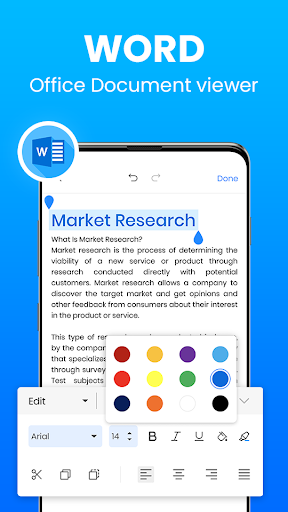
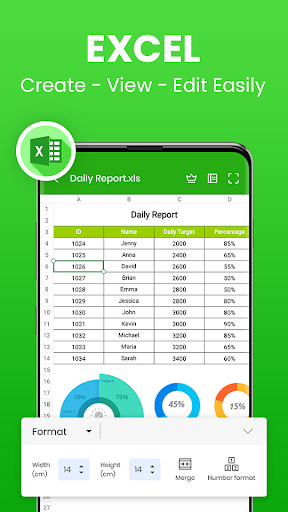
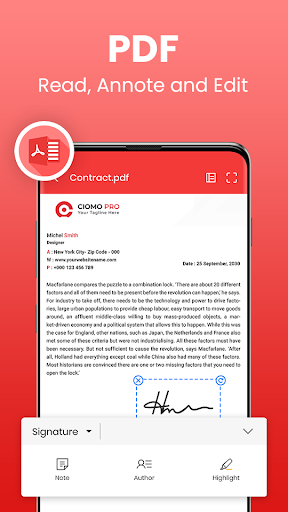
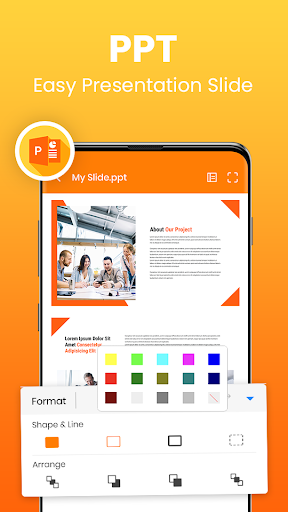
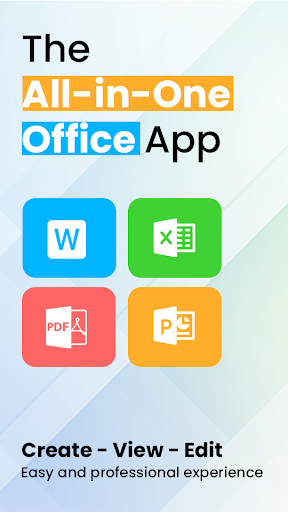
Office Word Reader: PDF, DOCX positions itself as the kind of app you install in a hurry when you need to open a document on your phone, but after spending time with it, I found it is more than a panic-download utility. It is a genuinely useful mobile office companion for people who regularly deal with Word files, PDFs, spreadsheets, and presentations away from a laptop. At its best, it feels like a practical emergency office in your pocket. At its worst, it reminds you very clearly that “free” often comes with interruptions. The first thing that stood out in daily use was convenience. This app is built around a simple promise: get into your documents quickly and do real work without hunting for separate readers and editors. In practice, that broad format support is the app’s biggest strength. I was able to treat it as a catch-all document hub rather than a single-purpose Word viewer. For students, freelancers, office workers, and anyone who gets files through messaging apps or downloads, that matters a lot. You are not constantly bouncing between one app for PDFs, another for DOCX, and another for spreadsheets. It makes the phone feel like a viable fallback productivity device rather than just a place to preview attachments. That convenience extends to the core editing experience. For a free app, it does a respectable job of letting you get meaningful work done on mobile. Simple document edits, corrections, formatting touch-ups, and quick reviews feel manageable. I would not call it a desktop-class replacement, but I also never got the sense that it was only pretending to be an editor. It is useful enough to save a work session when your computer is unavailable, and that is exactly where it shines. If you need to revise a report, tweak a project file, check a handout, or send out a cleaned-up document from your phone, this app can absolutely step in. A second major strength is accessibility. The interface is not particularly flashy, but that works in its favor. It feels direct. Documents are the star of the show, and the app does not bury basic actions under layers of menu clutter. I found it easy to get from opening a file to actually working on it. That straightforward approach also makes it friendly to less technical users. If all you want is to open a file, make changes, save it, and send it back, the app mostly stays out of your way. The third strength is that it supports a surprisingly practical mobile workflow. It is the kind of app that makes sense for people working in transit, on campus, in field jobs, or in situations where pulling out a laptop is inconvenient or impossible. I came away thinking this app is best for users who need flexibility more than perfection. It handles the “I need to do this now, from my phone” scenario very well. That said, the biggest downside appears almost immediately: ads. This is not a subtle tradeoff. The app’s free model affects the editing flow in a noticeable way, and that can become irritating if you are trying to move quickly. Having to deal with ads before editing breaks concentration and makes the whole experience feel less professional than the app’s otherwise capable toolset suggests. If you only edit occasionally, you may tolerate it. If you open and revise documents throughout the day, the interruptions start to wear thin. There are also moments where the editing experience feels less polished than the feature list implies. For straightforward changes, it performs well enough, but when working with larger chunks of pasted text, the app can feel a bit unreliable. In my time with it, this translated into the kind of little formatting or spacing headaches that are not disastrous, but absolutely slow you down. That is the kind of flaw that matters more in serious writing or business use than in casual note editing. Another weakness is that some tasks still feel better suited to a real desktop office suite. This app is excellent as a backup, a travel companion, or a mobile-first document fixer, but I would hesitate to make it my sole environment for heavy document production. If your work depends on precision layout, long-form editing, or frequent advanced formatting, you may start to notice the limits of a phone-based editor, regardless of how much this app tries to cover all file types in one place. So who is this app for? It is for students finishing assignments from their phones, workers handling urgent file edits on the go, freelancers who need a pocket office, and anyone who wants one app to open most common document formats. It is especially useful for people who value offline-style flexibility and just need a dependable way to read and edit common files without paying upfront. Who is it not for? If you are highly sensitive to ads, if you spend hours doing meticulous document formatting, or if you expect a completely seamless desktop-grade office experience on mobile, this is probably not your ideal long-term solution. Overall, Office Word Reader: PDF, DOCX succeeds because it understands the real-world problem it is solving. You need to open the file. You need to make the change. You need to send it back. On those terms, it works surprisingly well. I would recommend it as one of the more useful free all-in-one document apps on Android, with the clear warning that its ad-supported editing flow is the price you pay for that convenience.