Apps Games Articles
Microsoft 365 Copilot
Microsoft Corporation
Rating 4.6star icon
Editor's summary
Editor rating
star icon star icon star icon star icon
half star icon
4.5

One-line summary Microsoft 365 Copilot is one of the best all-in-one productivity apps on Android thanks to its seamless Word/Excel/PowerPoint workflow and strong cloud sync, but the growing Copilot-first interface can sometimes make basic file access feel more complicated than it should.

  • Installs

    1B+

  • Developer

    Microsoft Corporation

  • Category

    Productivity

  • Content Rating

    Teen

  • Latest version

    VARY

  • Package

    com.microsoft.office.officehubrow

In-depth review
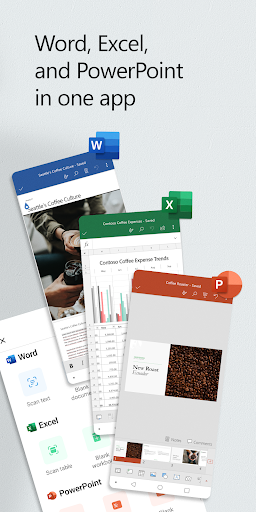
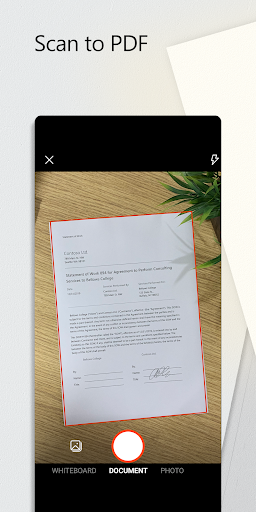
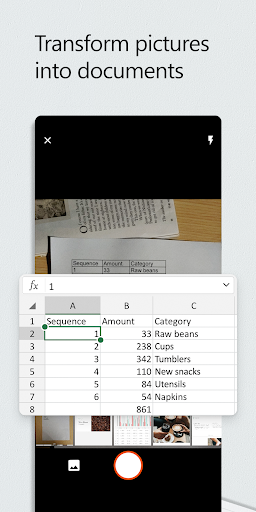
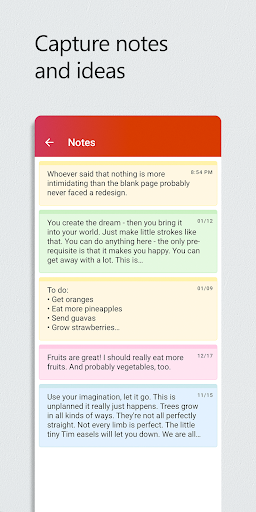
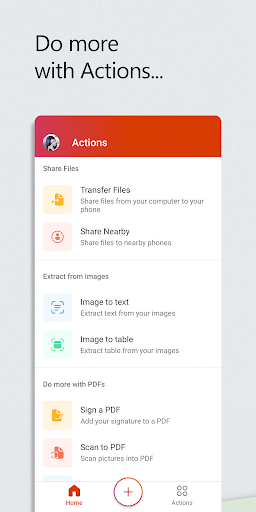
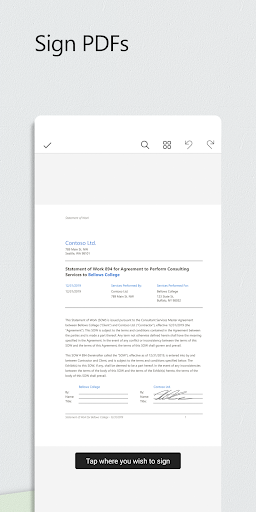
Microsoft 365 Copilot is one of those apps that tries to be your office, your file hub, your scanner, and now your AI assistant all at once. That usually ends badly on mobile. In this case, it works surprisingly well more often than it doesn’t. After spending time using it as a daily productivity app rather than just opening it for quick edits, what stands out most is how much friction Microsoft has removed from mobile work. If you already live in Word, Excel, PowerPoint, PDFs, and cloud storage, having them all under one roof is genuinely convenient. I could start a document on one device, open it again on my phone, make a few edits while away from my desk, scan a page, attach it, and move on without feeling like I had dropped into a stripped-down companion app. That matters. A lot of mobile office apps still feel like viewers with a few editing tools added as an afterthought. This one feels closer to a portable workstation. The biggest strength here is integration. Word, Excel, PowerPoint, PDF handling, file scanning, and cloud-connected recents all sit in one place, and that changes how often you actually use your phone for real work. I found it especially useful for those in-between moments: checking a spreadsheet, fixing a typo in a document, reviewing a presentation, or pulling up a file shared earlier by email. The app is at its best when you need to move quickly. Open, edit, save, share, done. If your files already live in Microsoft’s ecosystem, the whole experience feels natural. The second big win is that the mobile editing experience is better than many people expect. Word is clean and comfortable for drafting or revising. Excel is naturally tighter on a phone screen, but still surprisingly capable for practical tasks like checking formulas, freezing panes, making quick layout changes, and cleaning up data. PowerPoint works well enough for last-minute slide edits and light presentation work. I would not choose a phone over a laptop for deep spreadsheet sessions or major deck design, but in a pinch, this app handles more than most rivals. Then there is Copilot. The AI layer is not just pasted on top for marketing value; it can be useful when you approach it as an assistant rather than a replacement for your own thinking. Summarizing a document, drafting a rough email, pulling out key points from a file, or helping structure an idea all fit naturally into the mobile workflow. Voice interaction also makes sense on a phone. Asking for a quick summary or brainstorm while moving around is the kind of thing mobile AI should do well, and here it often does. That said, the app is not flawless, and its weaknesses are noticeable precisely because so much of the rest feels polished. The first frustration is navigation. In earlier versions of Microsoft’s mobile office experience, the app often felt more direct as a document hub. In the current Copilot-centered design, there are times when the AI branding and extra layers get in the way of basic file work. I occasionally had to hunt more than I wanted for documents that should have been front and center. When your core promise is productivity, making file access feel even slightly slower is a real misstep. The second issue is that mobile editing can still become fiddly. Selecting text, placing the cursor precisely, and working around zoom behavior on a small display can get annoying, especially in longer documents or more detailed spreadsheets. This is not unique to Microsoft, but it is still part of the lived experience. On tablets the app breathes much better; on phones, some actions feel overly sensitive and less stable than they should. The third weakness is feature consistency. The app does a lot, but not every part of the Microsoft ecosystem feels equally complete from inside this one interface. There were moments where I wanted the same convenience or file-management options I get in a dedicated cloud-storage app, and they were not always as obvious or available here. You can feel the tension between “all-in-one suite” and “best tool for every task.” It gets close, but it doesn’t fully erase the need for other Microsoft apps in every situation. Even with those complaints, the app remains extremely compelling because the fundamentals are so strong. Sync is dependable, cross-device continuity is excellent, offline access is useful, and the overall presentation is clean without feeling bare. Microsoft has done a good job keeping the app approachable for casual users while still giving power users enough room to get real work done. It is easy to recommend for students, office workers, freelancers, writers, and anyone who regularly handles documents across phone, tablet, and desktop. It is also a smart choice for people who want one familiar workspace instead of juggling separate apps for word processing, spreadsheets, presentations, PDFs, and scanning. Who is it not for? If you dislike cloud-tied workflows, want the lightest possible app just to open an occasional document, or prefer a minimalist editor without AI sitting nearby, Microsoft 365 Copilot may feel heavier and busier than necessary. And if your mobile work is highly detailed, especially in spreadsheets or design-heavy presentations, you will still be happier on a larger screen. Still, judged as a real-world productivity app for Android, Microsoft 365 Copilot is excellent. It is fast, flexible, and far more capable than most mobile office suites. I do wish Microsoft would keep the file experience as simple and prominent as the Copilot experience, because the app is strongest when it helps you get to your work immediately. Even so, for most people, this is one of the easiest productivity recommendations on the Play Store.