Apps Games Articles
ES File Manager | File Explore
GreenSoft Infotech
Rating 2.8star icon
Editor's summary
Editor rating
star icon star icon empty star icon empty star icon empty star icon
2.3

One-line summary ES File Manager | File Explore covers the basics well enough for quick file housekeeping, but its heavy ad presence and rough overall polish make it hard to recommend over cleaner file managers.

  • Installs

    10M+

  • Developer

    GreenSoft Infotech

  • Category

    Tools

  • Content Rating

    Everyone

  • Latest version

    2.0.8

  • Package

    com.File.Manager.Filemanager

Screenshots
In-depth review
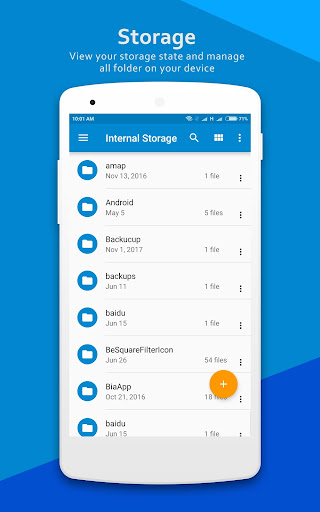
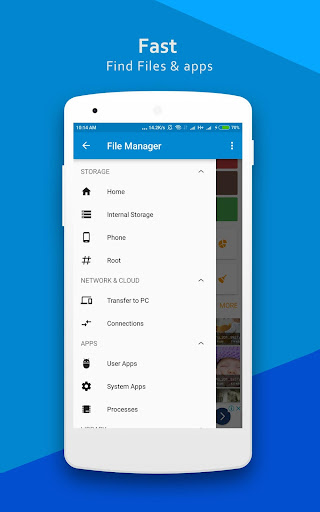
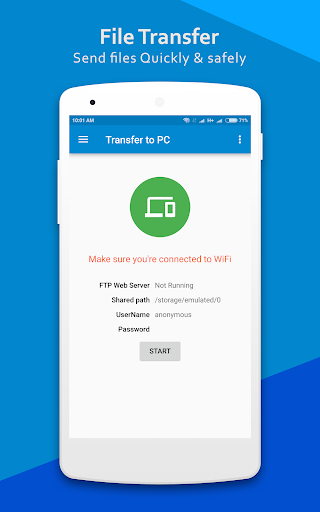
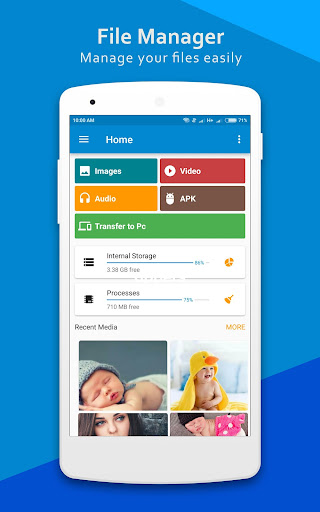
ES File Manager | File Explore aims to be the kind of utility every Android phone needs: a simple place to browse folders, move files around, clean up storage, and keep tabs on apps and downloads without fuss. After spending time with it as an everyday file tool, my reaction is mixed in a very familiar way. This is not an app that completely fails at its job. In fact, it handles the fundamentals of file management reasonably well. The problem is that the experience around those basics often feels noisier, less polished, and less trustworthy than it should. The first thing I noticed is that the app tries hard to be broad rather than elegant. On paper, that sounds useful. It can sort content into common categories like images, audio, videos, documents, downloads, and apps, which makes it easier to jump straight to the kind of file you need instead of digging through folder trees. In practice, that organization is one of the better parts of the app. If your main goal is to find a screenshot, delete an old video, look through downloads, or identify what is sitting on internal storage versus an SD card, the app gets you there quickly enough. It does the everyday jobs that casual users expect from a file manager, and it does them without requiring much learning. That straightforward accessibility is one of the app's biggest strengths. You can open it and immediately understand the general flow. Standard actions like copy, move, delete, rename, and share are front and center. For someone who just wants a free utility to clean up a cluttered Downloads folder or move media between directories, it is approachable. It also helps that it tries to surface storage-related information in a way that is easier to scan than a raw folder view. I found that useful when doing quick cleanup sessions. A second strength is that the app appears to offer a fairly broad toolbox inside one package. Beyond simple file browsing, there are references to app management, compression support, storage analysis, and even access from a PC via FTP. I did not come away thinking every extra tool felt best-in-class, but there is value in having several utility functions grouped together for people who prefer an all-in-one approach. If you are the kind of Android user who likes one utility app that can handle documents, media, APKs, and installed apps from a single place, ES File Manager | File Explore clearly wants to serve that audience. The third thing it gets right is basic coverage across common Android storage locations. Internal storage, SD card access, and file-type shortcuts are all the kinds of features that matter in real use. A file manager does not have to be exciting; it just has to save time. In that narrow sense, this app can be practical. Where the experience starts to fall apart is in polish. The store profile promises a lot, but the app does not project the confidence of a refined, tightly maintained utility. The interface feels more functional than smooth. Moving around the app can feel busy rather than clean, and the overall presentation lacks the calm efficiency I look for in a tool that is supposed to help me get in, finish a task, and leave. It is usable, but not especially pleasant. The bigger issue is ads. This app contains ads, and they are hard to ignore because they directly affect how the app feels during basic tasks. In a utility category like file management, interruptions are especially annoying. You are usually opening the app for a quick, practical reason: find a file, delete junk, move a folder, check storage. Ads make those jobs feel slower and more cluttered than they need to be. I can tolerate some advertising in a free tool, but here it becomes part of the identity of the app, and not in a good way. At least one enthusiastic user sentiment points to the same tension: the app can be useful, but the inability to simply pay to remove the ads leaves a sour aftertaste. Another weakness is trust and consistency. A file manager deals with the most personal and important parts of your phone's local storage, so even small signs of roughness matter more here than they do in a casual game or novelty app. With this app, I never reached the point where I felt fully relaxed using it as my primary long-term file manager. The low overall rating on the store does not automatically prove anything by itself, but it aligns with the general impression the app gives off: capable in spots, but not dependable-feeling enough to become an easy recommendation. That leads to the final weakness: it does not stand out where it most needs to. A file manager should win on clarity, speed, trust, and friction-free design. ES File Manager | File Explore covers the first half of that list well enough, but not the second. It can browse files. It can categorize content. It can help with basic cleanup. But the experience is too compromised by ad clutter and a somewhat coarse feel to really shine. So who is this app for? It is best suited to Android users who want a free, no-frills file utility and are willing to put up with ads in exchange for a broad feature set. If your needs are simple and occasional, such as clearing downloads, finding a document, or checking storage use, it can do the job. Who is it not for? Anyone who wants a polished, premium-feeling file manager, anyone sensitive to intrusive ads, and anyone looking for a tool they can trust as their default long-term storage companion. Those users will likely want something cleaner and more refined. In the end, ES File Manager | File Explore is functional enough to be useful, but not pleasant enough to be easy to recommend. It solves practical problems, yet it never escapes the feeling that there are better ways to do the same tasks with less friction.