Apps Games Articles
Google Docs
Google LLC
Rating 4.8star icon
Editor's summary
Editor rating
star icon star icon star icon star icon
half star icon
4.5

One-line summary Google Docs is still the easiest document editor to recommend for fast writing and seamless sync across devices, but its mobile app can feel a little too simplified when you need tighter organization or desktop-level formatting control.

  • Installs

    1B+

  • Developer

    Google LLC

  • Category

    Productivity

  • Content Rating

    Everyone

  • Latest version

    1.26.091.03.90

  • Package

    com.google.android.apps.docs.editors.docs

Screenshots
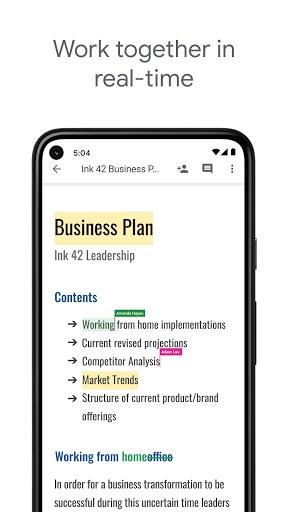
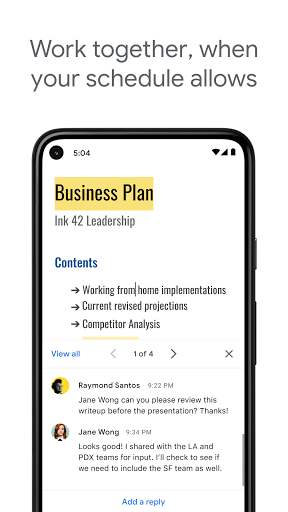
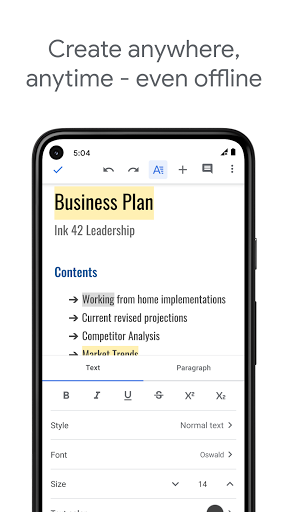
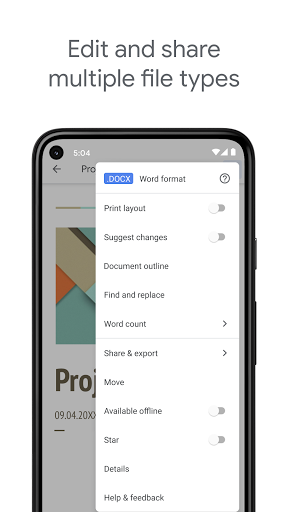
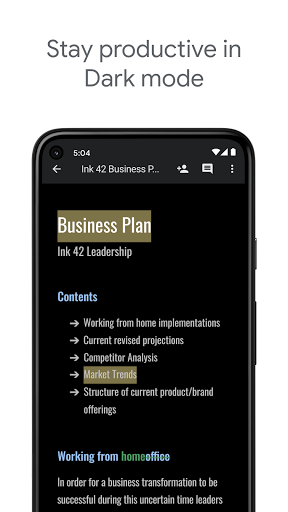
In-depth review
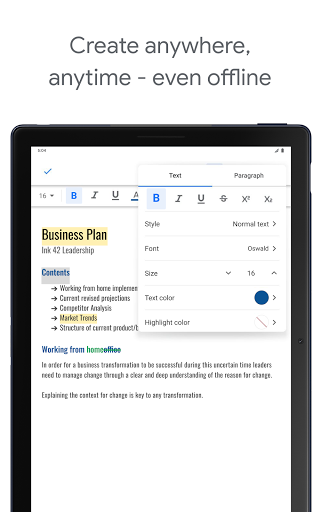
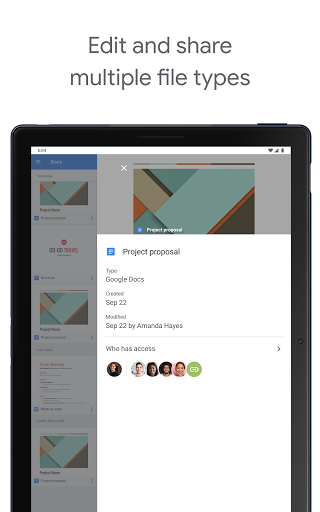
Google Docs on Android is one of those apps that has quietly become part of the background of modern work and school life, and after spending serious time with it on a phone and tablet, it is easy to see why. This is not the most feature-dense writing app on mobile, and it does not try to impress with flashy design tricks. What it does offer is something more valuable for most people: a fast, dependable place to write, edit, and pick up where you left off on another device without thinking too hard about it. The first thing that stands out in everyday use is how low-friction the writing experience is. You open a document and start typing. Edits are saved automatically, and that changes the entire feel of the app. It encourages quick note-taking, longer drafting sessions, and those messy in-between moments where you want to capture an idea before it disappears. I used it for everything from rough article outlines to cleaning up existing documents, and that instant-save behavior remains one of its strongest advantages. It makes the app feel trustworthy. You stop worrying about losing paragraphs and just keep moving. That trust extends to cross-device use, which is arguably Google Docs' best feature in practice. Starting a document on a phone and later continuing on a laptop feels natural, not like a workaround. For students, writers, and anyone who bounces between devices during the day, that alone makes the app easy to recommend. The sync experience is generally smooth, and when it works as intended, it feels invisible in the best way. I could make a quick correction on mobile, return later on another screen, and see the work waiting for me. That sense of continuity is the reason many people will choose Docs over a more traditional word processor. The app is also very approachable. Google Docs does not drown you in menus when all you want to do is write. Basic formatting is straightforward, comments are easy to work with, and collaboration is genuinely useful rather than tacked on. Sharing a file, leaving feedback, or making live edits with someone else all feel mature and well integrated. If your work involves group projects, shared drafts, class assignments, or collaborative editing, this app remains one of the cleanest options on Android. It is especially good at reducing the usual fuss around file versions and back-and-forth edits. There are smaller quality-of-life touches that help too. Dark mode is easier on the eyes during long sessions. Spell check and grammar assistance are handy for quick cleanup. Opening and editing common document types, including Word files, adds flexibility, especially when you are not working in a pure Google ecosystem. In normal use, the app feels polished enough that you can rely on it as your default writing tool. That said, the mobile experience is not perfect, and its biggest weakness is that it can still feel like a trimmed-down version of a richer desktop editor. For straightforward writing, this is fine. For documents that need precise formatting, the limits start to show. I ran into moments where I wanted finer control over spacing, paragraph layout, or default formatting behavior and had to accept the app's simpler approach. If you are the kind of user who cares deeply about typographic consistency, custom spacing rules, or setting up repeatable document styles from the start, mobile Docs can feel a little constrained. Organization is another sore spot. The app is built around Google's broader document ecosystem, and while that works, managing lots of files from inside Docs itself is not as elegant as it should be. If you produce large numbers of notes, essays, drafts, or chapters, finding and grouping everything can get clumsy. It is manageable, but not especially satisfying. The lack of stronger in-app folder-style organization makes the app feel more utilitarian than it could be. I also found that mobile performance, while usually solid, is not flawless. Most sessions were smooth, but there were occasional delays with syncing and the kind of loading hiccups that break momentum. Offline support is useful in theory and often valuable in practice, but it is one of those areas where you want absolute certainty, and the app does not always feel as bulletproof as its reputation suggests. When a document does not appear as expected or takes too long to catch up, the convenience factor drops quickly. So who is Google Docs for? It is excellent for students, writers, teachers, remote teams, and anyone who wants a free, capable, no-nonsense document editor that works across devices and makes collaboration painless. It is also a very good fit for people who mostly write rather than design documents. Notes, essays, scripts, drafts, reports, feedback cycles, and everyday writing all suit it well. Who is it not for? If you need heavyweight page layout control, advanced formatting depth on mobile, or a more robust way to organize large document libraries without leaning on surrounding Google apps, you may find it limiting. Likewise, users who expect the full richness of a desktop word processor in a phone app may feel the edges of the mobile version fairly quickly. Even with those caveats, Google Docs remains one of the strongest productivity apps on Android. It succeeds because it respects your time. It opens quickly, gets out of your way, saves constantly, and makes collaboration feel easy. The app is not the last word in document power, but for the vast majority of people who simply need to write, edit, and share without hassle, it is still one of the best choices available.