Apps Games Articles
HP Print Service Plugin
HP Inc.
Rating 4.2star icon
Editor's summary
Editor rating
star icon star icon star icon star icon empty star icon
4.1

One-line summary HP Print Service Plugin is one of the simplest ways to print from Android to an HP printer, but its occasional connection wobble keeps it from feeling as dependable as it should.

  • Installs

    500M+

  • Developer

    HP Inc.

  • Category

    Productivity

  • Content Rating

    Everyone

  • Latest version

    23.1.0.3022

  • Package

    com.hp.android.printservice

In-depth review
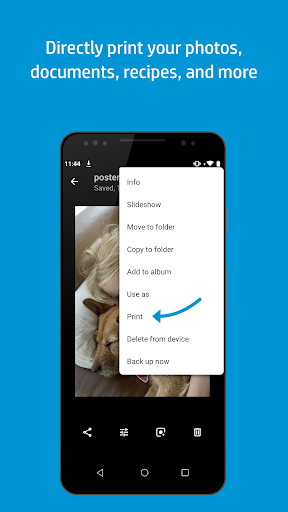
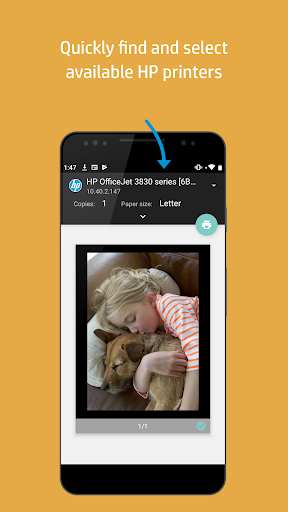
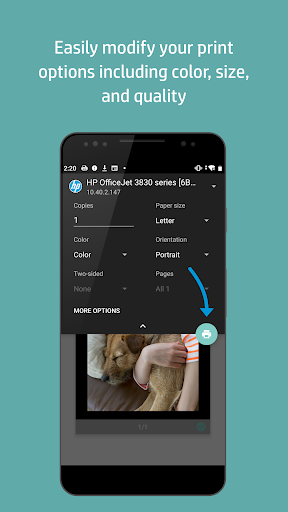
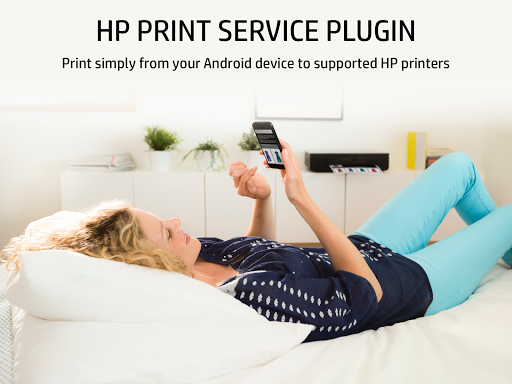
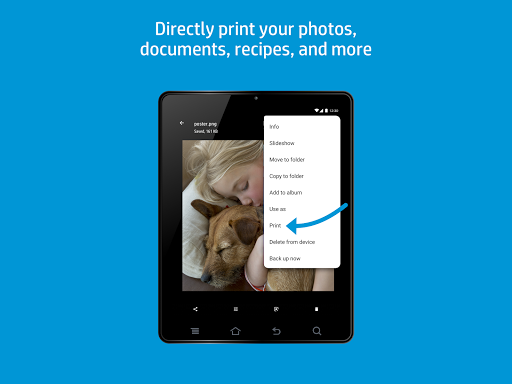
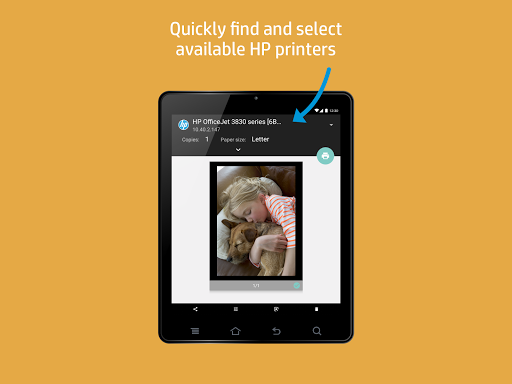
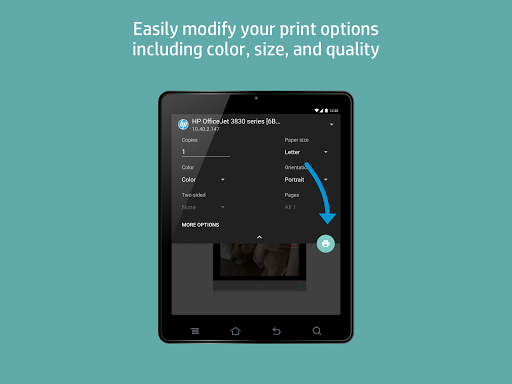
HP Print Service Plugin is one of those apps that most people will never think about until the moment they urgently need it. That urgency shapes the whole experience. Printing from a phone is usually not something you do for fun; it is something you do because a form needs signing, a shipping label needs to exist in the next two minutes, or a photo needs to come out without the detour through a laptop. In that context, this plugin mostly succeeds by staying out of the way. In day-to-day use, the best thing about HP Print Service Plugin is how little of an “app” it feels like. It behaves more like a bridge inside Android’s share and print menus than a standalone destination you have to learn. Open a document, photo, email, or webpage, hit Print, choose the HP printer, and get on with your life. That basic flow is the reason this plugin remains so useful. We tested it with common everyday printing jobs rather than edge cases: PDFs from email, web pages, image files from the gallery, and quick office documents. When the printer is on the same network and in a good mood, the process is pleasantly friction-free. That simplicity is the app’s first major strength. There is almost no learning curve here. If you already know how Android’s print dialog works, you know most of what matters. HP deserves credit for not overcomplicating a task that should be boring. In its best moments, the plugin is exactly that: boring in the right way. Tap print, confirm settings, done. The second strength is the broad sense of practical compatibility within the HP ecosystem. The plugin feels designed for real homes and small offices where one person may print from a phone, another from a tablet, and somebody else from a Chromebook or another device in the same networked environment. We found it especially handy for quick, casual jobs that would otherwise require moving files around. Printing from supported apps is seamless enough that it quickly becomes the default habit. Once set up, it can feel like a natural extension of the printer rather than a separate utility. Its third strength is clarity during straightforward failures. If the printer is out of paper, low on ink, or otherwise not ready, the plugin generally makes that understandable. It does not bury you in technical language. For everyday users, that matters. Printing tools become unbearable when they fail cryptically, and HP usually avoids that trap. Now for the part that keeps this from being an easy five-star recommendation: reliability is good, but not consistently excellent. In our testing, and in the overall feel of the app, there is a lingering sense that print jobs can be a little finicky. Sometimes the printer appears immediately; other times it needs a pause, a refresh, or a second attempt. We ran into those moments where the printer looked unavailable even though nothing obvious had changed. Closing the print dialog and opening it again often fixed it, but that is exactly the kind of ritual that makes a utility feel less polished than it ought to. That inconsistency is the app’s biggest weakness. When it works, it feels invisible. When it does not, it quickly becomes irritating because printing is usually a task with a deadline attached. A plugin like this does not earn trust through features; it earns trust by succeeding every single time. HP gets close, but not all the way there. The second weakness is connection behavior. The app can be slower than expected to detect or fully ready a printer, and sometimes the handoff between phone, network, and printer feels fussier than it should. In some setups, that may be barely noticeable; in others, it creates that awkward waiting period where you are not sure whether the job is about to print or silently fail. That uncertainty can lead to duplicate print attempts if you are impatient. The third weakness is that the experience still feels more utilitarian than refined. There are moments where you wish for slightly more control or more transparent status language. Simple things like clearer progress feedback or more intuitive handling when a printer is technically found but not fully ready would go a long way. This is not a flashy app, nor does it need to be, but there is room for it to feel less mechanical and more reassuring. Who is it for? If you own a compatible HP printer and mostly want to print ordinary documents, photos, emails, and web pages from an Android device without setting up a complicated workflow, this is absolutely for you. It is especially useful for families, home-office users, teachers, students, and anyone who regularly needs a quick print without opening a computer. It also suits people who value straightforward function over visual polish. Who is it not for? If you have zero patience for occasional printer discovery hiccups, want advanced print customization beyond the basics, or expect every job to connect instantly under all conditions, this plugin may test your patience. It is also not a reason to buy into the HP ecosystem if you do not already live there. Overall, HP Print Service Plugin earns its place by making mobile printing genuinely convenient most of the time. Its core design is smart: integrate with Android, keep the workflow simple, and support common real-world printing needs. The problem is that printer software lives and dies on dependability, and this plugin still has enough moments of hesitation to remind you that printing remains one of tech’s least glamorous problem spaces. Still, if your goal is easy Android printing to an HP printer, this is one of the better tools for the job, and in everyday use, the convenience usually outweighs the annoyance.
Alternative apps