Apps Games Articles
JBL Headphones
Harman Consumer, Inc.
Rating 4.6star icon
Editor's summary
Editor rating
star icon star icon star icon star icon
half star icon
4.5

One-line summary JBL Headphones is easy to recommend because it makes pairing, EQ tuning, ANC control, and daily device management refreshingly simple, but I’d hesitate if you want truly deep gesture customization or perfectly bug-free behavior on every model.

  • Installs

    10M+

  • Developer

    Harman Consumer, Inc.

  • Category

    Audio

  • Content Rating

    Everyone

  • Latest version

    5.34.7

  • Package

    jbl.stc.com

Screenshots
In-depth review
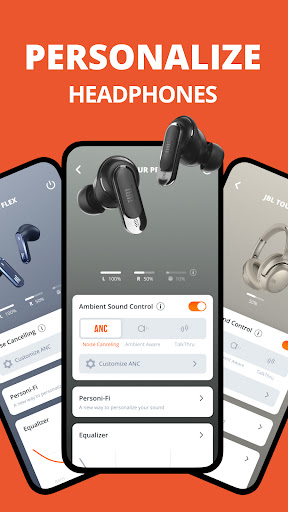
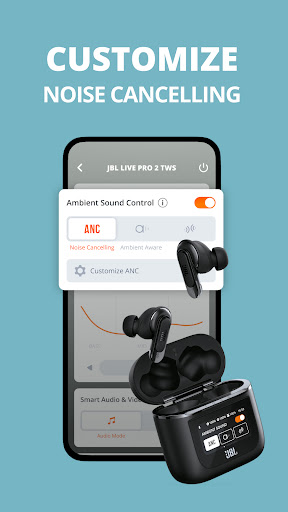
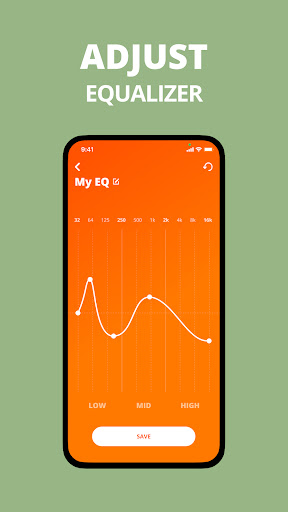
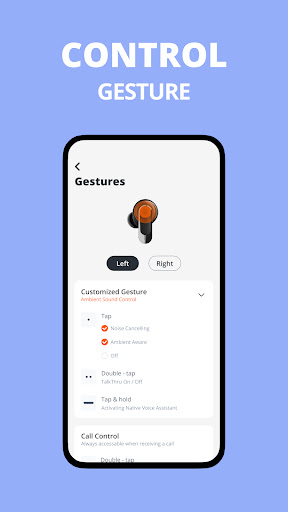
JBL Headphones is the kind of companion app that does exactly what a headphone app should do most of the time: get out of the way, connect quickly, and give you the controls you actually want to use. After spending time with it in everyday listening, what stood out most was not flashy design or endless settings menus, but how practical it feels. Open the app, your supported JBL headphones are recognized, battery levels are easy to check, and the features that matter most—EQ, ambient sound, noise cancelling, and button or touch settings—are generally placed where you expect them to be. That ease of use is the app’s biggest strength. A lot of audio companion apps feel like they were designed by engineers first and listeners second. JBL Headphones feels more balanced. You don’t need to dig through layers of menus to make common changes, and that matters in real life. If you’re commuting, moving between work and home, or jumping from music to video, the app is straightforward enough that you can make quick adjustments without turning the experience into a project. Pairing and reconnecting also feel relatively painless, which is a bigger compliment than it sounds. A headphone app can have every feature under the sun, but if it struggles at the basic job of recognizing your device and staying in sync, everything else falls apart. The second big win is customization where it counts. The EQ tools are useful, and JBL wisely includes both presets and manual adjustment options. That means casual listeners can just tap a preset and move on, while more particular users can shape the sound to their taste. For an app in this category, that’s exactly the right approach. It doesn’t overwhelm beginners, but it still offers enough control to make the app feel worthwhile rather than mandatory bloatware. On supported models, ANC and ambient sound controls also add real value. Being able to tweak how isolated or aware you want to be is one of those features that sounds minor until you use it regularly. Once you do, going back to fixed modes feels limiting. The third strength is breadth. JBL supports a long list of earbuds, headphones, gaming models, sports models, and kid-focused devices, and the app feels like it’s trying to serve a broad ecosystem without becoming completely chaotic. That’s not easy. In day-to-day use, it means the app has a better chance of remaining useful if you upgrade within the JBL family. It also helps that practical extras like battery indicators, tutorials, help pages, and voice assistant setup are built in instead of scattered across separate tools. That said, JBL Headphones is not flawless, and its weaknesses become more obvious the longer you use it. The first issue is that customization is sometimes not as deep as the interface initially suggests. Gesture controls, in particular, can feel constrained. On some supported products, you’re choosing from JBL’s approved control schemes rather than building your own ideal layout. If you’re the kind of listener who wants to disable certain taps, assign long-press actions very specifically, or create a cleaner control setup around just the commands you personally use, the app can feel a little boxed in. It offers customization, but not always full freedom. The second problem is inconsistency across models. Because the app supports so many JBL products, the experience can vary depending on what you own. One pair may expose more useful controls than another, and certain settings are clearly limited to specific devices. That is understandable on paper, but in practice it can make the app feel uneven. The interface suggests a unified JBL experience, yet some users will get a richer feature set than others. You have to go in with the expectation that not every screenshot-worthy feature applies to every pair of headphones. The third weakness is occasional reliability friction. During testing, the app generally behaved well, but headphone apps live and die by the moments when they do not. A setting that fails to reflect the actual device status, an ANC or ambient sound mode that looks wrong in the app, or a connection state that needs a reset can quickly chip away at confidence. Even when these problems are temporary, they are especially annoying because this category of app is supposed to simplify ownership, not create doubt about whether your settings are really applied. Visually, the app is clean and modern enough without trying too hard. It is not radically stylish, but it does not need to be. The design serves the functions well, and that is the right priority for a utility app you may only open for thirty seconds at a time. I also appreciate that JBL keeps the focus on device controls rather than stuffing the app with unnecessary social or content features. Who is this app for? It is for JBL headphone owners who want convenient access to core features like EQ, ANC, ambient sound, battery levels, and assistant setup without fighting the interface. It is especially good for people who value simple pairing and everyday usability more than deep tinkering. It is not ideal for power users who want total control over every gesture and every input behavior, and it is also not for anyone hoping a companion app will radically transform a pair of headphones beyond the hardware’s built-in limits. Overall, JBL Headphones is one of the better brand companion apps in the Android audio space. It is practical, generally easy to use, and meaningfully improves the ownership experience for supported JBL products. It falls short when customization gets too rigid and when software quirks creep in, but the fundamentals are solid enough that I would keep it installed rather than treating it as a one-time setup tool. That alone says a lot.