Apps Games Articles
File Manager
File Manager Plus
Rating 4.7star icon
Editor's summary
Editor rating
star icon star icon star icon star icon
half star icon
4.5

One-line summary File Manager is one of the easiest full-featured Android file explorers to live with day to day, but its occasional network rough edges and ad-supported free version keep it just short of perfection.

  • Installs

    50M+

  • Developer

    File Manager Plus

  • Category

    Productivity

  • Content Rating

    Everyone

  • Latest version

    2.8.7

  • Package

    com.alphainventor.filemanager

In-depth review
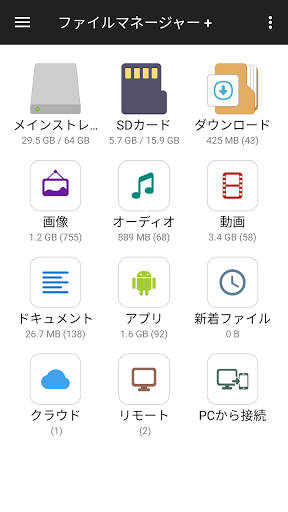
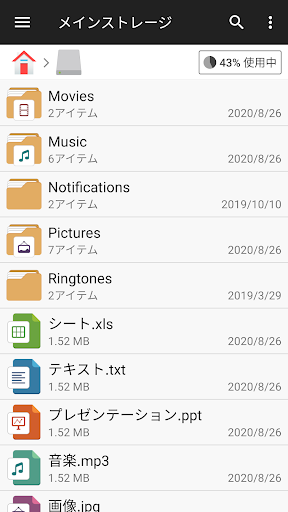
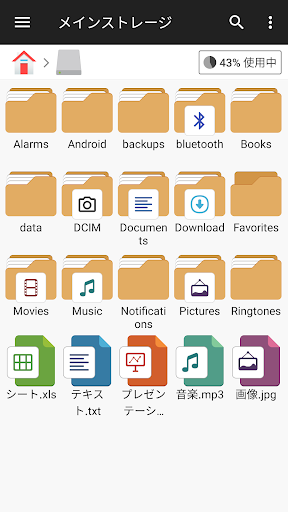
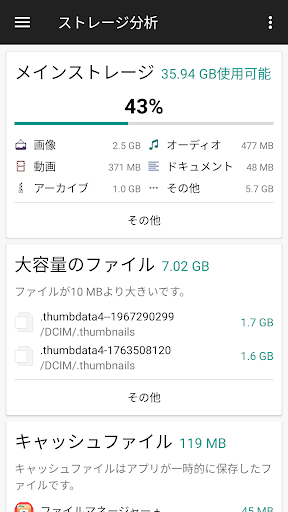
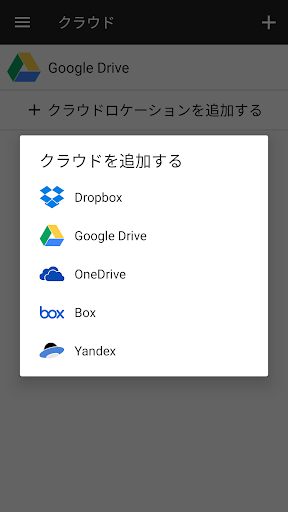
After spending time with File Manager as an everyday utility rather than a one-minute test drive, the biggest thing that stands out is how quickly it gets out of your way. That sounds like faint praise until you remember how many Android file managers manage to feel cluttered, awkward, or overly technical. This one does a much better job of balancing power with clarity. It gives you the tools you actually want from a serious file app—copy, move, rename, delete, compress, browse local and external storage, connect to cloud services, inspect installed apps—without making the whole experience feel like a tiny desktop operating system crammed onto a phone. The home screen is especially effective. Instead of dumping you into a raw folder tree and expecting you to hunt for everything manually, File Manager gives you useful shortcuts by file type and storage location. In practice, that means you can jump into downloads, documents, videos, or audio almost immediately, then drop into the full directory view when you need precision. On a phone, this matters. A good mobile file manager should respect the fact that many tasks are quick maintenance jobs, not elaborate organizational projects. File Manager consistently understands that. The app’s strongest quality is usability. The interface is clean, readable, and structured in a way that makes sense even if you are not especially technical. Moving files between internal storage, SD card, USB OTG storage, and cloud locations feels straightforward. During testing, it handled common housekeeping tasks—freeing space, locating large folders, reorganizing media, cleaning up downloads—without drama. The built-in storage analysis is particularly helpful because it translates a messy storage situation into something visual and actionable. You can quickly see what is eating space instead of poking around blindly through nested folders. Another genuine strength is how broad the feature set feels without becoming intimidating. Cloud integration is not treated as a gimmick; it is woven naturally into the experience. If you juggle local files and services like Google Drive or OneDrive, the convenience is obvious. It is surprisingly satisfying to move or organize files across locations from a single interface instead of bouncing between multiple apps with different rules and limitations. The app also earns points for including built-in utilities like media playback and text viewing/editing. These are not necessarily the main reason to install it, but they reduce friction. If you just want to open a file, check it, and move on, you can often do that without leaving the app. Performance is another area where File Manager generally feels polished. Browsing local storage is quick, and most actions happen with very little lag. It gives off that reassuring sense of stability that good utility apps need. File operations feel dependable, and the app is careful with confirmations before destructive actions. Some people may find the extra prompts slightly excessive, but I would much rather have a cautious file manager than one that lets a mistap become data loss. That said, File Manager is not flawless. Its biggest weakness is that some of the more advanced remote and network features feel less elegant than the local file tools. The app supports remote/shared storage and PC access, which is great in theory, but once you step into networking territory the experience becomes more uneven. If all you want is traditional on-device file management, you will be happy. If you expect absolutely frictionless setup for every network scenario, this is where the app starts to feel less beginner-friendly than the rest of its design suggests. A second complaint is that the free version, while far better behaved than many Android utility apps, still includes ads. The good news is that they are not the sort of full-screen interruptions that completely derail the experience. The less good news is that an app this polished can still feel slightly less premium because of that persistent ad presence. For many people, it will be easy to tolerate; for others, especially those using a file manager constantly, it may be enough to push them toward the paid upgrade or another option. My third issue is more subtle: certain information and actions sometimes take an extra tap or a little too much waiting. For example, storage details or cloud directory loading are not always presented as efficiently as they could be, especially when dealing with larger remote locations. The app is excellent when working with local files, but it can feel less responsive and less refined once very large cloud directories or more complex external locations enter the picture. Who is this app for? Almost anyone who finds Android’s default file tools too limited. It is especially good for people who move files between phone storage, SD cards, USB drives, and cloud accounts, or anyone who wants a Windows-like sense of control over folders on mobile. It is also a strong pick for less technical users because the layout does a good job of making file management feel approachable. Who is it not for? If you rarely touch your files and only need the occasional download opened, this may be more app than you need. It is also not the best fit for power users who demand extremely sophisticated network workflows with zero setup friction, or for anyone who refuses to deal with ads in a utility app. Overall, File Manager earns its reputation the old-fashioned way: it is useful, dependable, and pleasant to use. It does not reinvent file management on Android, but it executes the fundamentals exceptionally well and adds enough convenience features to become easy to rely on. For most people, that is exactly what a file manager should do.