Apps Games Articles
Perplexity - Ask Anything
PerplexityAI
Rating 4.6star icon
Editor's summary
Editor rating
star icon star icon star icon star icon
half star icon
4.5

One-line summary Perplexity is one of the best mobile AI search tools you can install if you want fast, source-backed answers, but it’s less convincing for heavy calculations, bargain hunting, or anyone expecting all of the best features for free.

  • Installs

    50M+

  • Developer

    PerplexityAI

  • Category

    Productivity

  • Content Rating

    Teen

  • Latest version

    2.61.0

  • Package

    ai.perplexity.app.android

In-depth review
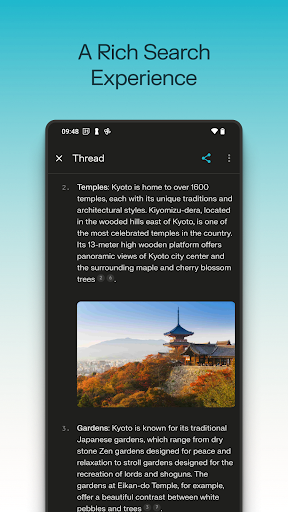
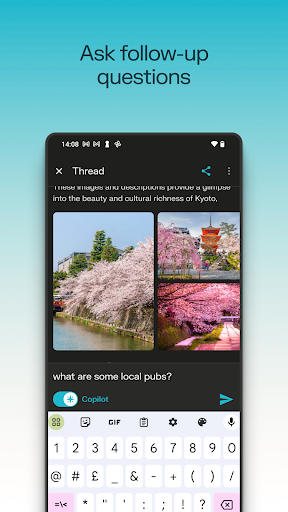
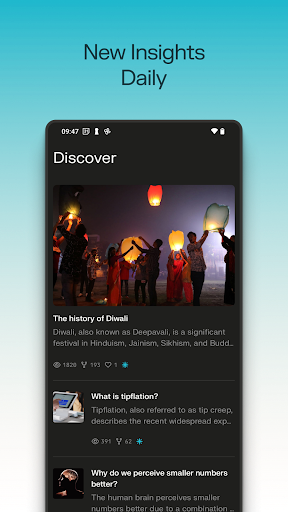
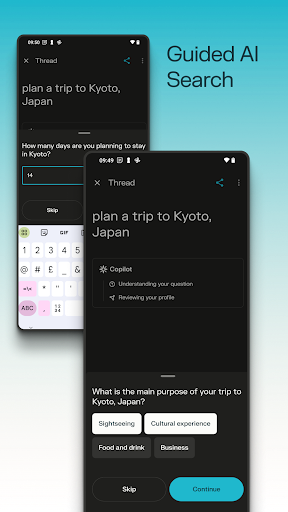
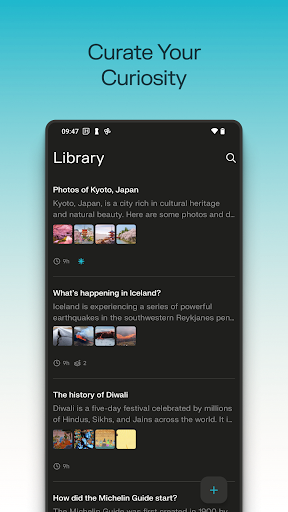
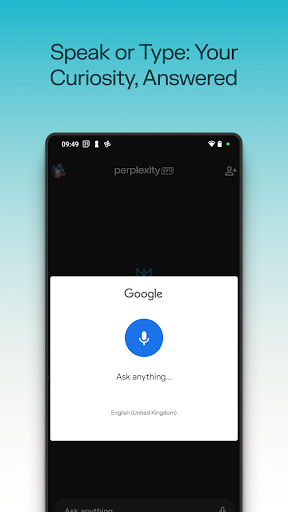
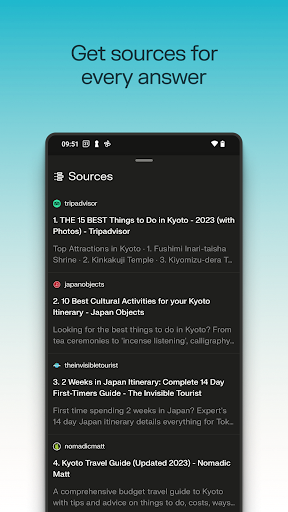
Perplexity - Ask Anything feels less like a traditional chatbot and more like a very sharp research assistant that happens to live on your phone. After spending real time with it as a daily utility app, that distinction matters. Plenty of AI apps can generate text, hold a conversation, or summarize something vaguely. Perplexity stands out because it usually starts from the right place: helping you get to an answer quickly, while showing where that answer came from. That basic experience is what makes the app so compelling. Open it, ask a question in plain language, and it tends to return something clean, readable, and structured rather than dumping a wall of prose in your lap. In everyday use, that means it works well for all the little moments that make up actual phone usage: checking a fact, untangling a confusing topic, comparing concepts, getting a quick study explanation, or following a thread of curiosity without bouncing through five browser tabs. It often feels like it removes the “search engine tax” of modern web browsing, where you spend more time filtering pages than learning anything. The best part of the app is its citation-first feel. When we used it for general research, educational prompts, and practical questions, the built-in sources made a real difference to trust. Not because every answer is automatically perfect, but because the app makes verification easy. That changes how you use it. Instead of treating the AI response as final truth, you can use it as a guided summary and then jump into the references when needed. On a phone, where attention is short and tab management is awful, this is a genuinely strong design advantage. A second strength is the conversational flow. Perplexity does a good job preserving context inside a thread, which makes follow-up questions feel natural. You can start broad, then narrow the scope, then ask for a simpler explanation, and it usually keeps up without making you restate everything. In practice, this is great for students, researchers, and curious general users who don’t always know the perfect first prompt. It also makes the app feel less intimidating than a blank search bar, because it rewards iterative thinking. The third major strength is polish. The interface is clean, quick, and easy to understand. Voice input is particularly handy for casual use, especially when you just want to ask something out loud and move on. Search history and saved material also give the app a sense of continuity; it starts to feel like a knowledge workspace rather than a disposable Q&A toy. That lightweight organizational layer is easy to appreciate once you begin using the app repeatedly throughout the day. That said, Perplexity is not flawless, and its limitations show up most clearly when you move beyond straightforward information retrieval. One weak point is that it can feel less dependable for calculations or precision-heavy tasks. For broad explanation, synthesis, and factual lookup, it performs very well. For math or anything where exact step-by-step numerical correctness is crucial, we would still double-check carefully. The app is strongest when summarizing and connecting information, not when acting as a calculator you can blindly trust. Another complaint is that some of the app’s appeal is tied to features that feel more restricted than the marketing glow suggests. The free experience is good, but not everything people will want is fully open-ended. If you quickly fall in love with the app, you may run into the boundary between “excellent free tool” and “the version with the more advanced toys.” That does not ruin the app, but it does create a mild friction point for power users who expect the full experience without compromise. The third issue is that the mobile app does not always feel like it takes full advantage of being an Android app rather than just a convenient wrapper for the service. In use, it is smooth and attractive, but there are moments where you wish it were more deeply integrated into phone workflows. Small quality-of-life gaps stand out more because the core experience is already so good. And while the app is generally polished, there are occasional rough edges in practical use, such as formatting behavior when copying text into other apps. Those annoyances are not constant, but they are noticeable when you rely on Perplexity as a serious productivity tool rather than a novelty. It is also worth noting what Perplexity is not especially great at. If your main use case is shopping and price comparison, the app is less impressive than it is for research. If you want a creative writing companion first and a fact finder second, this may not be the most exciting personality-driven AI app. And if you expect every answer to be perfectly accurate just because it includes sources, you still need to bring some judgment. Perplexity reduces the mess of searching; it does not eliminate the need to think. Who is this app for? Students, knowledge workers, writers, educators, and endlessly curious people will get the most value from it. It is especially good for anyone who asks lots of factual or explanatory questions and wants answers faster than a browser can reasonably provide. It also suits users who care about seeing references instead of accepting black-box responses. Who is it not for? People who mainly want an AI for entertainment, highly creative generation, exact technical calculation, or shopping deals may find it less satisfying. Budget-sensitive users who quickly bump into premium limitations may also hesitate. Overall, Perplexity is one of the most useful AI apps on Android because it gets the fundamentals right: speed, clarity, context, and source visibility. It feels practical instead of gimmicky. Even with a few workflow annoyances and some limits around advanced use, it remains easy to recommend as a daily knowledge tool—and one of the rare AI apps that genuinely earns a permanent place on the home screen.