Apps Games Articles
Microsoft Outlook
Microsoft Corporation
Rating 4.5star icon
Editor's summary
Editor rating
star icon star icon star icon star icon
half star icon
4.5

One-line summary Microsoft Outlook is one of the best all-in-one mobile email apps you can install if you juggle multiple accounts and calendars, but its inbox ads and occasional sync hiccups keep it from being an easy five-star recommendation.

  • Installs

    1B+

  • Developer

    Microsoft Corporation

  • Category

    Productivity

  • Content Rating

    Everyone

  • Latest version

    4.2432.0

  • Package

    com.microsoft.office.outlook

In-depth review
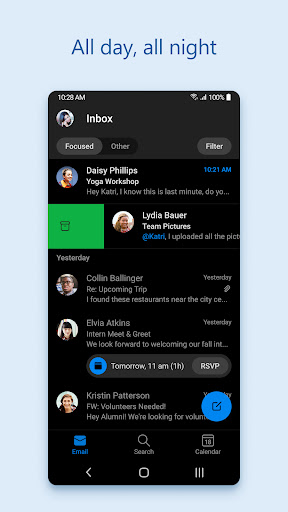
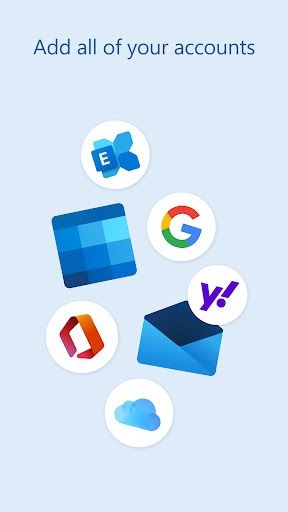
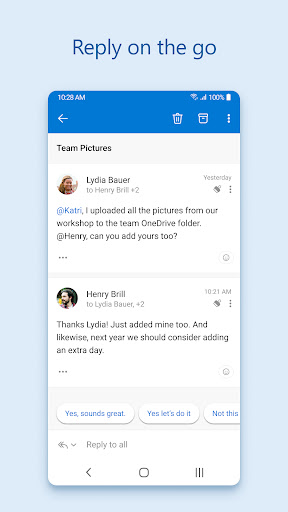
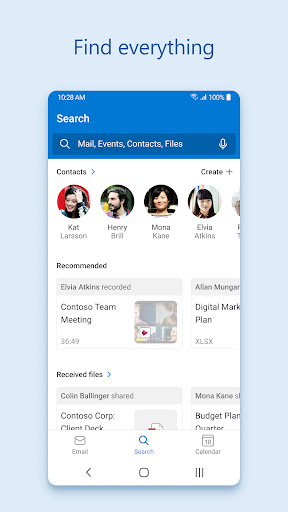
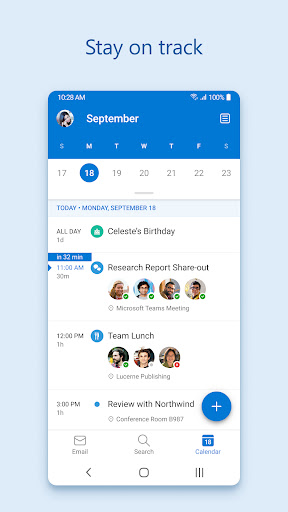
Microsoft Outlook on Android feels like the product of a company that has spent years learning what people actually need from email on a phone. After using it as a daily mail client rather than just opening it for a quick test, what stands out most is how comfortably it handles the mess of modern communication. This is not just an app for one Outlook address. It is at its best when you throw your work mail, personal inbox, calendar commitments, attachments, and contacts into one place and expect it to keep up. The setup experience is generally straightforward, especially if you already live in Microsoft's ecosystem, but the real appeal starts after that. Outlook has one of the cleaner mobile interfaces in this category. The app is busy in terms of what it can do, yet it rarely feels cluttered. Mail, calendar, search, files, and account switching are arranged in a way that makes sense after a short adjustment period. That matters on a phone, where even a good desktop email workflow can turn into a cramped, frustrating mess. Outlook mostly avoids that trap. Its biggest strength is how well it unifies multiple accounts. I found it particularly useful for anyone who lives between work and personal identities. Outlook, Gmail, Yahoo, iCloud, and other accounts can sit side by side without the app feeling like a patchwork of different services awkwardly glued together. That convenience changes how often you check in. Instead of mentally sorting which app holds which message, Outlook becomes a central hub. For people who receive time-sensitive messages across several addresses, that alone makes the app worth considering. The second major strength is the calendar integration. This is where Outlook starts to feel less like a mail app and more like a pocket organizer. Seeing upcoming events alongside your inbox genuinely helps with day-to-day planning, and being able to move from an email into scheduling mode without switching apps is exactly the kind of small efficiency gain that adds up over time. If your phone is where you manage meetings, reminders, and general life logistics, Outlook is far more useful than a plain inbox app. The third strength is speed. In routine use, Outlook feels responsive. Notifications arrive quickly, account switching is fast enough not to break your flow, and searching mail or attachments is usually painless. That sense of responsiveness is easy to underestimate until you spend time with slower clients that make every refresh, open, and search feel like a small tax on your patience. Outlook generally feels tuned for people who use email constantly rather than occasionally. That said, Outlook is not friction-free. The most obvious annoyance in the free version is advertising. Sponsored placements at the top of the inbox are not catastrophic, but they are intrusive in exactly the wrong place. Email is a utility app, and putting ads where your eyes naturally go first makes the experience feel slightly less professional than the rest of the interface suggests. You can live with it, but you never quite stop noticing it. The second weak spot is that Outlook can sometimes feel a bit too clever for its own good. Features like focused sorting, swipe actions, conversation handling, and integrated productivity tools are useful when they match the way you work, but not every design decision feels immediately intuitive. Certain actions that should be simple can require a bit of hunting through menus or re-learning. Long-time Outlook users may also notice that some familiar desktop habits do not translate neatly to the mobile app. This is a very capable mobile client, but it is still a mobile client, with all the compromises that implies. The third complaint is reliability at the edges. Most of the time, Outlook is polished and dependable, but when sync issues appear, they are especially aggravating because this is the kind of app you rely on for important communication. During testing, the experience was mostly stable, yet this is still the sort of software where even an occasional refresh problem or account reconnection hiccup feels more serious than a glitch in a casual app. When your inbox is your workflow, confidence matters. I also found that Outlook's feature density will not appeal equally to everyone. If you only want a barebones client for one personal email account and have no interest in calendars, attachments, file integrations, or a richer productivity layer, Outlook may feel like more app than you need. It is efficient, but it is not minimalist. On some devices, it can also feel a bit heavier than lighter mail apps, especially if you keep several accounts active. Who is it for? Outlook is ideal for people who manage multiple accounts, need solid calendar access, and want a single mobile command center for communication. It suits professionals, students, freelancers, and anyone who moves between personal and work mail throughout the day. It is also a strong fit for people already using Microsoft services who want tighter integration without needing separate apps for every task. Who is it not for? If you hate inbox ads, want the lightest possible email client, or prefer a stripped-down app with almost no learning curve, Outlook may feel too busy. It is also not the best choice for someone expecting a miniature clone of desktop Outlook with every familiar workflow intact. Overall, Microsoft Outlook remains one of the most complete email apps on Android. It combines strong account support, genuinely useful calendar integration, and a fast, polished interface into something that feels dependable enough for daily use. It falls short of perfection because of ads, occasional sync frustrations, and a few usability choices that can be less intuitive than they should be. But judged as an everyday mobile mail app, it is easy to recommend. For many people, it will quickly become the one app that quietly organizes an otherwise chaotic day.
Alternative apps