Apps Games Articles
Workday
Workday, Inc.
Rating 4.3star icon
Editor's summary
Editor rating
star icon star icon star icon star icon empty star icon
4.2

One-line summary Workday is easy to recommend if your employer runs on it because it puts essential HR tasks in one polished place, but it is harder to love when routine actions take too many taps and the app feels more practical than genuinely streamlined.

  • Installs

    10M+

  • Developer

    Workday, Inc.

  • Category

    Business

  • Content Rating

    Everyone

  • Latest version

    2025.12.0

  • Package

    com.workday.workdroidapp

Screenshots
In-depth review
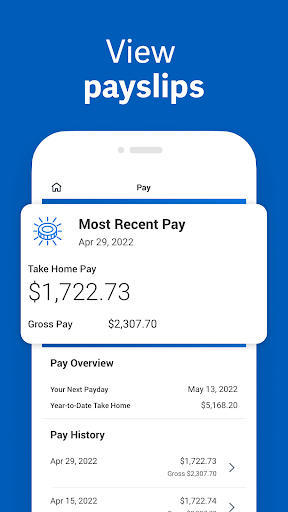
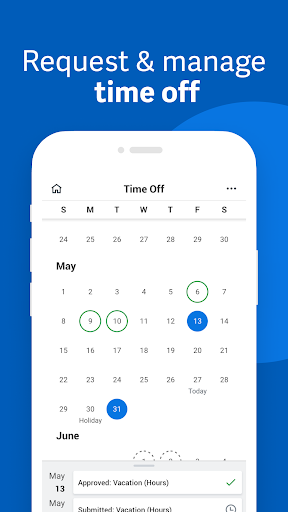
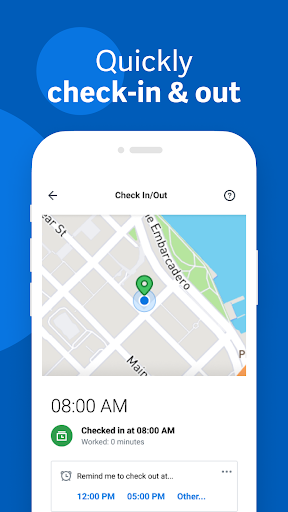
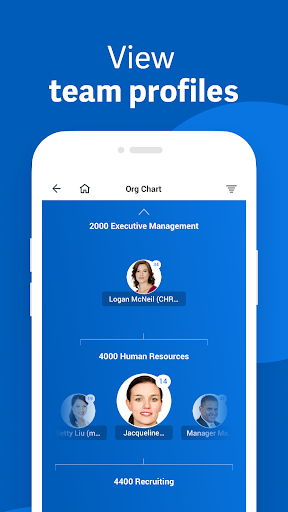
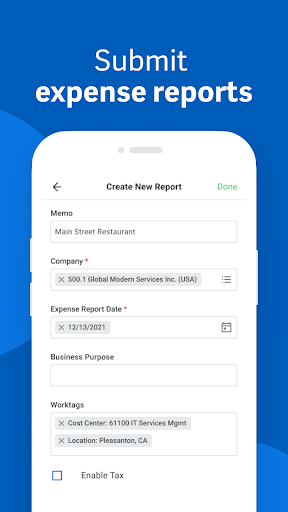
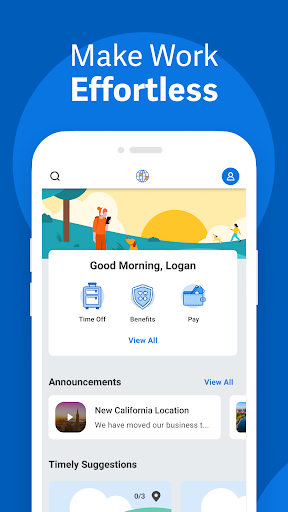
Workday is one of those apps many people do not really choose so much as inherit from their workplace. That changes how I judge it. I am not looking at it as a lifestyle app or a productivity toy; I am looking at it as something I may need to open quickly to check a payslip, request time off, confirm some personal information, or deal with a task from HR before my next meeting starts. From that practical angle, Workday does a lot right. The strongest thing about the app is that it feels like a serious tool built for real administrative use, not a watered-down mobile companion. When I used it for common employee self-service tasks, it gave the sense that the important stuff was actually there rather than hidden behind a desktop-only wall. That matters. If I need an HR app on my phone, it is usually because I am away from my desk and trying to get something done quickly. Workday generally respects that use case. It is not playful, and it is not especially warm, but it is dependable in the way a work app should be. Navigation is mostly clear once you understand its structure. The app tends to present work-related actions in a clean, professional layout, and the overall visual design feels modern enough that it does not come off as legacy enterprise software awkwardly squeezed onto a phone screen. I appreciated that sense of order. Whether I was looking for personal details, task-related items, or time-related functions, I rarely felt completely lost. That is a meaningful win for an app handling sensitive and often tedious workplace processes. One of Workday's biggest strengths is that it makes these tasks feel manageable instead of intimidating. Another thing it gets right is trust. An app like this has to feel secure and buttoned-up, and Workday does. Even when the experience is not especially fast or elegant, it gives off the impression that it takes account data, personal details, and job-related information seriously. That matters more here than flashy design. In day-to-day use, I found myself feeling comfortable handling important employment-related tasks in the app because it behaves like a system of record, not a casual utility. The third strength is convenience. Having key employment functions in one place is genuinely useful. Instead of bouncing between email, internal portals, and desktop websites, Workday gives employees a central app for routine admin. That does not sound exciting, but in practice it can save time and mental friction. If your company uses Workday deeply, the app can become one of those quiet essentials you rely on more than you expect. That said, Workday is not a delightful app in the way consumer apps can be delightful. Its biggest weakness is that some interactions feel heavier than they should. I ran into moments where basic actions seemed to require more taps, more confirmation, or more navigation than necessary. Nothing was disastrously broken, but the app occasionally turns simple admin into mini-processes. For an app used during work breaks, in hallways, or between meetings, that extra friction stands out. The second weakness is that the experience can feel a little too system-driven and not quite user-driven. You often get the sense that you are interacting with an organization chart translated into software rather than a mobile app designed from the ground up around employee habits. That means it is functional, but not always intuitive on first pass. I could usually find what I needed, but sometimes only after remembering how Workday thinks rather than how I naturally think. The third issue is emotional rather than technical: the app can feel dry. That may sound minor, but it affects usability more than people admit. The interface is competent, yet rarely feels fast, light, or especially responsive in a way that encourages frequent use. I never opened Workday because I wanted to; I opened it because I needed to. For a workplace utility, that is not a fatal flaw, but it does keep the app from feeling truly excellent. Who is this app for? It is for employees and managers whose organization already uses Workday and who need a mobile way to handle routine HR and work administration. If you regularly need access to work-related tasks while away from a desk, this app makes sense and is often genuinely useful. It is especially good for people who value having official employment tools in one secure, centralized place. Who is it not for? Anyone expecting a flexible all-purpose productivity app, or anyone hoping for an especially intuitive, consumer-grade experience, may find it more rigid than appealing. And if your organization does not use Workday, there is really no reason to seek it out independently. After spending time with it, my view is that Workday succeeds because it is competent where competence matters most. It handles serious information, supports practical tasks, and gives employees a reliable mobile doorway into important parts of work life. It falls short when it asks for too much tapping, too much adjustment to its internal logic, and too much patience for tasks that should feel quicker. Still, as workplace apps go, it is better than many because it is useful first, polished second, and frustrating only in manageable doses. That makes it an app I would recommend with mild reservations: not because it is a joy to use, but because when you need it, it usually gets the job done.