Apps Games Articles
Samsung Smart Switch Mobile
Samsung Electronics Co., Ltd.
Rating 3.8star icon
Editor's summary
Editor rating
star icon star icon star icon star icon
half star icon
4.5

One-line summary Samsung Smart Switch Mobile is one of the easiest ways to make a new Galaxy feel instantly familiar, but it still can’t fully spare you the tedious cleanup of app logins, a few missing bits of data, and the occasional finicky setup step.

  • Installs

    1B+

  • Developer

    Samsung Electronics Co., Ltd.

  • Category

    Tools

  • Content Rating

    Everyone

  • Latest version

    3.7.69.15

  • Package

    com.sec.android.easyMover

Screenshots
In-depth review
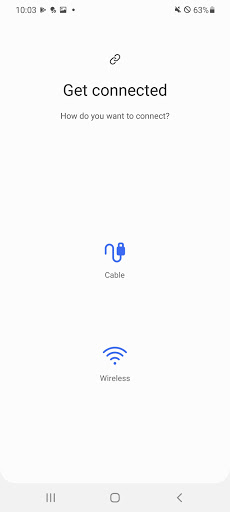
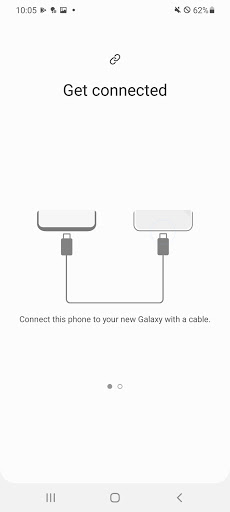
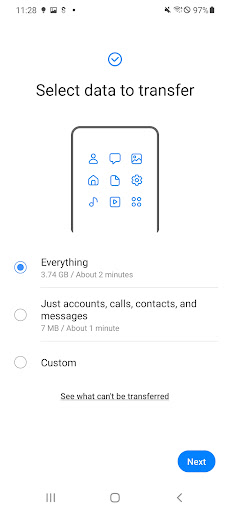
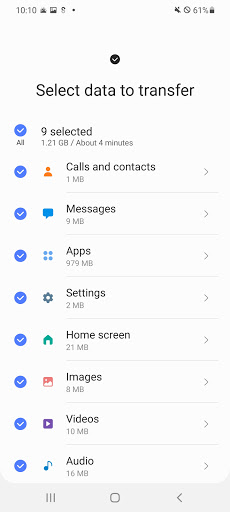
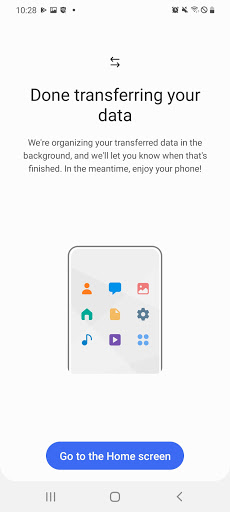
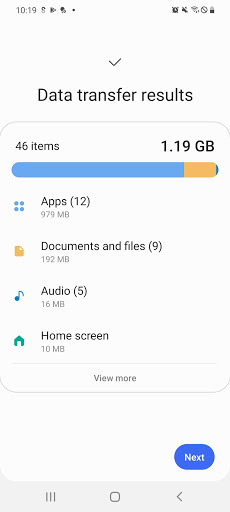
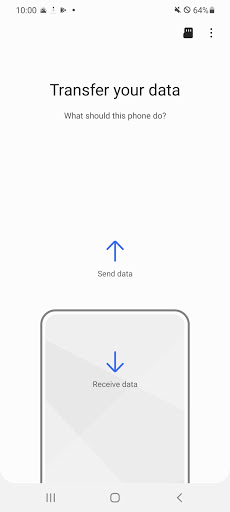
Samsung Smart Switch Mobile is one of those utilities that you only really care about on the day you need it, and on that day it can feel either like a lifesaver or a chore. After spending time with it in the way most people actually use it—moving from an older phone to a new Galaxy—the good news is that Smart Switch gets the important part very right. It takes a process that used to involve a mess of cloud backups, cable hunting, forgotten passwords, and manual tinkering, and turns it into something far more manageable. The first thing that stands out is how focused the app is. Smart Switch is not trying to be a daily-use productivity tool or some bloated device manager. It has a job: move your digital life onto a Galaxy device with as little friction as possible. In practice, that focus helps. The setup flow is straightforward, with clear prompts for connecting devices and choosing what to bring over. Whether you go wireless or use a cable, the app feels designed for nervous upgraders—the kind of person who wants reassurance that their photos, messages, settings, and layout won’t disappear into the void. In my use, the biggest strength was just how much of the old device it could recreate. Contacts, messages, photos, wallpapers, alarms, and a surprising amount of device setup came across cleanly. On Galaxy-to-Galaxy transfers especially, Smart Switch feels almost magical. The new phone doesn’t just get your files; it starts to resemble your old phone in a way that makes the upgrade feel less disruptive. Home screen organization and general familiarity are part of the appeal here. You are not merely restoring data—you are preserving your habits. That leads to the second major strength: it saves an enormous amount of time. Even when the transfer itself takes a while, the real win is avoiding hours of manual rebuilding. I found that Smart Switch is best understood as a bulk mover of your digital environment. Instead of spending a whole afternoon recreating folders, re-downloading essentials, and hunting for settings, you can get much closer to normal in one pass. For anyone upgrading within Samsung’s ecosystem, that convenience is arguably the app’s best feature. The third strength is flexibility. Wireless transfer is convenient and feels impressively simple when both phones cooperate, but the cable option is there when you want a more direct route. That matters because migration is one of those jobs where redundancy is reassuring. If one method stalls or feels slow, having another path available makes the app more practical than many transfer tools that depend too heavily on one workflow. That said, Smart Switch is not a perfect one-tap clone machine, and it is better to go in with realistic expectations. The first weakness is that “everything transferred” and “everything is ready” are not the same thing. The app can move a lot, but many apps still require you to sign back in, verify accounts, or redo setup steps. That is not entirely Smart Switch’s fault—some apps simply do not allow seamless migration of active sessions—but it does affect the experience. The transfer can finish successfully, and yet you still have a decent amount of housekeeping left to do. The second weakness is inconsistency around edge cases. Most of the time the process is smooth, but when something goes wrong, it tends to be in mildly annoying ways rather than dramatic failures. A device may need the latest version of the app before it behaves properly. A cable that works fine for charging may not give the cleanest transfer experience. Wireless can be convenient, but it also asks both devices to stay cooperative throughout a fairly long process. None of this is catastrophic, but Smart Switch works best when you follow the setup carefully and give it a stable environment. The third weakness is that not every piece of data feels equally dependable. Smart Switch transfers a lot, but there can still be gaps. Some app-specific data may not carry over as expected. Certain notes, media arrangements, or niche app states may need a manual check afterward. In my testing, the app felt strongest with core phone content and Samsung-to-Samsung continuity, and a bit less bulletproof when it came to every last corner of a personalized setup. If you are the kind of user with a heavily customized device and lots of specialized apps, you should absolutely verify the results rather than assuming the migration was flawless. What I do like is that the app mostly communicates its purpose well. It does not drown you in unnecessary menus, and it generally feels approachable even if you are not particularly technical. There is a calm, practical quality to it. Samsung clearly understands that people often use this app under mildly stressful circumstances—new phone in hand, old phone still active, fear of losing memories—and the design mostly respects that. Who is it for? First and foremost, Smart Switch is for anyone moving to a Galaxy device, especially from another Samsung phone. If your goal is to make a new Galaxy feel familiar as quickly as possible, this is the obvious starting point. It is also a good fit for less technical users because it reduces the amount of manual work needed. Who is it not for? If you want a universal migration solution for every phone brand in every situation, or if you expect every app login and every obscure bit of data to arrive perfectly intact without follow-up, this will not meet that fantasy. It is also not for people who are unwilling to spend some time checking the new device once the transfer finishes. Overall, Samsung Smart Switch Mobile earns its place as one of Samsung’s most genuinely useful utilities. It is not glamorous, and it is not flawless, but it tackles one of the most irritating parts of buying a new phone and makes it dramatically easier. When it works well—and most of the time it does—it turns a potentially painful migration into a mostly orderly handoff. That alone makes it easy to recommend to almost anyone setting up a new Galaxy.
Alternative apps