Apps Games Articles
Google Play Store
Google LLC
Rating 3.8star icon
Editor's summary
Editor rating
star icon star icon star icon star icon empty star icon
4.0

One-line summary If you use Android, the Play Store is still the easiest and most essential place to get apps safely, but its cluttered recommendations, occasional sluggishness, and update quirks keep it from feeling truly great.

  • Installs

    5B+

  • Developer

    Google LLC

  • Category

    Tools

  • Content Rating

    Everyone

  • Latest version

    31.2.23-21 [0] [PR] 457577085

  • Package

    com.android.vending

Screenshots
In-depth review
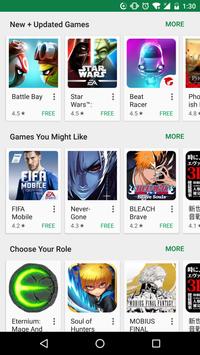
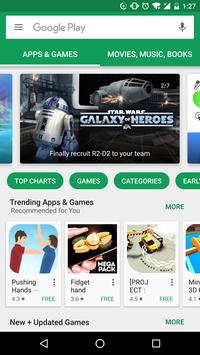
Google Play Store is one of those apps most Android users do not really choose so much as inherit, but after spending time with it as a tool rather than just a default, it is clear why it remains indispensable and why it can also be surprisingly frustrating. In day-to-day use, it is both a storefront and a maintenance hub for your phone. You use it to discover apps, install them, update them, manage subscriptions and purchases, and occasionally troubleshoot when something on your device refuses to download. That breadth is its biggest strength, but also the reason its rough edges stand out so much. What immediately works in the Play Store’s favor is convenience. Installing an app is usually quick, familiar, and low-effort. Search is straightforward, app pages are packed with enough basic information to help you make a decision, and the overall process of tapping Install and letting the app handle the rest feels smooth more often than not. For a tool that millions of people open with a specific task in mind, that matters. We found the core flow reliable: search, inspect, install, update. It is not glamorous, but it gets the job done with very little friction. A second strength is how central it is to keeping an Android device functional. The Play Store is not just about finding new apps; it is also where your existing apps stay current. In practical use, that makes it feel less like a shop and more like part of the phone’s operating system. When everything is working properly, updates happen with minimal drama, and that background utility is easy to take for granted. There is real value in having one place where app maintenance, downloads, and account-linked installs all come together. The third thing we appreciated is the sense of safety and familiarity it provides compared with installing apps from random websites. Even if not every listing feels equally polished, the Play Store still feels like the default environment where most users can browse and install with reasonable confidence. That trust is a meaningful part of the experience. For less technical users especially, the simplicity of staying inside the standard Android app channel is a major plus. That said, using the Play Store for more than the occasional install exposes its messier side. The most obvious issue is discoverability. Finding a specific app is easy enough, but browsing for something new can feel cluttered and overly busy. Recommendations, promoted placements, and category surfacing do not always feel especially tailored or useful. Instead of helping you narrow in on something genuinely interesting, the store can sometimes feel like it is pushing you through a dense wall of options. For an app that should excel at discovery, that part of the experience often feels more functional than inspiring. Performance can also be inconsistent. Most of the time, pages load fine and installs move along normally, but there are enough moments of hesitation to notice: a page refresh that takes longer than it should, an update queue that seems to hang, a download that needs a second try, or a section of the interface that feels heavier than necessary. None of this makes the app unusable, but it does chip away at the polished feel you want from something so essential. The Play Store works best when it stays out of your way, and it does not always manage that. The third weakness is that the app can feel like it is trying to do too much at once. It is a store, an updater, a recommendation engine, an account center, and a content hub. That can make parts of the interface feel crowded, especially if you just want to manage updates or quickly check whether an app is worth installing. We often came away feeling that the Play Store is at its best when serving practical needs and at its worst when it tries to be a destination for browsing. There is a difference between offering helpful discovery and overwhelming the user with too many layers of content and promotion. Who is this app for? Realistically, almost every Android user needs it, but it is especially good for people who want the safest, most straightforward path to downloading and maintaining apps on their phone. If you value convenience, familiar navigation, and a built-in way to keep your apps current, the Play Store remains the obvious choice. It is also well suited to casual users who do not want to think too hard about where apps come from. Who is it not for? If you are the kind of user who enjoys highly curated discovery, cleaner storefront design, or tighter control over how you install and manage software, the Play Store may feel bloated and occasionally impersonal. Power users may also get irritated by the moments when downloads stall or interface logic feels less direct than it should be. In the end, Google Play Store is easy to recommend because it succeeds at the fundamentals that matter most. It is essential, usually dependable, and deeply woven into the Android experience. At the same time, it is hard to call it elegant. The core utility is excellent; the surrounding experience can be noisy, uneven, and sometimes slower than a default system app ought to be. Still, if your goal is to install apps safely and keep your device up to date without extra hassle, the Play Store remains a very solid tool, even if it is not always a delightful one.