Apps Games Articles
Zello PTT Walkie Talkie
Zello Inc
Rating 4.3star icon
Editor's summary
Editor rating
star icon star icon star icon star icon
half star icon
4.5

One-line summary Zello is one of the best walkie-talkie apps you can put on a phone thanks to its fast, clear push-to-talk experience, but it’s still only as reliable as your internet connection and can feel a bit cluttered until you learn its layout.

  • Installs

    100M+

  • Developer

    Zello Inc

  • Category

    Communication

  • Content Rating

    Everyone

  • Latest version

    5.42.1

  • Package

    com.loudtalks

Screenshots
In-depth review
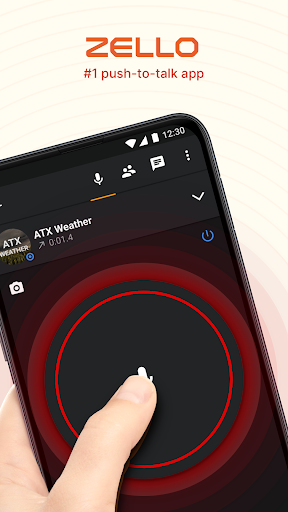
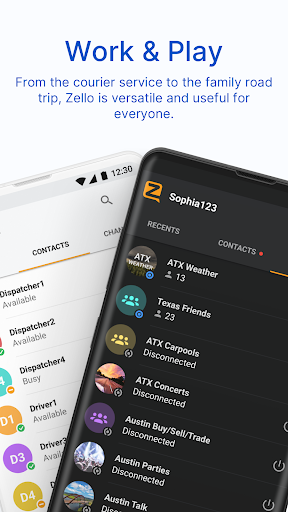
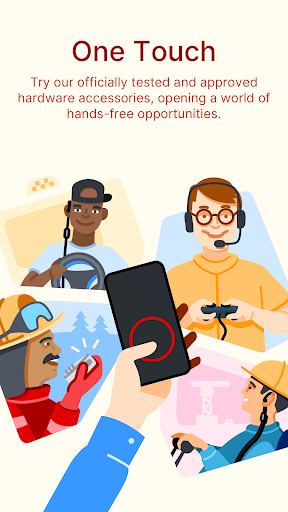
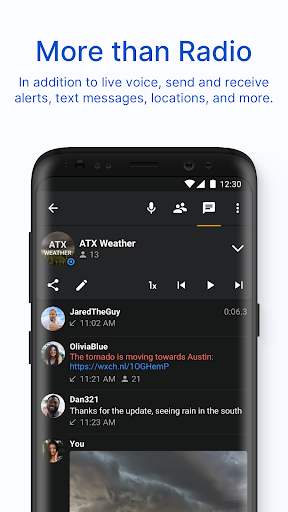
Zello PTT Walkie Talkie succeeds at the one thing that matters most: it makes voice communication feel immediate. After spending real time with it across private chats and channel-style conversations, what stood out right away was how little friction there is between opening the app and actually talking. Press, speak, release, and your message goes through with the kind of speed that makes the whole idea click instantly. This is not a messaging app pretending to be a radio. It genuinely feels built around push-to-talk behavior first. That immediacy is the app’s biggest strength. In day-to-day use, Zello feels much closer to using a modern internet walkie-talkie than sending voice notes back and forth. Audio comes through clearly, with enough crispness that short instructions, quick check-ins, and group coordination all feel natural. Whether you are trying to keep in touch with family around the house, coordinate with coworkers during a busy shift, or stay connected while driving separately, the app makes quick communication easier than placing a call. Calls demand both people at the same time. Text demands attention. Zello sits in a useful middle ground. I also liked that the app doesn’t force every interaction into a single style. You can keep things private with direct contact communication or join channels when group voice chatter makes more sense. That flexibility gives Zello a broader range than many communication apps. In testing, it worked well as a practical utility first and a social voice tool second. It is easy to imagine it being genuinely useful for work crews, volunteer groups, families, event teams, and anyone else who benefits from rapid voice updates without the ceremony of a phone call. Another feature that makes Zello stronger in actual use is voice history. This sounds small on paper, but it changes how reliable the app feels. If you miss part of a message, get interrupted, or just need to confirm what was said, being able to replay communication is extremely handy. That gives it an advantage over traditional radio-style communication, where missed words are simply gone. The app also supports text and images, which helps when voice alone is not enough. I found that combination practical rather than bloated: voice for speed, text for details, images when visual context helps. The app is also impressively accessible. Setup is not difficult, and the basic concept is easy to understand even for someone who has never used a push-to-talk app before. Once a contact or channel is in place, communication becomes second nature quickly. The ad-free experience helps here too. There is no cheapening effect from banners or interruptions, and that makes the app feel more focused and mature. Still, Zello is not flawless, and its weaknesses show up more the longer you use it. The first is interface complexity. The app is easy to use at the most basic level, but once you begin exploring settings, channels, status options, contact handling, and extra tools, it can feel more crowded than it should. Not confusing enough to be a deal-breaker, but busy enough that new users may need a little patience before everything feels obvious. This is one of those apps where the core action is simple, yet the surrounding interface can feel denser than expected. The second issue is dependence on connectivity. Zello works over Wi-Fi and mobile data, which is exactly why it can offer essentially unlimited range, but that also means it is not a substitute for true off-grid radio communication. If your signal drops, your walkie-talkie experience drops with it. In strong coverage areas, that is not much of a problem. In weak indoor spots, rural dead zones, or dense urban pockets where your data connection becomes unstable, the illusion of radio-style reliability breaks pretty quickly. Anyone expecting this to behave like a dedicated two-way radio without the internet should adjust expectations. The third complaint is physical usability in some situations. Push-to-talk is the point, but holding and managing the talk button is not always ideal, especially if your hands are busy or you want more effortless hardware-style operation. Zello does support hardware PTT button mapping as an option, which helps, but the experience can still depend on your device and setup. Bluetooth support is also not universal across all phones, so that part of the experience may vary. On the right device, it feels great; on the wrong one, it can feel less seamless than the concept promises. Who is Zello for? It is for people who need quick, lightweight voice communication over distance without the formality of calls: work teams, families, road-trippers, dispatch-style coordination, community groups, and anyone who likes the speed of speaking over typing. It is also good for people who want a communication app that still feels useful even when they step away from the chat and come back later to replay what they missed. Who is it not for? If you want fully offline communication, if you dislike learning slightly busy interfaces, or if you need guaranteed hands-free hardware-grade radio behavior on every phone, this may not be the perfect fit. It also is not the best choice for someone who only wants a clean, minimal chat app with no interest in channels or PTT workflows. Overall, Zello remains one of the strongest communication utilities in its category because it understands its mission. It is fast, practical, and surprisingly versatile. The app’s rough edges are real, mostly around connectivity limits and a somewhat crowded interface, but the core experience is strong enough that they rarely overshadow the value. When it works the way it is supposed to, it feels less like an app feature and more like a tool you start relying on.
Alternative apps