Apps Games Articles
Voxer Walkie Talkie Messenger
VoxerPro LLC
Rating 3.9star icon
Editor's summary
Editor rating
star icon star icon star icon
half star icon
empty star icon
3.7

One-line summary Voxer is easy to like when you need quick push-to-talk voice messaging across teams, but image quality, feature gating, and occasional rough edges keep it from being an easy blanket recommendation.

  • Installs

    10M+

  • Developer

    VoxerPro LLC

  • Category

    Communication

  • Content Rating

    Everyone

  • Latest version

    4.0.8.22524

  • Package

    com.rebelvox.voxer

Screenshots
In-depth review
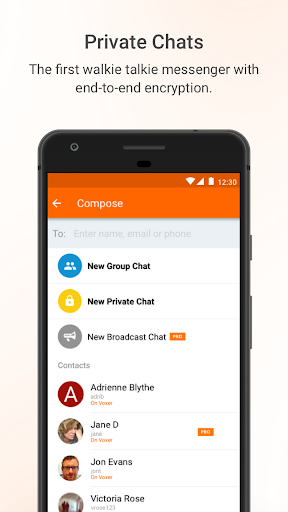
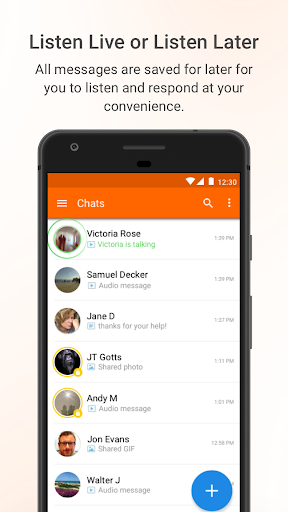
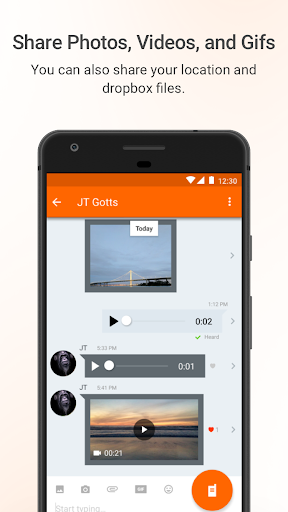
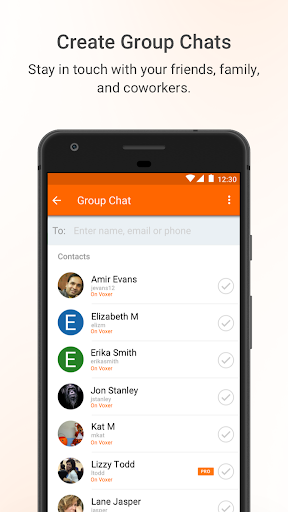
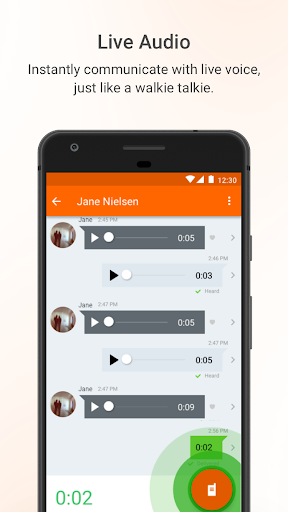
Voxer Walkie Talkie Messenger knows exactly what it wants to be: a faster, more immediate way to communicate than regular texting without forcing everyone into a live phone call. After spending time with it as a day-to-day messaging tool, that core idea still feels smart. Press a button, speak, and your message is there instantly. For coordinating people on the move, that can feel dramatically more natural than typing out updates one by one. The best part of Voxer is how quickly it gets to the point. The app does not make push-to-talk feel like a gimmick layered on top of a chat app; it feels like the main event. Sending a voice clip is simple, and the flow of conversation feels more human than text while still keeping the flexibility of asynchronous messaging. That balance is Voxer’s biggest strength. You can talk in real time when both sides are available, but because messages are recorded, nobody has to answer like they would on a phone call. In practice, that makes it useful for family check-ins, small groups, and especially teams that are constantly moving. I also liked that Voxer is not voice-only. Text, photos, video, and location sharing make the app much more practical than a pure walkie-talkie simulation. In use, that matters. There are plenty of moments when talking is easiest, but then you need to send a quick address, a photo of an issue, or a short typed clarification. Voxer’s mixed-media approach keeps the app from becoming too narrow. It can handle fast voice coordination and the follow-up details that voice alone often fails to capture. Another thing Voxer gets right is convenience. The app works well as a catch-up tool because voice messages are stored and playable later. That sounds basic, but it changes how usable the app is in real life. If you miss a burst of communication, you can go back through it instead of feeling like you missed the entire conversation. For busy group threads, that is a real quality-of-life advantage. The option for private chats with end-to-end encryption is also a meaningful plus, particularly for people who care about more secure direct communication. That said, using Voxer for more than a quick test also exposes some friction. The first issue is that the free version feels noticeably constrained in places that matter. Message storage is limited, and some of the more attractive features are clearly reserved for the paid tier. That is not unusual for modern apps, but with Voxer the divide is easy to feel. The app works for free, yes, but if you plan to rely on it heavily for team communication, it starts nudging you toward a subscription fairly quickly. For occasional users that may be fine; for anyone expecting a fully generous free experience, it can feel a little tight. The second weak spot is media quality, especially with images. In testing, photo sharing was serviceable for casual snapshots, but not always great when detail really mattered. Screenshots and other information-dense images can lose too much clarity after compression, which undercuts one of the app’s most practical use cases. If you are sending pictures purely for context, it is usually acceptable. If you need small text in an image to stay crisp and readable, Voxer can be frustrating. That is a bigger drawback than it sounds because field coordination often depends on sharing visual details quickly. The third issue is polish. Voxer is generally straightforward, but it does not always feel silky-smooth or fully refined in the way the best messaging apps do. There are moments where the experience feels a bit utilitarian rather than elegant, and some updates appear to have introduced rough edges for certain devices. I would not call the app broken in general, but it does carry a sense that stability and consistency are not always at the same level as its core concept. When your app’s entire appeal is instant communication, even occasional usability hiccups stand out more than they would in a slower, less time-sensitive app. Who is Voxer for? It is best for people who naturally think in short spoken updates rather than long text threads. Remote teams, on-the-go workers, volunteer groups, event coordinators, and families that want faster check-ins can all get real value from it. If your day involves frequent “I’m here,” “bring this,” “check that,” or “heading over now” moments, Voxer feels efficient and oddly liberating. It reduces the friction of staying in touch. Who is it not for? If you mostly want a polished all-purpose messenger, if you rely heavily on high-quality photo sharing, or if you dislike subscription pressure around premium features, Voxer becomes a tougher sell. It is also not ideal for people who strongly prefer quiet, text-first communication and see voice notes as intrusive rather than helpful. Overall, Voxer remains a compelling specialist app. Its push-to-talk experience is genuinely useful, the blend of live and saved communication works well, and the broader message options keep it practical. But the app stops short of being an easy must-have because the free version feels limited for serious use, image compression can be too aggressive, and the overall experience still has some rough edges. If voice-first coordination is your priority, Voxer is worth trying. If you need a cleaner, more polished messenger with stronger media handling, you may hesitate before committing.