Apps Games Articles
Dexcom G6
Dexcom
Rating 3.7star icon
Editor's summary
Editor rating
star icon star icon star icon
half star icon
empty star icon
3.8

One-line summary Dexcom G6 is easy to recommend if you already live in the Dexcom ecosystem because its real-time readings and alerts are genuinely useful, but I’d hesitate because an app this critical should feel more consistently polished and dependable than its middling store rating suggests.

  • Installs

    500K+

  • Developer

    Dexcom

  • Category

    Medical

  • Content Rating

    Everyone

  • Latest version

    v1.9.0.4.

  • Package

    com.dexcom.g6

Screenshots
In-depth review
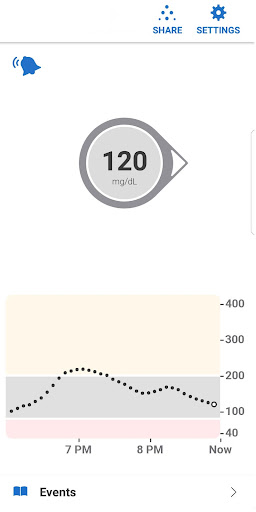
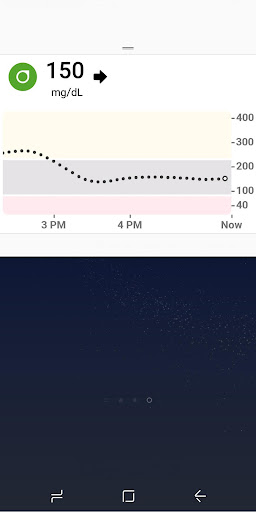
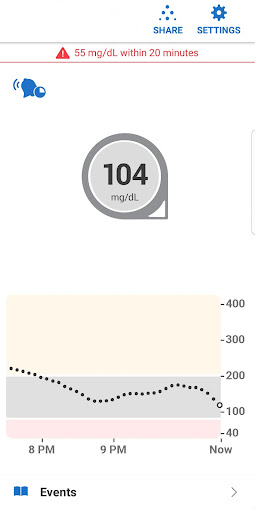
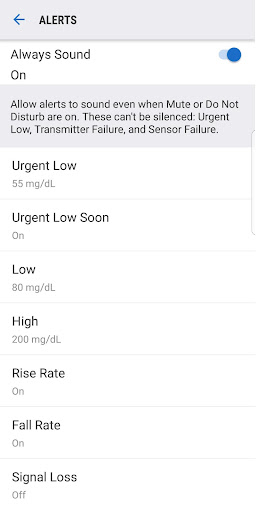
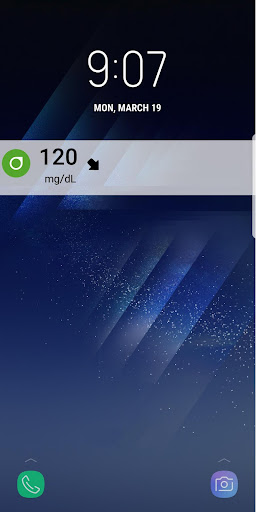
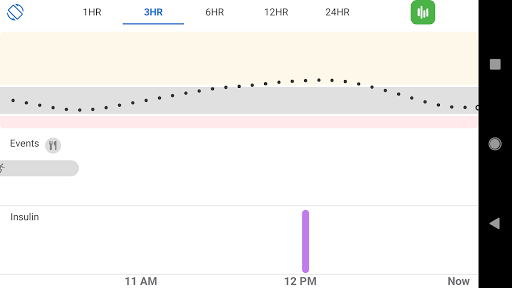
Dexcom G6 is not the kind of app you open for entertainment or even convenience alone. It sits in a much more serious category: an app that can affect how confidently you move through your day. After spending time with it from a practical, daily-use perspective, what stands out most is that Dexcom clearly understands the core job. The app is built around one thing above all else: getting your glucose number, trend direction, and alerts in front of you quickly. When it works as intended, that focus makes a real difference. The best part of the experience is how little digging you have to do. The app’s main value is immediacy. You open it and the important information is front and center: your current glucose reading and where it’s heading. That sounds basic, but in a medical app, basic done right is exactly what you want. We found the overall design functional rather than flashy, and that’s a compliment here. It doesn’t feel overloaded with gimmicks. It feels like a tool. That practicality carries over into alerts, which are easily the app’s strongest feature. Dexcom G6 gives you meaningful warning when glucose is drifting too low or too high, and the app offers a decent amount of control over how those alerts behave. The alert scheduling is especially useful in real life. Being able to set one profile for work hours and another for the rest of the day makes the system feel less rigid than many medical apps. We also liked that the app supports different sound behaviors, including vibrate-only options for some alerts, while still keeping certain emergency warnings unavoidable. That balance between customization and safety feels thoughtfully handled. Another genuine strength is how well Dexcom G6 fits into a connected routine. The Share feature is a big deal for families, caregivers, and anyone who doesn’t manage diabetes entirely alone. Having glucose data available to selected followers in real time adds reassurance without requiring constant check-ins. Health Connect support also points to a wider ecosystem approach, letting data move into compatible third-party apps for retrospective tracking. Add in lock-screen visibility and Wear OS integration, and the app starts to feel less like a standalone utility and more like a daily companion. Still, living with Dexcom G6 is not completely friction-free. The first frustration is that the app can feel a little too clinical and utilitarian in ways that go beyond simplicity. There is a difference between focused design and rough-edged design, and Dexcom G6 sometimes lands on the wrong side of that line. Navigation and presentation are serviceable, but not especially elegant. For an app people may rely on constantly, the experience could be smoother and more refined. The second issue is that alert-heavy apps always walk a fine line, and Dexcom G6 doesn’t entirely escape that tension. On one hand, alerts are the reason the app matters. On the other, the “Always Sound” behavior and the non-silenceable alarms can make the app feel intrusive, especially in quiet settings or overnight. The safety logic is understandable, and in many cases necessary, but there were moments where the app felt more demanding than graceful. This is one of those rare cases where something can be both a feature and a complaint at the same time. The third weakness is confidence. Not confidence in the idea of continuous glucose monitoring, but confidence in the app layer itself. With a Play Store score that trails the brand’s importance, there is a sense that the software experience has rough spots users notice. In hands-on use, that comes across less as one catastrophic flaw and more as an overall lack of polish. This is a health app, and that raises the standard. You want something that feels absolutely solid every day, not merely acceptable most days. Who is Dexcom G6 for? It is clearly for people who already use the Dexcom G6 or G6 Pro CGM systems and want reliable, at-a-glance glucose monitoring on a phone, with alerts doing much of the heavy lifting. It is especially good for parents, caregivers, and households where shared visibility matters. It is also a good fit for people who appreciate seeing readings on a lock screen or wearable instead of constantly opening an app. Who is it not for? Anyone outside the Dexcom G6/G6 Pro ecosystem should move on immediately, because this is not a general wellness or blood sugar logging app. It is also not ideal for users who are extremely sensitive to notification stress or who expect the kind of polished, consumer-grade fluidity seen in top mainstream apps. Dexcom G6 is competent and important, but not luxurious. In day-to-day use, the app succeeds because it keeps the essentials close and the warnings hard to miss. The real-time readings are useful, the trend awareness is actionable, and the sharing options make it more than just a personal dashboard. At the same time, it never quite reaches the level of software elegance you might hope for from something this important. My take is ultimately positive: if you use compatible Dexcom hardware, this app is a practical, often indispensable part of the package. I just wish the software experience felt as mature and reassuring as the role it plays in everyday diabetes management.
Alternative apps