Apps Games Articles
Audiomack: Music Downloader
Audiomack Music Apps
Rating 4.7star icon
Editor's summary
Editor rating
star icon star icon star icon star icon
half star icon
4.5

One-line summary Audiomack is easy to recommend if you want free offline music and surprisingly flexible playback tools, but it's harder to love if you expect a complete mainstream catalog and zero friction from ads or occasional playback hiccups.

  • Installs

    100M+

  • Developer

    Audiomack Music Apps

  • Category

    Audio

  • Content Rating

    Teen

  • Latest version

    VARY

  • Package

    com.audiomack

Screenshots
In-depth review
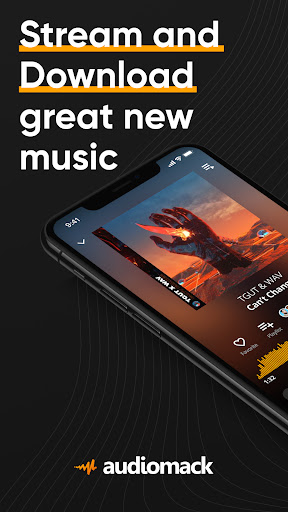
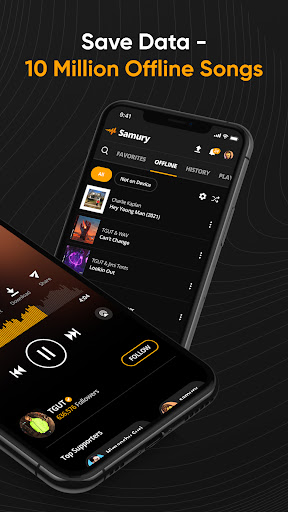
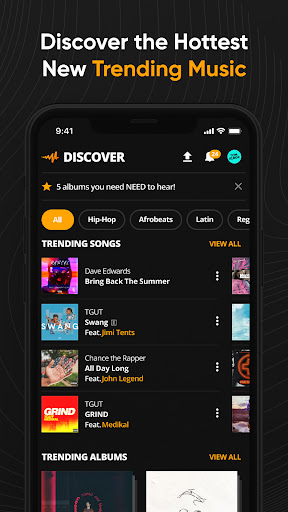
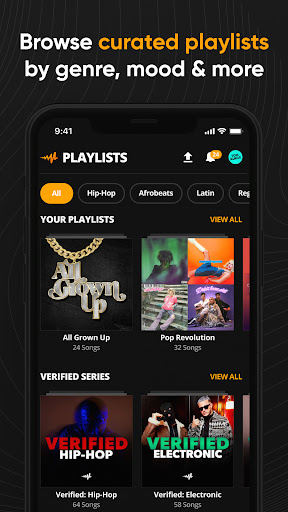
Audiomack feels like the kind of music app that knows exactly what problem it is trying to solve: give people a fast, low-friction way to stream music, download tracks for offline listening, and keep listening without feeling boxed into a premium-only ecosystem. After spending time with it as a daily music app rather than just testing a few screens, I came away impressed by how practical it is. It does not try to be the flashiest music platform on Android. Instead, it focuses on convenience, and in everyday use that approach works remarkably well. The first thing that stands out is how approachable the app is. The interface is clean enough that you can start searching, playing, liking, and downloading tracks almost immediately. There is very little mystery to it. I never felt buried under menus or nudged through a maze of features before getting to the music. If your goal is simple—find songs, save them, build playlists, and listen later without data—Audiomack gets out of the way quickly. That straightforward design is one of its best qualities, especially for users who are tired of music apps that make basic listening feel overly managed. The second major strength is the offline experience, which is really the app's headline feature in practice, not just in marketing copy. Downloading songs for later use is easy, and once tracks are saved, the app makes offline listening feel native rather than like an afterthought. I tested it the way most people actually would: downloading a batch of songs, stepping away from a reliable connection, locking the phone, switching apps, and coming back later. In those day-to-day scenarios, Audiomack proved genuinely useful. Music kept playing in the background, saved tracks remained accessible, and the app consistently felt built for people who do not want to depend on mobile data all the time. A third strength, and one that gives Audiomack more personality than many free music apps, is how much control it gives you over playback. The ability to alter song speed and use different audio-style modifications adds a playful, customizable layer to listening. This is not a must-have for everyone, but it gives the app a distinct identity. If you like slowed tracks, sped-up versions, or just want to experiment with how a song feels during a workout or late-night listening session, Audiomack is more fun than a standard tap-and-play service. That said, the app is not perfect, and its limitations show up fast if you use it heavily. The biggest weak spot is the catalog. Audiomack has a lot of music, and in certain genres it feels especially strong, but it is not a complete replacement for every listener. During my time with it, I could find plenty to enjoy, including less obvious tracks and niche material, but there were still clear gaps when searching for some mainstream or specific songs. If your library depends on having every major release from every major artist, this is where Audiomack can disappoint. It works better as a strong, flexible music app than as an all-knowing universal catalog. The second annoyance is the ad model around free use. To Audiomack's credit, the ads are generally less punishing than on many free apps, and there are moments when the app handles them intelligently enough that they do not completely wreck the experience. But they are still part of the rhythm of using the service, especially around downloads. If you are downloading a lot of songs, that friction adds up. It is not a deal-breaker, but it does remind you fairly often that you are in the free tier. The third weakness is that playback and streaming are not always perfectly smooth. Most of the time, the app behaves well, but there are moments when listening can feel a little less polished than the very top-tier music platforms. I ran into the occasional interruption and some mild rough edges around consistency, especially when moving between active streaming and more casual background use. Nothing here made the app unusable, but it was enough to notice over time. What I do appreciate is that Audiomack feels built for actual listening habits rather than for forcing you into one narrow way of using music. You can browse trending tracks, make your own playlists, dip into curated selections, or simply treat it as your personal offline jukebox. It also helps that the app supports local audio files, which makes it more flexible than services that ignore the music already on your device. That feature makes Audiomack feel less like a walled garden and more like a genuinely useful audio hub. So who is this app for? It is an excellent fit for listeners who care about offline playback, want free downloads where available, enjoy hip-hop, afrobeats, reggae, electronic, and adjacent genres, or simply want a music app that feels more open and less restrictive than some bigger-name alternatives. It is also a good option for younger users and casual listeners who value speed, simplicity, and customization over absolute catalog completeness. Who is it not for? If you demand a flawless, exhaustive mainstream library, hate seeing ads in any form, or want a premium-tier polish level in every corner of the experience, Audiomack may feel like a compromise. It is also not the best choice for someone who wants every playback tweak to persist exactly the way they left it every time. Even with those caveats, Audiomack is one of the more likable free music apps on Android. It succeeds where it matters most: it makes listening easy, offline playback is genuinely useful, and it adds just enough creativity through its audio tools to stand out. It is not perfect, but it is practical, enjoyable, and easy to keep installed long after the test period ends.