Apps Games Articles
Intelligent Hub
VMware Workspace ONE
Rating 3.0star icon
Editor's summary
Editor rating
star icon star icon star icon empty star icon empty star icon
3.3

One-line summary Intelligent Hub is easy to recommend if your company runs Workspace ONE and you need secure, centralized access to work apps and support, but it is hard to love because its heavy permissions, IT-controlled behavior, and uneven polish make it feel more mandatory than delightful.

  • Installs

    10M+

  • Developer

    VMware Workspace ONE

  • Category

    Business

  • Content Rating

    Everyone

  • Latest version

    23.03.0.25

  • Package

    com.airwatch.androidagent

In-depth review
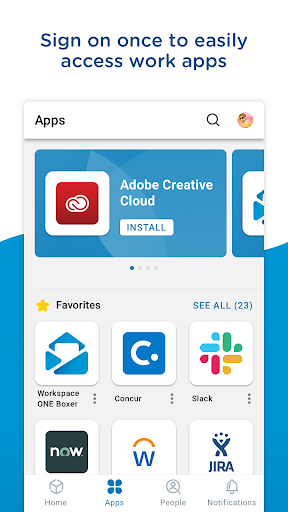
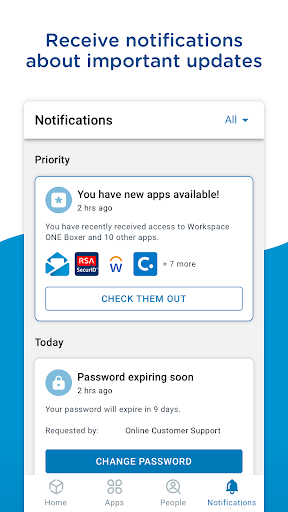
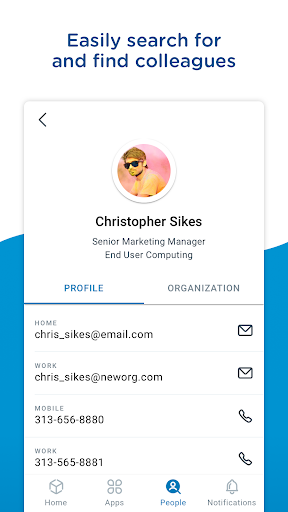
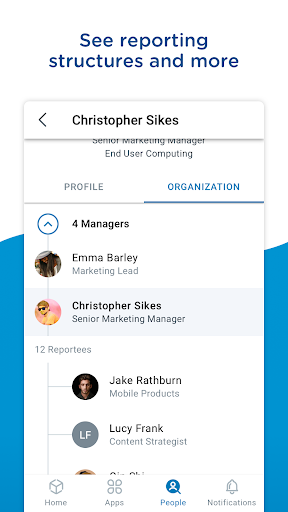
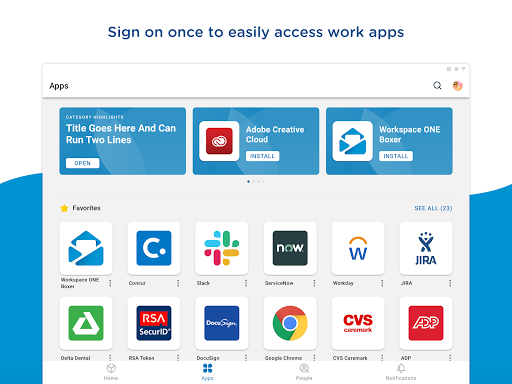
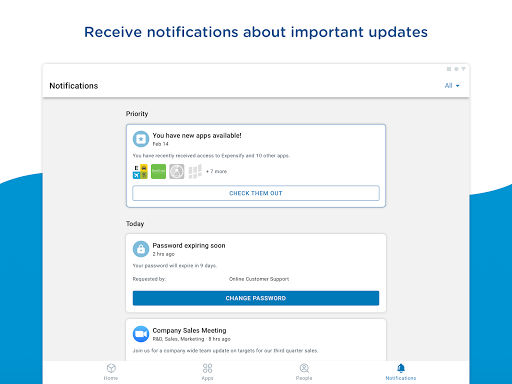
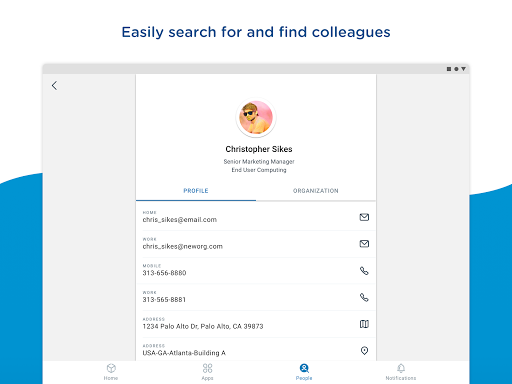
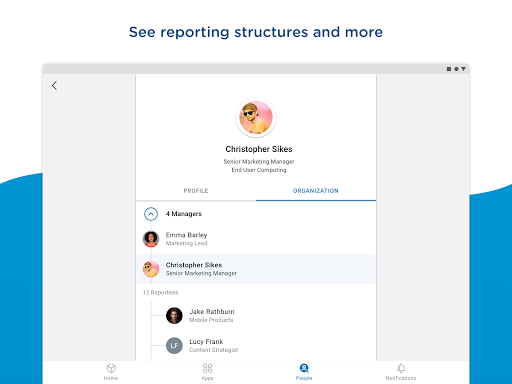
Intelligent Hub is one of those apps that makes almost no sense in isolation. Install it on a personal phone without an employer telling you to, and it feels invasive, confusing, and oddly incomplete. Use it in the environment it was built for, though, and the picture changes quickly. In our time with it, that split personality defined the whole experience: as a consumer app, it is tough to recommend; as an enterprise portal tied to Workspace ONE, it can be genuinely useful. The first thing you notice is that Intelligent Hub is not trying to be fun, and it is barely trying to be charming. It is a work utility, and it presents itself that way. The onboarding flow is oriented around company setup, compliance, and enrollment rather than discovery. That means the app can feel cold at first, but it also means you understand its purpose almost immediately. Once connected to a managed environment, the app starts to make more sense. It becomes a central doorway for work apps, internal resources, notifications, and device status, with the exact mix depending on how much your IT team has enabled. In day-to-day use, one of Intelligent Hub’s biggest strengths is consolidation. We liked having a single place to check whether the device was compliant, find company apps, open internal links, and occasionally pull up directory information without jumping across multiple tools. The catalog experience is especially important here. Being able to favorite frequently used apps and websites makes the app feel less like a policy engine and more like a practical workspace launcher. Search also helps when the catalog gets crowded. If your organization has actually put effort into configuring the experience well, Intelligent Hub can become a handy starting screen for work. Another strong point is that the app keeps security and support visible instead of burying them. That may not sound exciting, but in practice it matters. We could quickly check device details, see whether the phone was meeting compliance requirements, and find support-related options without digging through Android settings or waiting for an email from IT. For corporate users, that kind of transparency lowers friction. If something is off, the app tends to make it clear that the problem exists, even if resolving it may still require policy changes or admin intervention. The third area where Intelligent Hub earns credit is basic usefulness around company information and communication. When the People and notification services are active, the app starts to feel more complete. Directory lookup can be convenient for finding colleagues by name or email, and built-in access to titles, contact details, and organization structure is helpful when you are moving quickly. Notifications also give the app a broader purpose beyond device management. Instead of existing only to enforce rules, it can serve as a channel for practical workplace updates, alerts, and reminders. That said, Intelligent Hub has real drawbacks, and they are not minor. The biggest issue is the app’s relationship with trust. It asks for and explains a lot of device-related access because mobile management software has to. In a corporate context, that is understandable. On a personal level, it still feels intrusive. Even when you know why those permissions are there, the overall tone is one of oversight. This is the kind of app you tolerate because your employer needs it, not the kind you install because you want it. That distinction hangs over the whole experience. The second weakness is that much of the app’s quality depends on your company’s backend configuration, which means your experience may range from smooth to frustrating with very little in your own control. During use, that creates an odd disconnect: the shell of the app can seem capable, but whether it is actually convenient or clunky is often decided elsewhere. Some sections feel useful and well organized, while others can feel sparse, generic, or restricted. When things work, Intelligent Hub feels efficient. When they do not, it can feel like a locked door with a corporate logo on it. The third weakness is polish. While the app is generally functional, it does not consistently feel elegant. Navigation is serviceable rather than slick, and some interactions carry the weight of enterprise software design: clear enough, but not especially graceful. It is not broken, but it is not particularly warm or modern in the way the best productivity apps are. Combined with the lower public ratings, that sense of friction is easy to understand. Intelligent Hub does what it needs to do, but not always with much finesse. Who is this app for? Quite clearly, it is for employees whose organizations use Workspace ONE and want one managed place for enrollment, catalog access, compliance visibility, support touchpoints, and internal communication. If that is your setup, Intelligent Hub can be a useful everyday tool and, at times, an essential one. Who is it not for? Anyone looking for a general productivity app, a privacy-light utility, or a consumer-friendly work hub should stay away. Outside its enterprise ecosystem, it feels like an app with all the obligations of IT management and few of the rewards. Our overall take is that Intelligent Hub succeeds when judged by the standards of enterprise mobility rather than mainstream Android apps. It is not especially enjoyable, but it often is effective. It centralizes the things corporate users actually need, it makes device state and support easier to access, and it can become a solid launcher for work resources. At the same time, it asks for a lot, gives end users limited control, and never entirely shakes the feeling that you are borrowing space on your own phone. If your company requires it, this is one of the better arguments for an all-in-one enterprise hub. If not, there is very little reason to invite it onto your device.