Apps Games Articles
Intune Company Portal
Microsoft Corporation
Rating 2.9star icon
Editor's summary
Editor rating
star icon star icon star icon empty star icon empty star icon
3.2

One-line summary Intune Company Portal is worth choosing if your workplace runs Microsoft’s mobile management stack well, but it’s hard to warmly recommend because a shaky setup or policy conflict can turn basic phone access into an exhausting support ticket.

  • Installs

    10M+

  • Developer

    Microsoft Corporation

  • Category

    Business

  • Content Rating

    Everyone

  • Latest version

    5.0.5802.0

  • Package

    com.microsoft.windowsintune.companyportal

In-depth review
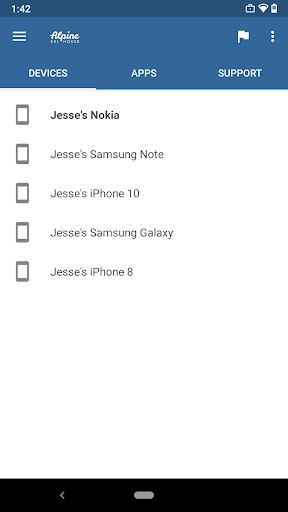
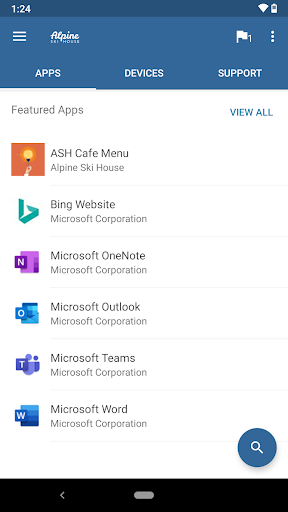
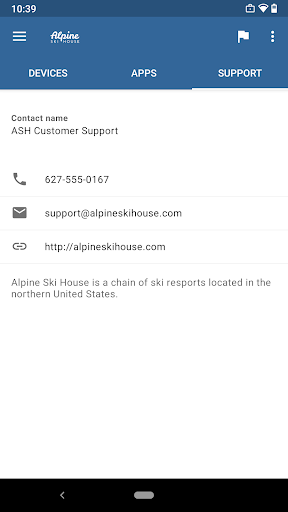
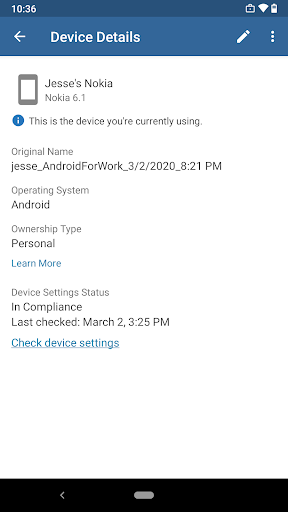
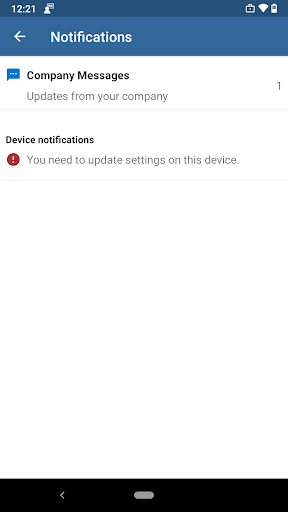
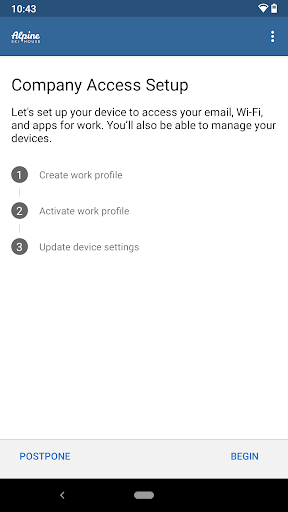
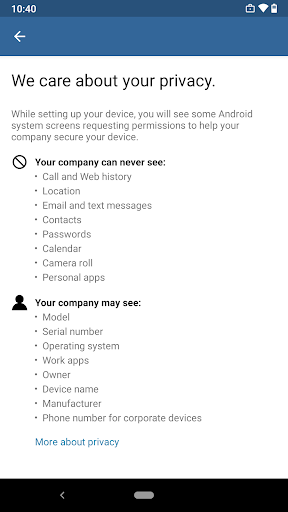
Intune Company Portal is one of those apps that almost nobody installs because they want to. You install it because your employer tells you to, and from that moment on the app is judged on a very simple standard: does it get you into work apps quickly without making your personal phone miserable? After spending time with it in that exact context, my verdict is mixed but fairly clear. When everything is configured correctly on the company side, Company Portal does its job with very little drama. When anything is off, even slightly, the experience can become confusing, restrictive, and far more technical than the average employee should ever have to deal with. At its best, Company Portal is a quiet utility. The enrollment process is guided enough that you can usually follow along without feeling lost, and the app makes its purpose obvious from the start. It exists to register your device, create or manage a work profile where supported, and act as the bridge between your phone and your organization’s security requirements. In daily use, that means getting access to work email, collaboration tools, internal apps, and account-related actions such as password changes or device management. Once we had it running properly, the app mostly faded into the background, which is exactly what a device-management tool should do. That low-profile reliability is the first real strength here. After setup, Company Portal can feel almost invisible. Work apps authenticate, managed access behaves as expected, and you can see enrolled devices and basic organizational information in one place. There is a practical neatness to having your work environment separated and controlled, especially on a personal Android phone where you do not necessarily want corporate settings leaking into everything else. If your company uses Microsoft services heavily, the integration feels natural rather than bolted on. The second strength is that the app gives a real sense of structure. It is not glamorous, but it is useful. Being able to browse company-provided apps, check enrollment status, and handle basic account actions from one portal is convenient. For employees who just want one approved path into their work setup, Company Portal does remove guesswork. You are not hunting for undocumented settings or trying to figure out whether Outlook, Teams, or another app should be signed in a certain way. The portal establishes the rules and puts the compliant path in front of you. The third strength is security with a visible user-facing framework. Many enterprise security tools are opaque; they simply block things and leave you wondering why. Company Portal at least tries to show that your device is being enrolled into a managed environment and that certain protections are part of the package. For organizations handling sensitive data, that reassurance matters. From an end-user perspective, there is value in seeing device state, account status, and management options in a dedicated app rather than dealing with hidden background controls. But this is also where the frustrations begin, because Company Portal often feels less like a polished consumer app and more like an administrative checkpoint that has been exposed directly to employees. The biggest weakness is that failures are rarely graceful. During testing, when enrollment worked, it worked. When it did not, the app had a tendency to throw broad, unhelpful messages about misconfiguration, unsupported work profiles, or the need to contact an IT administrator. That may be technically accurate, but it is not satisfying. For a tool used by millions of non-technical workers, the troubleshooting experience still feels too dependent on knowing what your organization intended in the first place. The second weakness is that the setup flow can be intrusive and occasionally exhausting on personal devices. By design, device management apps ask for a lot: permissions, policy acceptance, profile creation, and compliance checks. Company Portal does not really soften that experience. If you are already comfortable with enterprise management, you will tolerate it. If you are not, the app can feel like it is taking over your phone one screen at a time. That discomfort is not unique to Microsoft, but Company Portal does not do much to reduce it. Third, there is some friction in the broader Microsoft mobile experience around it. We ran into moments where account state, authentication, or app access did not feel perfectly synchronized, and fixing the problem sometimes meant resetting the account, clearing app data, or re-enrolling the device. That is the kind of maintenance task that power users and IT admins can handle, but regular employees should not have to piece together. When a work access tool starts demanding rituals instead of just working, patience wears thin quickly. Visually and functionally, the app is serviceable rather than delightful. The interface is clear enough, but it rarely feels modern or especially reassuring when something goes wrong. That matters because this app often appears at stressful moments: first-day onboarding, a work profile failure, a password issue, or an urgent need to get Outlook working before a meeting. In those moments, good design is not about beauty; it is about reducing panic. Company Portal does that inconsistently. So who is this app for? It is for employees whose organizations already use Microsoft Intune and need managed access to corporate apps and resources on Android. It is also perfectly suitable for IT-led environments where support is available and device policies are clearly documented. Who is it not for? Anyone looking for a general productivity app, anyone expecting a consumer-friendly Microsoft hub, or anyone hoping to use it independently outside a managed workplace. This app has one job, and it only makes sense inside that job. In the end, Intune Company Portal is a competent but conditional recommendation. In a well-run Microsoft environment, it is effective, structured, and mostly unobtrusive once enrolled. In a messy environment, it becomes the face of every hidden policy mistake and every authentication snag. That does not make it useless, but it does make it difficult to praise without reservations. If your employer needs it, you will probably use it. If their setup is solid, you may barely notice it. If not, you will notice it a lot.